


Free eBook sites almost always carry a catch. If you search for ways to read books online without pulling out a credit card, Readanybook usually sits near the top of Google. The hook is clear: instant text streaming in your browser. But community feedback paints a chaotic picture. Some readers treat it as a handy backup archive, while security-conscious users warn about misleading download buttons and persistent pop-under ads.
This Readanybook review 2026 cuts straight through the noise. Here is what actually happens when you open a book on the site, how to dodge ad tricks, and what legal alternatives—along with local document management via LightPDF—make the most sense for daily reading.
PART.1 What Is Readanybook?
Readanybook is a digital text library that streams eBooks directly inside standard browser tabs. You pick a book, skip the intro text, and start reading on screen. No installs required.
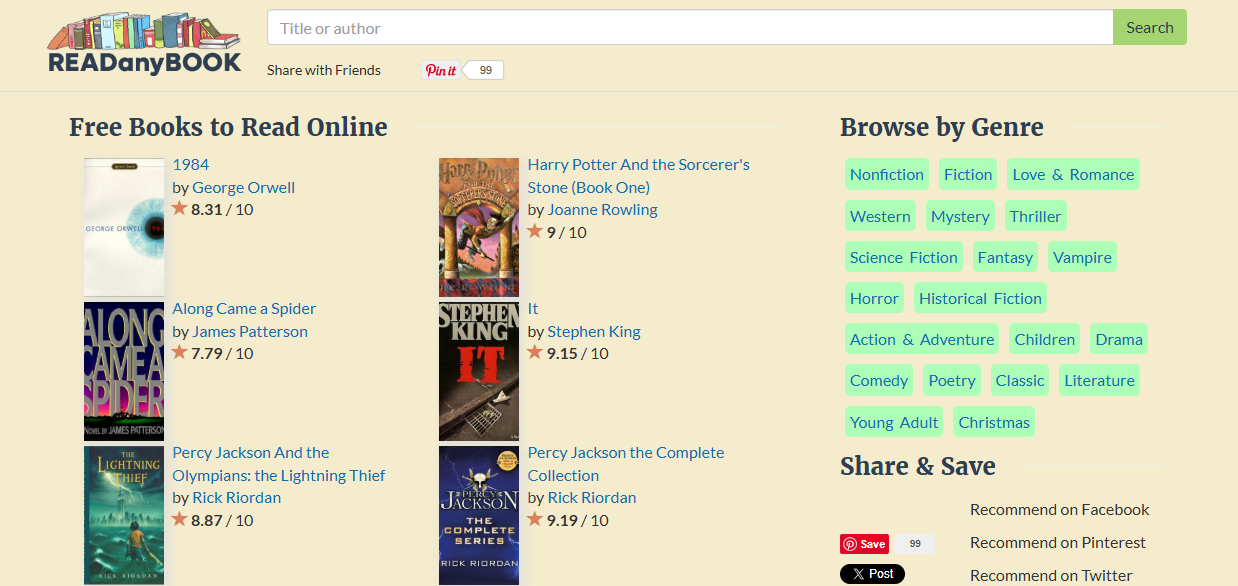
Key Features of the Platform:
- No Account Required: Start reading full pages right away without registering.
- Unfiltered Catalog: Combines public domain fiction with modern commercial releases in one search index.
- Ad-Supported Access: Runs entirely on third-party display banners, background redirects, and pop-under scripts.
It works fine if you just need to skim a chapter on a desktop screen. But treating it as a safe website to download books or expecting a clean, Kindle-like experience will quickly run into ad-heavy roadblocks.
PART.2 Is Readanybook Safe to Use?
Readanybook is moderately safe for basic in-browser reading, but interacting with its third-party ads or external download links presents security risks. The site itself isn’t a virus, but its ad partners test your patience.
Technical Connection Security
The domain runs on standard SSL/TLS encryption (HTTPS). Browsing the site or loading pure HTML text won’t automatically push malware onto your laptop or smartphone.
Ad Network Security Risks
The main headache comes from aggressive ad scripts running behind the reader window:
- Deceptive Download Banners: Banners labeled “DOWNLOAD NOW” or “START FREE TRIAL” sit right near the text window. These aren’t book files. They are paid ads pointing to software installers or unknown browser tools.
- Pop-Under Hijacks: Click “Next Page” inside the book frame, and a background tab might quietly launch an ad site behind your browser.
- Third-Party Payment Prompts: Some external redirects ask for a $1 verification fee or credit card details to unlock access. Close them immediately. Readanybook’s actual text streaming is completely free, and these prompts are external subscription traps.
If you insist on using the platform, run an active ad blocker like uBlock Origin, ignore all side banners, and never enter personal details on external pop-ups.
PART.3 Is Readanybook Legal & Legit for Downloading Books?
Readanybook operates in a legal gray area depending on the specific title you choose to read. The site doesn’t clarify where its files come from.
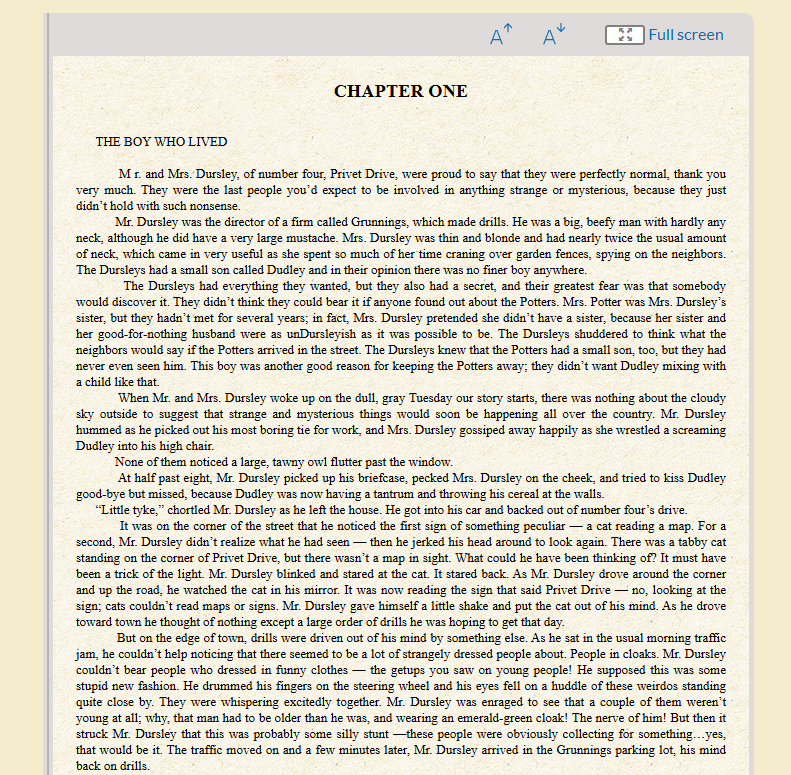
- Public Domain Titles (Legal): Classics published before 1928—like Jane Eyre or Dracula—are legally free to host and read online everywhere.
- Unlicensed Digital Streaming (Gray Area): Hosting contemporary bestsellers without visible publisher agreements or author consent breaks standard copyright distribution rules.
Reading public domain titles on the platform causes no legal issues. But if you want modern commercial releases, accessing them through official libraries or licensed channels is the only guaranteed compliant route.
PART.4 Readanybook vs. Verified Free Alternatives
| Platform | Catalog Scope | Ad Frequency | Access Model | Offline Export Options | Security Level |
| Readanybook | Unverified Mix (Public Domain + Commercial) | Heavy (Banners & Pop-Unders) | Free (Ad-Supported) | Browser-bound streaming only | Moderate (Requires Ad Blocker) |
| Libby (OverDrive) | 100% Fully Licensed Library Stock | Zero | Free (Requires Library Card) | App Loans / EPUB Downloads | Maximum |
| Project Gutenberg | Verified Public Domain Classics | Zero | 100% Free & Open Source | EPUB, Kindle, PDF, Plain Text | Maximum |
| Open Library | Controlled Digital Lending Archive | Zero | Free (Needs Free Account) | Encrypted PDF / EPUB Borrowing | Maximum |
PART.5 How to Browse Readanybook Safely
If you decide to view books on Readanybook, take these practical steps to protect your device:
- Activate Ad-Blocking Extensions: Turn on uBlock Origin or AdGuard before loading the homepage. This stops 90% of redirect scripts before they run.
- Use the Internal Search Bar: Search titles directly using the top site bar rather than clicking sponsored recommendation widgets on the sides.
- Stick to Internal Reader Controls: Flip pages using only the tiny inline navigation links (Next Page, Previous Page, Fullscreen) buried inside the text box.
- Close Unsolicited Tabs Immediately: If a click opens a new window claiming your browser needs an update, kill that tab instantly.
PART.6 Fully Authorized Sites to Read Books Online
You can skip ad redirects entirely by using these verified, zero-risk digital libraries:
- Libby by OverDrive: Links your public library card directly to your phone or tablet for free, legal bestseller loans.
- Project Gutenberg: Holds over 70,000 clean public domain books in DRM-free EPUB, Kindle, and text formats.
- Standard Ebooks: Re-formats open-source classics with modern typography, proofread layouts, and custom cover art for e-readers.
- Open Library: An Internet Archive initiative that lets you borrow scanned physical books online under controlled lending rules.
PART.7 Convert & Optimize eBook Files with LightPDF
Downloading public domain books or academic research papers from legal repositories often comes with layout headaches. Faded text, awkward margins, or stubborn EPUB formatting can make reading on desktop monitors or e-ink screens exhausting.
Using a dedicated utility like LightPDF solves these formatting issues quickly.
EPUB to PDF
EPUB files excel on smartphones because text flows dynamically to fit small screens. On larger tablet screens or desktop monitors, however, reflowable text often breaks table alignments and splits chapter headers awkwardly. Converting your EPUBs into structured PDF files using LightPDF locks page geometry, margins, and fonts into a clean, fixed layout across all your devices.

Scanned Document Enhancement
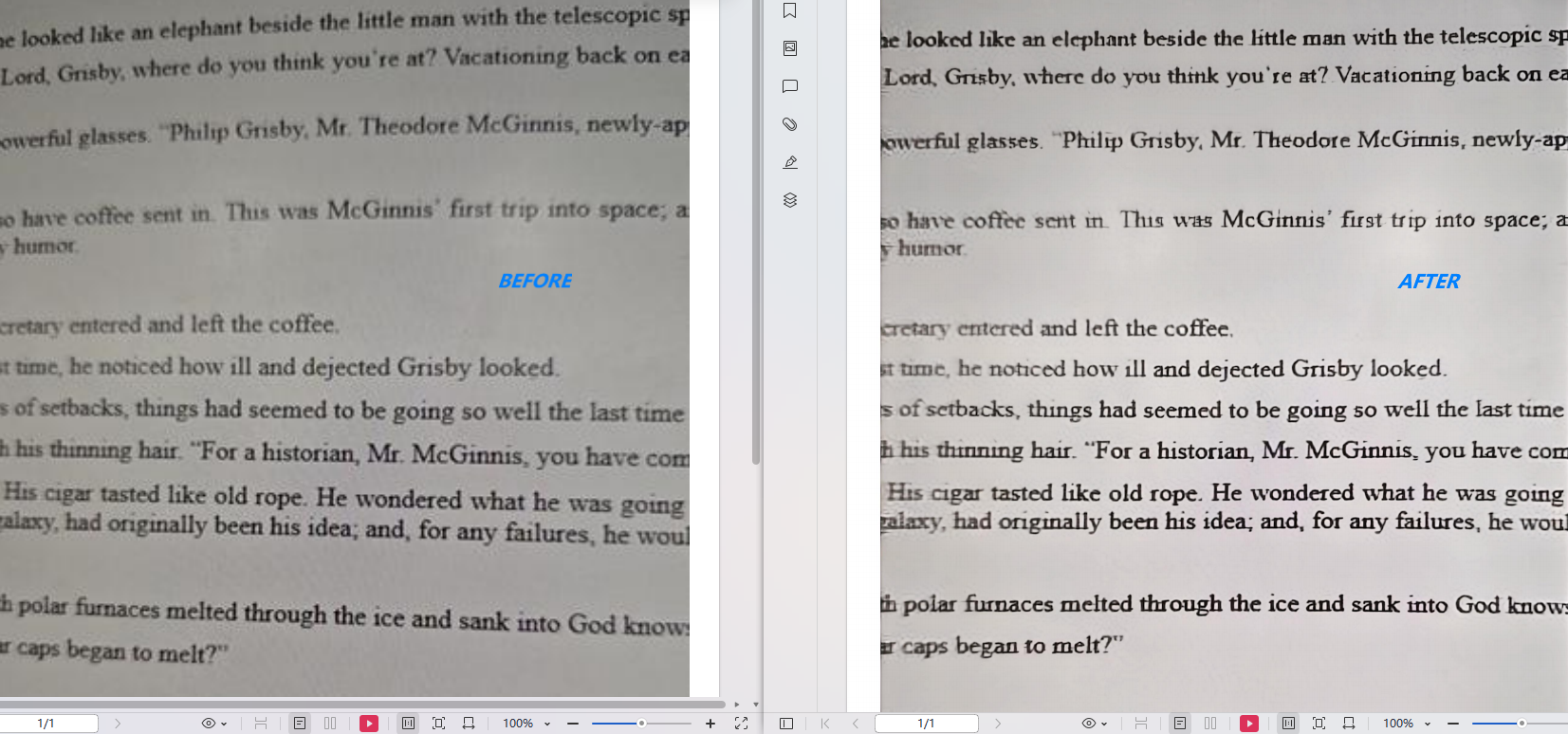
Older public domain PDFs pulled from open archives often suffer from gray backgrounds, yellowed page edges, or faint ink. LightPDF’s visual adjustment tools let you bump up document contrast, brighten background layers, and sharpen character edges, cutting down eye strain during long reading sessions.
Annotation Cleanup
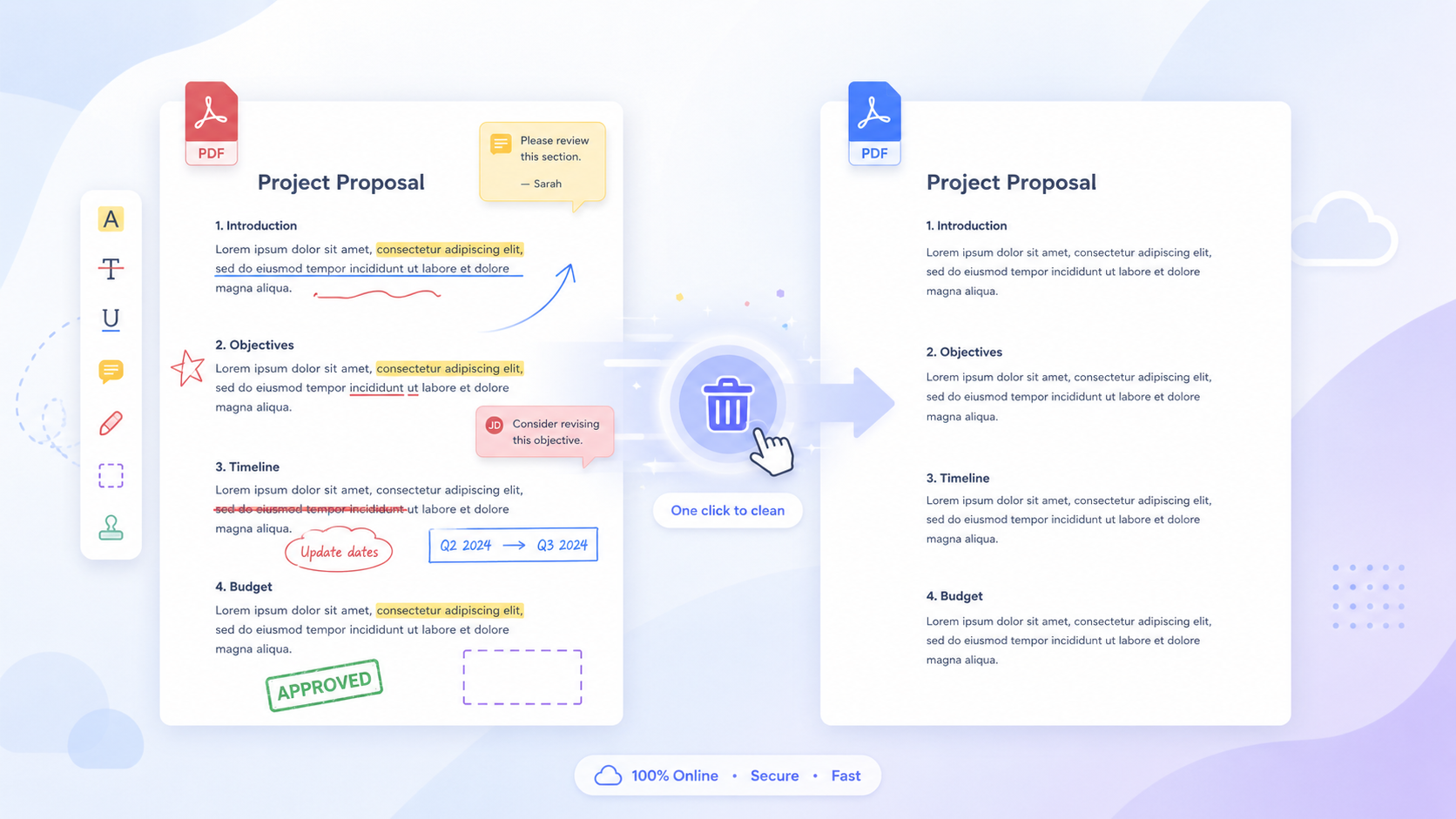
Scanned reference files often arrive cluttered with old library marks, stray pencil notes, or useless blank covers. LightPDF lets you delete stray annotations, trim unnecessary margins, and reorder chapters in seconds to build a clean personal library.
PART.8 FAQ
Is Readanybook a safe website to download books?
No, Readanybook is not a direct book downloading repository, and clicking its download prompts carries security risks. The site streams text inside your browser, while its prominent download links are third-party ad banners that often lead to unverified external pages.
Is Readanybook legal?
Readanybook operates in a legal gray area depending on the title you read. Public domain classics published before 1928 are legal to stream, but hosting copyrighted modern bestsellers without explicit publisher consent violates copyright standards.
Why does a pop-up ask for payment details on Readanybook?
Readanybook’s native reader does not charge fees, but its third-party ad networks deploy external promotional redirects. If a pop-up window prompts you for verification fees or payment details, close that window immediately.
What should I do if an alert pop-up appears while reading?
Close the tab immediately without clicking any links. These are automated warnings generated by third-party ad scripts, designed to trick users into downloading unnecessary browser tools.
How can I convert EPUB eBooks into clean PDF files?
Upload your file to LightPDF’s online converter tool, select PDF as your target format, and download the converted document. This process fixes font rendering issues and maintains consistent page layouts across all devices.
PART.9 Final Verdict
Readanybook works as a fast, zero-registration text viewer if you just need to skim a few pages in your browser. But aggressive ad redirects, misleading download prompts, and catalog gray areas mean you should proceed with caution and keep a strict ad blocker running.
For long-term reading, authorized channels like Libby or Project Gutenberg offer a far cleaner experience. And whenever you need to clean up, re-format, or optimize your downloaded study files, LightPDF provides the tools you need to keep your offline library crisp and readable.


Leave a Comment