


ChatGOT is an all-in-one AI chatbot assistant for chatting, writing, coding, summarizing, PDF analysis, and image generation, available online and as a Chrome and Edge extension.
ChatGOT Main Features
1. AI Chat
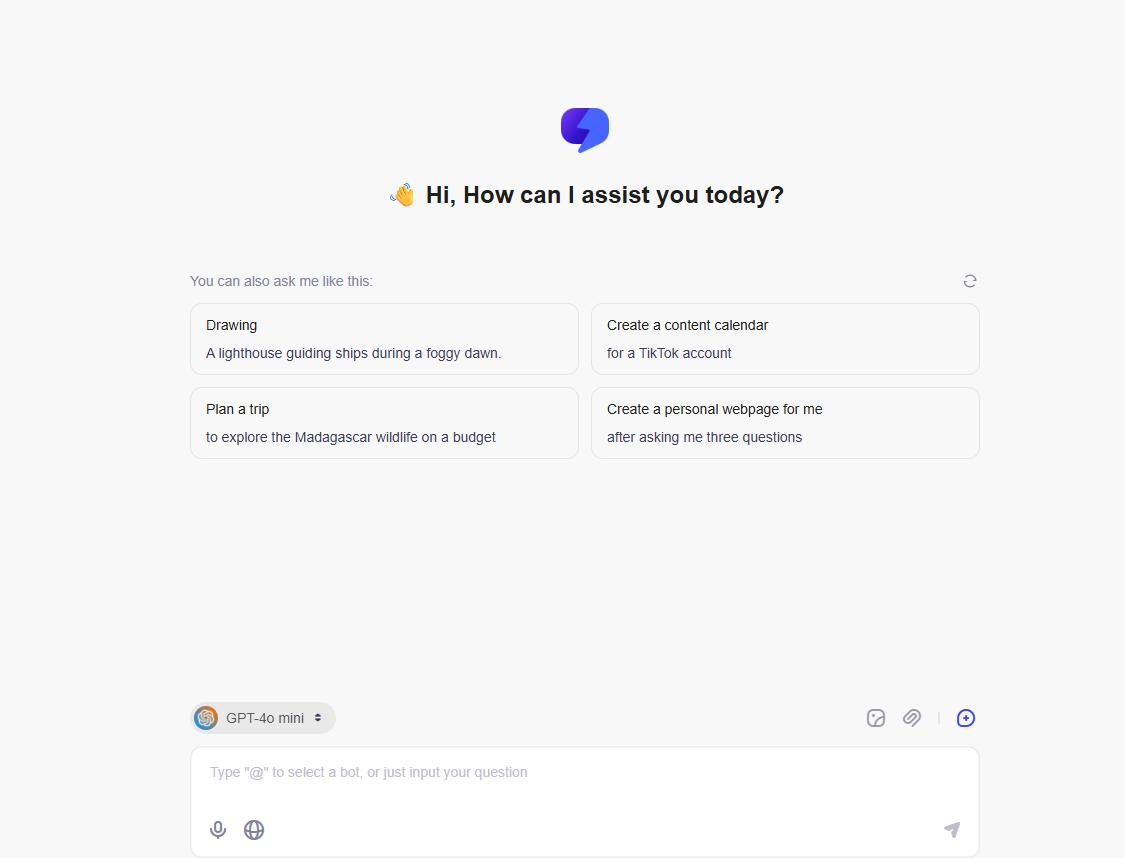
At its core, ChatGOT works like a standard AI chatbot.
You can enter questions or instructions to:
- Write or rewrite content
- Brainstorm ideas
- Explain complex topics
- Summarize information
- Generate marketing copy
- Get coding assistance
- Translate text
- Create outlines
Conversations are stored in a chat history, allowing users to return to previous discussions.
2. Access Multiple AI Models
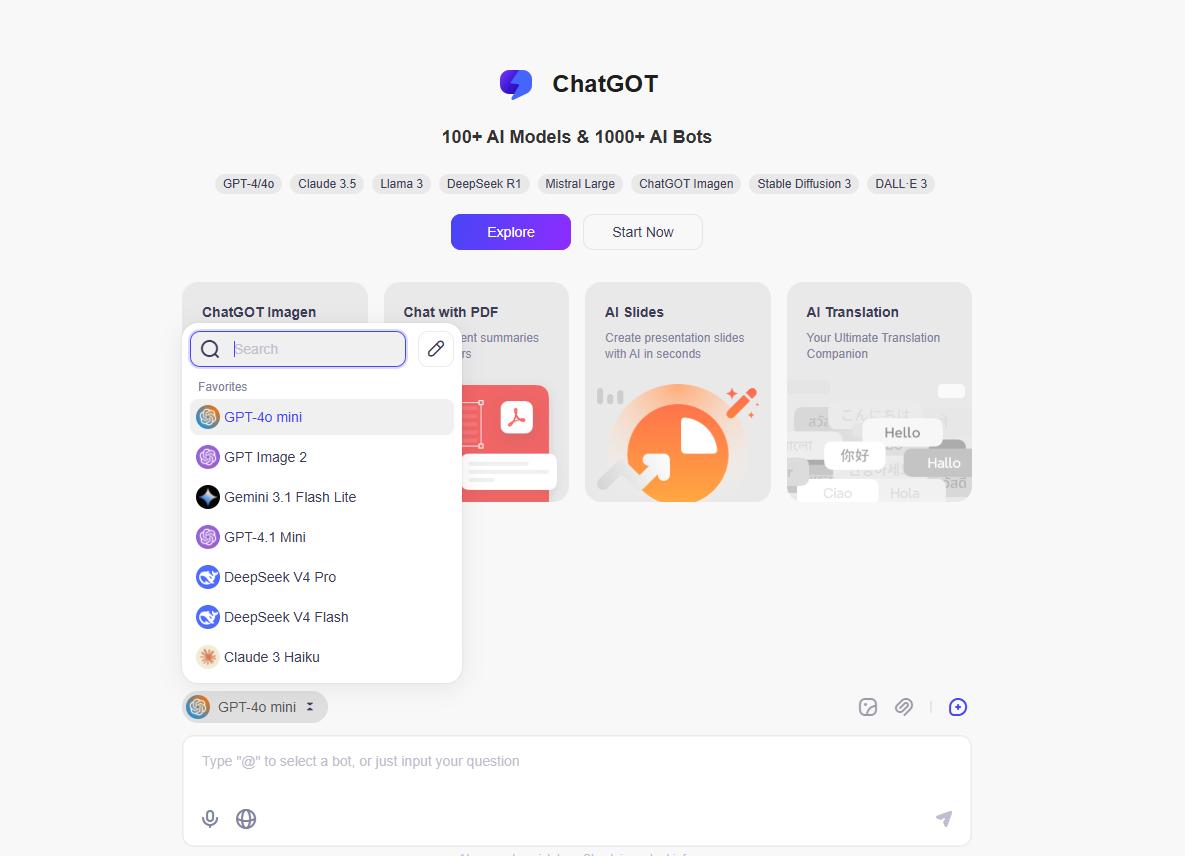
The feature that separates ChatGOT from a basic chatbot is its multi-model approach.
Rather than providing only one AI assistant, ChatGOT allows users to switch between different models within the platform. Its official materials describe the ability to select different AI systems and even direct questions toward particular bots.
This can be useful because different AI models often perform better at different tasks.
For example, you might prefer one model for:
- Creative writing
- Coding
- Research
- Long-document analysis
- Brainstorming
- Short factual answers
Model availability can change over time, so it is better to check the current ChatGOT interface before subscribing if you need a particular model.
3. Custom AI Assistant
ChatGOT lets users create their own personalized AI assistants without coding. You can customize a bot for specific tasks, business workflows, learning, or other repeated use cases.
When creating a custom assistant, users can configure elements such as the bot name, base AI model, prompt, and description to control how the assistant responds.
This is useful if you want a dedicated AI bot for tasks such as:
- Writing and content creation
- Customer support
- Study and learning
- Research
- Business workflows
- Repetitive daily tasks
Custom AI assistants can help users avoid entering the same instructions repeatedly and create a more consistent AI experience.
4. Chat with PDFs and Documents
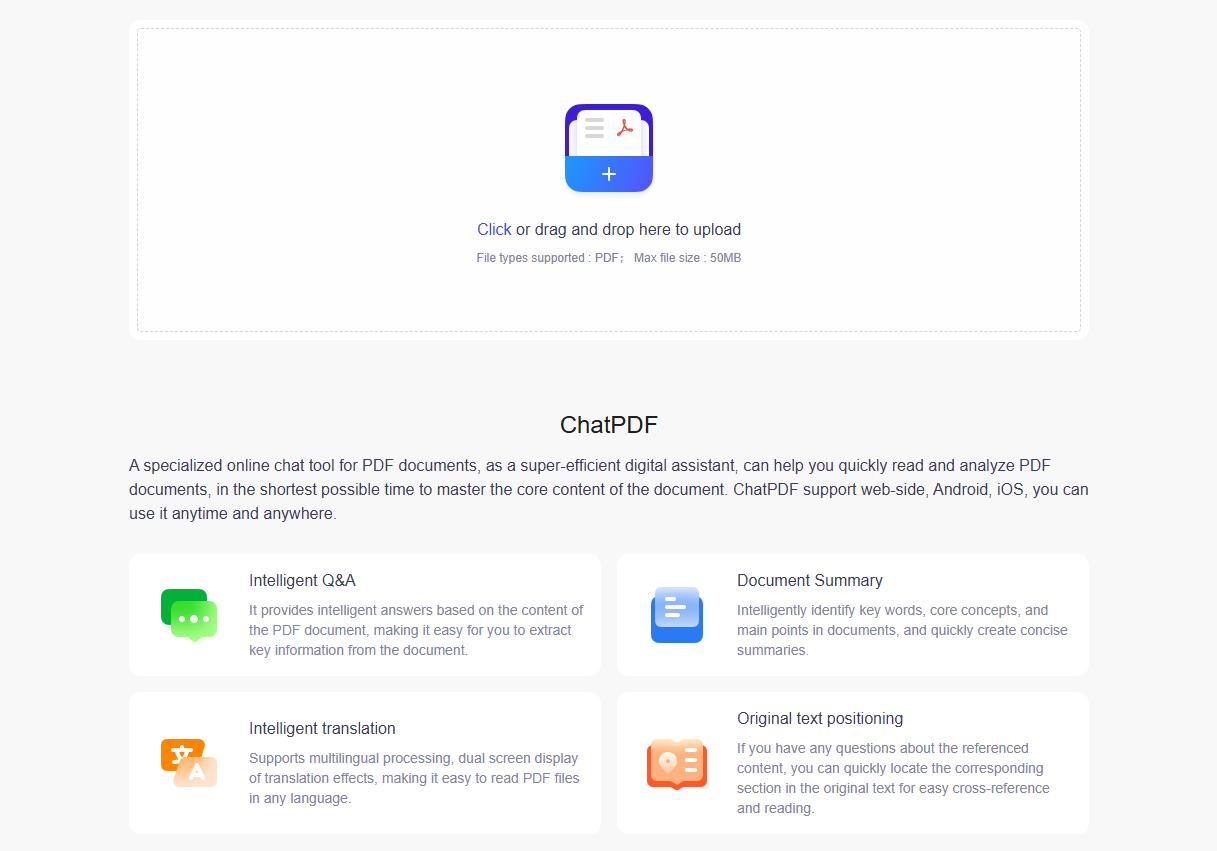
ChatGOT isn’t limited to ordinary text prompts.
It supports uploading documents and images for AI analysis. The platform also includes dedicated PDF-related features such as ChatPDF and an AI PDF Summarizer.
For example, you could upload a long report and ask ChatGOT to:
- Summarize the document
- Explain a specific section
- Extract important points
- Answer questions about its contents
- Identify key information
This can be particularly useful for students, researchers, and people who regularly work with long PDF files.
5. AI Image Generation
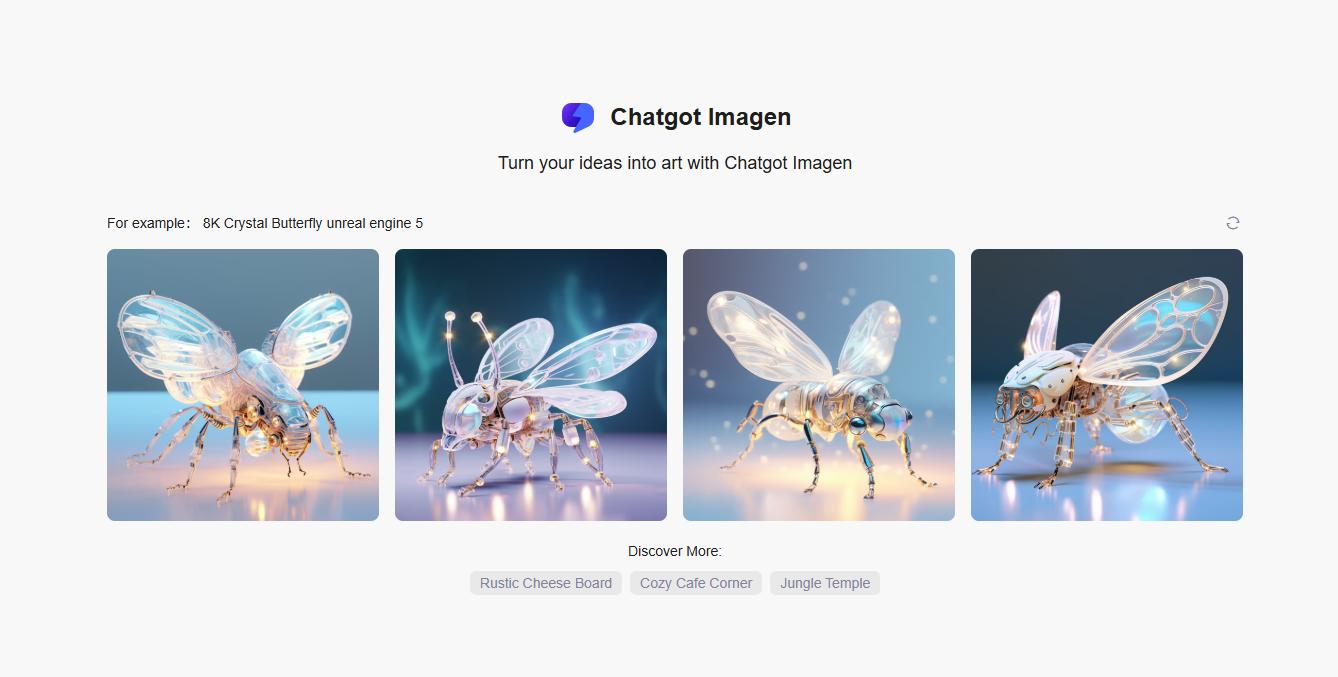
ChatGOT also includes AI image-generation capabilities.
Instead of opening a separate image generator, users can describe the picture they want directly in the chat interface and generate an image from the prompt.
This makes the platform more versatile for creators who work with both text and visual content.
However, image-generation quotas differ between subscription plans.
6. AI Writing Tools
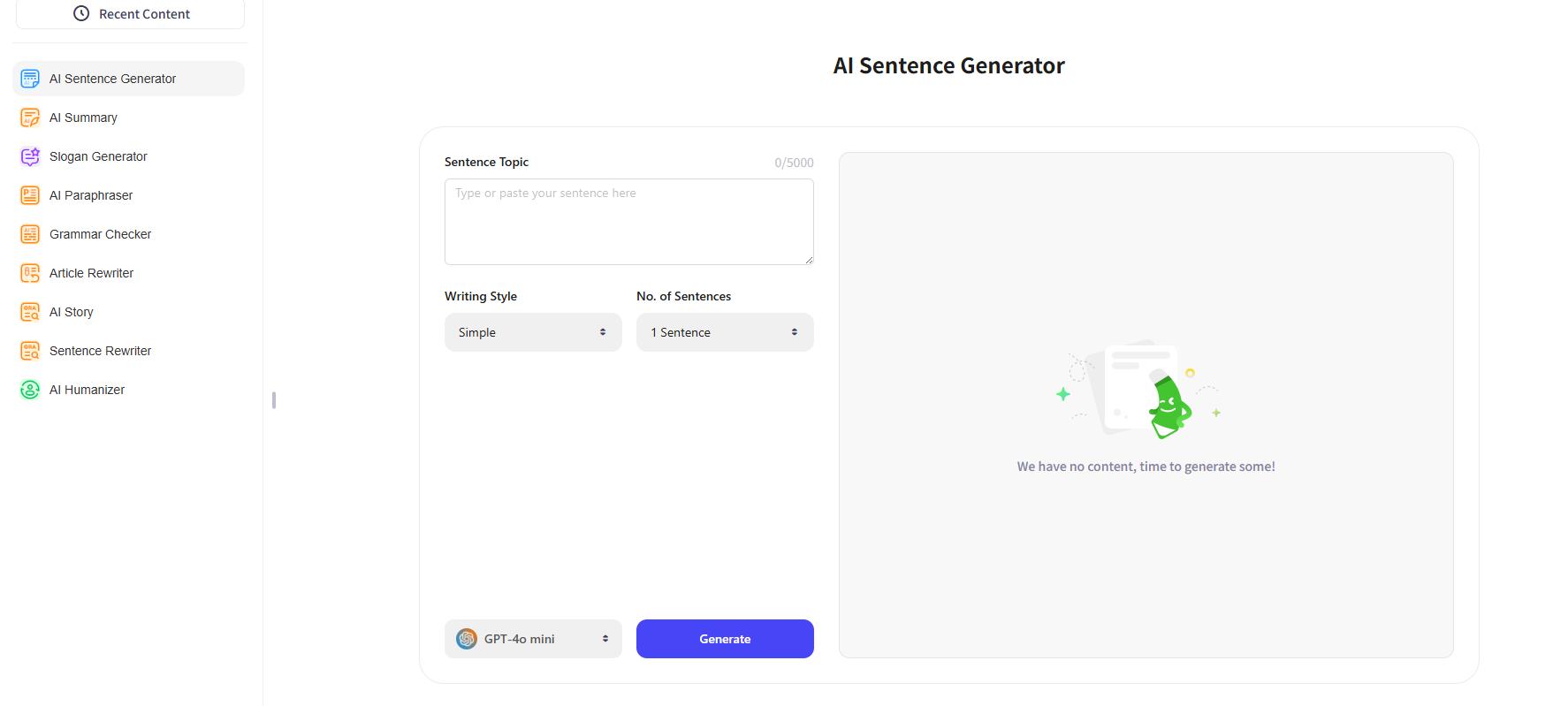
ChatGOT also provides several specialized writing utilities.
These include tools such as:
- AI Writer
- AI Humanizer
- AI Sentence Generator
- AI Slogan Generator
These tools make ChatGOT useful for people who regularly create blog posts, marketing copy, social media content, emails, or other written materials.
7. AI Slides
ChatGOT also includes an AI Slides tool that helps users create presentations from a topic or existing document.
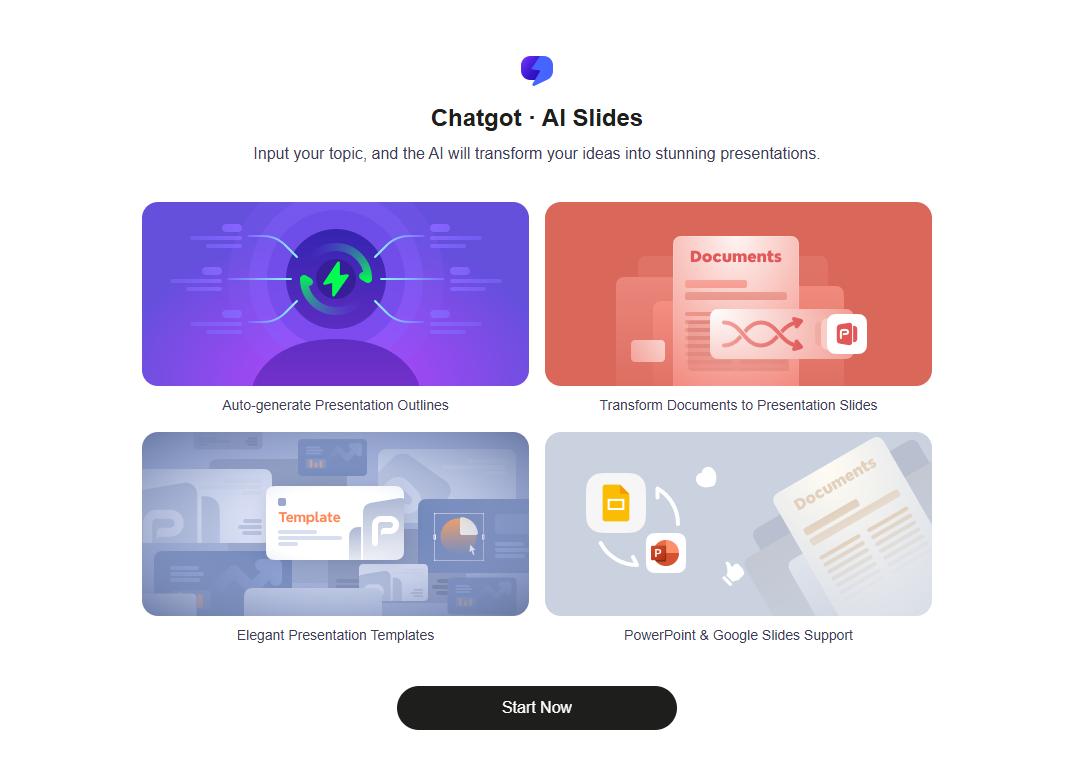
You can enter a topic and let the AI generate a presentation outline, or upload documents and turn their content into presentation slides automatically. ChatGOT also provides presentation templates to make the final result more polished.
Key features include:
- Auto-generate presentation outlines
- Convert documents into presentation slides
- Choose from ready-made presentation templates
- Export or continue working with PowerPoint and Google Slides
This feature is especially useful for students, teachers, marketers, and professionals who want to create presentations faster without building every slide from scratch.
ChatGOT Price
ChatGOT offers three plans: Free, Pro, and Max, so users can choose based on how frequently they use AI and whether they need advanced models, image generation, or AI Slides.
The Free plan is mainly suitable for light use or for trying ChatGOT before subscribing. It includes up to 10 standard queries per day but does not include advanced queries, image generation, or AI Slides credits.
The Pro plan costs $9.90 per month and significantly increases the usage allowance. It includes 6,000 standard queries, 400 advanced queries, 300 standard image generations, 50 advanced images, and 50 AI Slides credits per month. For most regular users, this plan provides a good balance between price and usage.
The Max plan costs $15.90 per month and is designed for heavier AI users. It raises the monthly allowance to 8,000 standard queries, 500 advanced queries, 500 standard images, 100 advanced images, and 100 AI Slides credits.
ChatGOT Pros and Cons
Pros
- Multiple AI capabilities in one place: You don’t need to jump between separate websites for AI chat, document analysis, writing, and image generation.
- Free version available: The free allowance makes it easy to try ChatGOT without immediately paying for a subscription.
- Web access : AI responses can incorporate current web information when the relevant mode is enabled.
Cons
- Usage limits: Although the paid plans offer significantly more usage, they still rely on quotas for advanced queries, images, and some features.
- Model availability may change: Third-party multi-model platforms depend on external AI providers, meaning individual models, limits, and capabilities can change.
- Not the same as subscribing directly to an AI provider: Accessing a model through ChatGOT isn’t necessarily identical to using that provider’s official application. Certain native features may be unavailable.
- AI answers still require verification: Like other AI assistants, ChatGOT can produce inaccurate or incomplete information. Important research, legal, medical, financial, or professional information should always be independently checked.
6 Best ChatGOT Alternatives
1. ChatGPT
Best for: General AI use, writing, coding, research, and file analysis.
ChatGPT is one of the strongest alternatives to ChatGOT for users looking for a general-purpose AI assistant. It can help with writing, brainstorming, coding, research, file analysis, image-related tasks, and many everyday productivity workflows. Users can also upload documents and ask questions about their contents. Unlike ChatGOT’s multi-model approach, ChatGPT focuses primarily on OpenAI’s own AI ecosystem.
Choose ChatGPT over ChatGOT if: You prefer a more integrated AI assistant instead of switching between different third-party models.
2. Poe
Best for: Accessing and comparing multiple AI models.
Poe is one of the closest alternatives to ChatGOT. Its main appeal is similar: users can access multiple AI models and bots through a single platform rather than opening several different AI services.
It is particularly useful for people who like comparing responses from different models or experimenting with specialized AI bots.
Choose Poe over ChatGOT if: Multi-model access is your main priority and you want a large selection of AI bots in one place.
3. Claude
Best for: Long-form writing, document analysis, coding, and knowledge work.
Claude is a strong option for users who spend most of their time writing, analyzing documents, or working with complex text. It can handle uploaded documents, summarize long content, help draft and rewrite text, analyze information, and assist with coding and knowledge work. Rather than trying to provide many separate AI models, Claude focuses on providing a consistent AI workspace around its own model ecosystem.
Choose Claude over ChatGOT if: You want to work deeply with documents and text rather than constantly switch between AI models.
4. Perplexity
Best for: Web research and source-backed answers.
Perplexity is a better choice when your main goal is finding information online.
It focuses heavily on AI-powered search and research, providing answers alongside links and citations to supporting sources.
This makes it particularly useful for:
- Market research
- Academic research
- Current events
- Product comparisons
- Finding recent information
- Fact checking
Choose Perplexity over ChatGOT if: Research is more important to you than general AI content generation.
5. Gemini
Best for: Users already invested in Google’s ecosystem.
Gemini is another major ChatGOT alternative, especially for users who already rely heavily on Google services. Its integration with Google’s ecosystem can make it convenient for users working across search, productivity tools, files, and other Google services.
Gemini also supports common AI tasks such as writing, brainstorming, summarization, coding assistance, document analysis, and image-related workflows.
Choose Gemini over ChatGOT if: Google integration matters more to you than access to several different AI models.
6. LightPDF
Best for: PDF editing, OCR, conversion, document analysis, and AI-powered document workflows.
If you are considering ChatGOT mainly because of its PDF features, LightPDF is a more specialized alternative. While ChatGOT focuses on general AI chat and document analysis, LightPDF is designed specifically for working with PDFs and documents.
Its tools cover tasks such as:
- Chatting with and summarizing PDFs
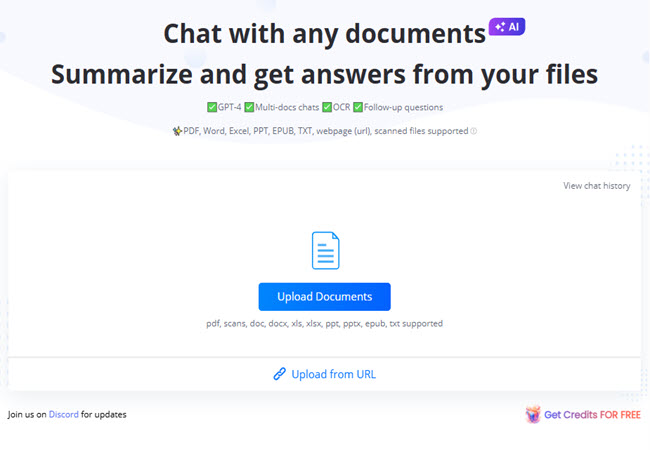
- Editing PDF content
- OCR for scanned documents
- Extracting text and structured data
- Translating PDFs
- Enhancing scanned PDFs

- Editing text in scanned PDFs and Image
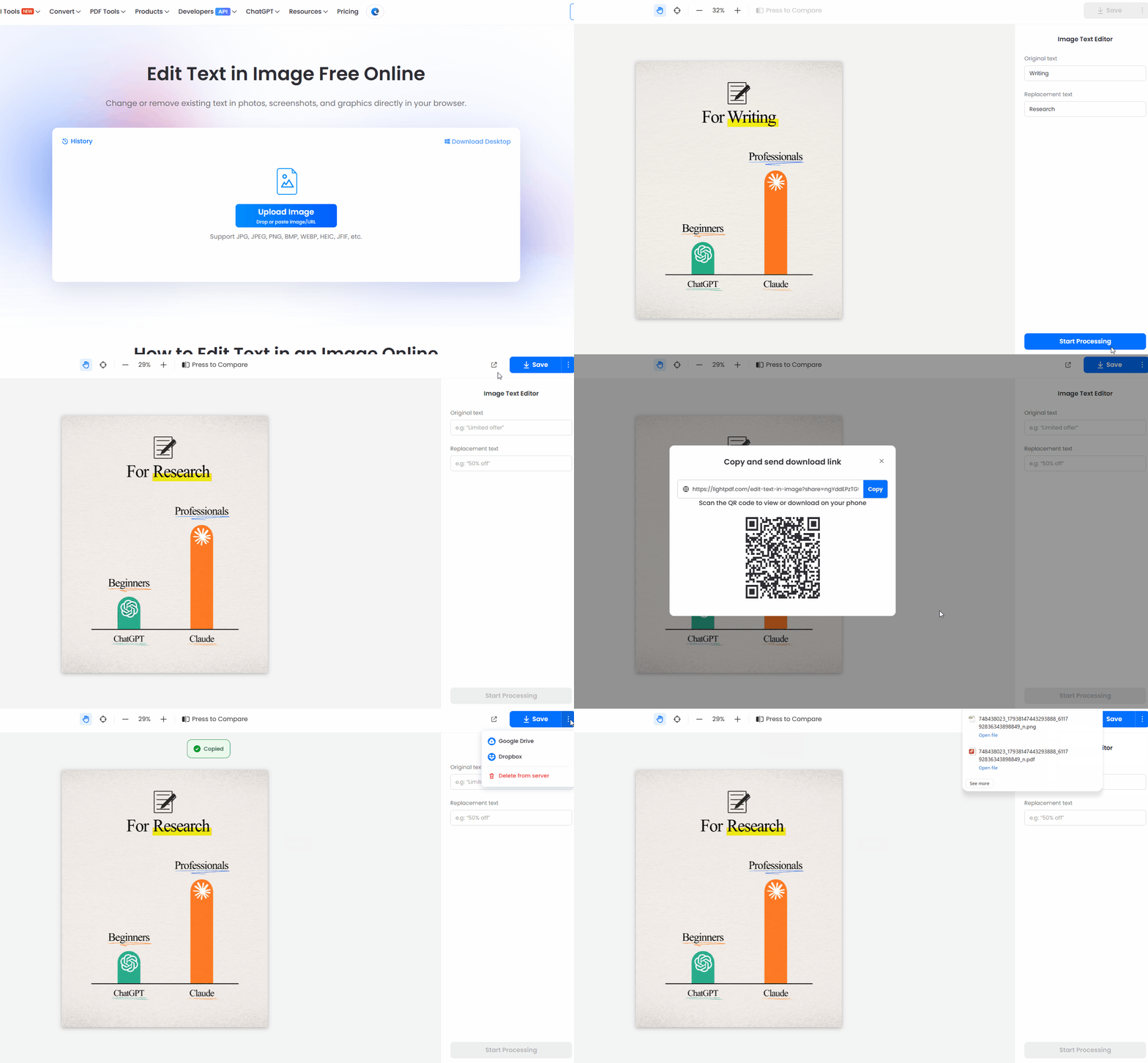
LightPDF also includes an AI Agent that allows users to request document tasks using natural-language instructions. This means the platform can be particularly useful when you don’t just want to ask questions about a PDF, but actually need to edit, convert, enhance, or process the file.

Choose LightPDF over ChatGOT if: Most of your AI workflow revolves around PDFs, scanned documents, or document processing.
ChatGOT Alternatives Comparison
| Tool | Best For | Multiple AI Models | Web Research | PDF / File Support | Image Tools |
|---|---|---|---|---|---|
| ChatGOT | All-in-one AI platform | Yes | Yes | Yes | Yes |
| ChatGPT | General AI assistant | No | Yes | Yes | Yes |
| Poe | Multi-model AI access | Yes | Varies | Yes | Yes |
| Claude | Writing and documents | No | Yes | Yes | Limited |
| Perplexity | AI research | Some model choice | Excellent | Yes | Some |
| Gemini | Google ecosystem | No | Yes | Yes | Yes |
| LightPDF | PDF and document workflows | No | Limited | Excellent | Yes |
Conclusion :
Overall, ChatGOT is a convenient all-in-one AI platform for users who want multiple tools in one workspace. It’s worth trying for its broad feature set, but ChatGPT, Poe, Perplexity, or LightPDF may be better depending on whether you need stronger AI chat, multi-model access, research, or PDF tools.


Leave a Comment