


#1 How to Download CliffsNotes Guides
Here are the most common and practical ways to download CliffsNotes content.
| Method | What It Does | Key Advantages | Possible Limitations | Best Use Case |
|---|---|---|---|---|
| Official Download Features | Uses CliffsNotes’ built-in download or print options to save guides as PDF. | Reliable formatting, complete content, clean layout. | May require a subscription or payment. | Best when official PDF access is available. |
| LightPDF HTML to PDF | Converts a CliffsNotes page link directly into a PDF via LightPDF online tool. | Quick conversion, clean PDF output, no manual formatting needed. | Some dynamic page elements may not convert perfectly. | Ideal when you want a ready-to-use PDF without copying content manually. |
| Saving Web Pages as PDFs | Uses browser Print function to save guide pages as PDFs. | Free, fast, no extra software needed. | May include ads, headers/footers, or slight layout issues. | Useful for occasional offline reading of specific guides. |
| Screenshot and Combine Method | Capture screenshots of each section, stitch them into a single image, then convert to PDF. | Works when direct downloads are blocked. | Time-consuming; extra step to convert images to PDF; may require cropping or editing. | Backup method when other download options aren’t available. |
Method 1. Official Download Features
Some guides offer official download or print options. This method is ideal for a cliffsnotes pdf download because it preserves formatting and full content.
Steps:
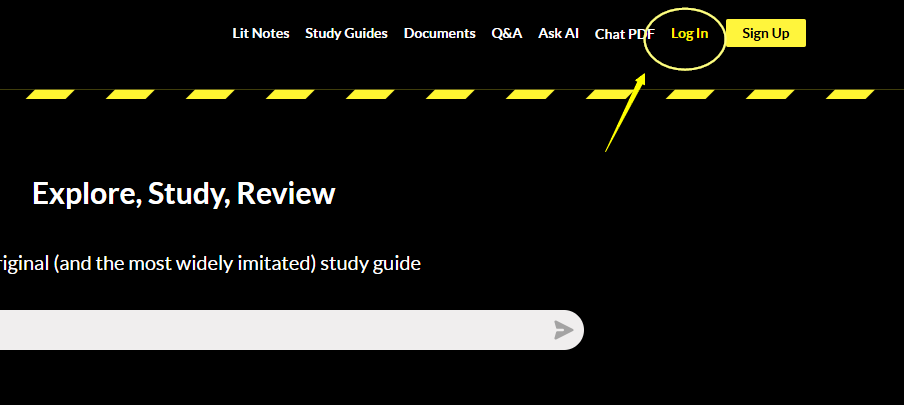
1. Log in to your CliffsNotes account.
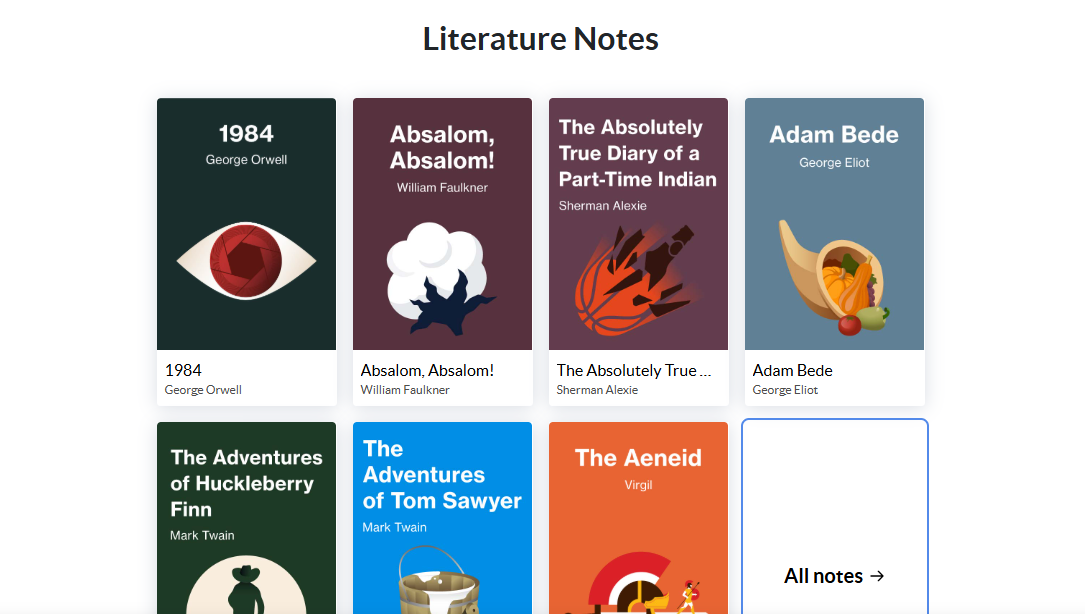
2. Select the guide you want to save.
3. Look for “Download” option at the right side.
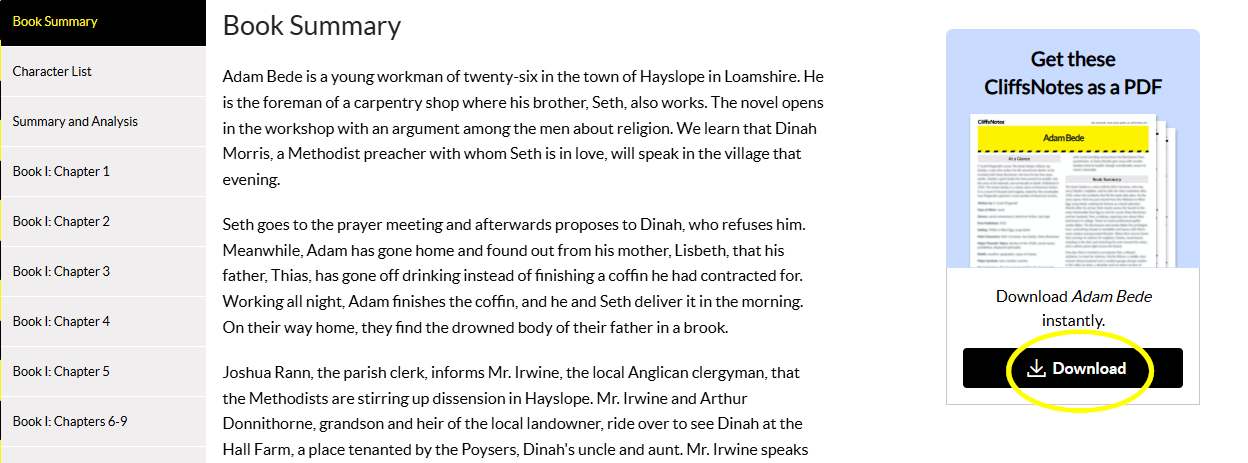
4. Choose PDF as the format and save the file locally.
Pros: Clean layout, complete content, reliable formatting
Cons: May require a subscription or payment
Method 2. Download Cliffsnotes via Html to PDF Converter
Another practical way to download cliffsnotes content is by converting the page directly into a PDF using the LightPDF HTML to PDF online tool. This method works well when you want a clean PDF version of a guide.
Steps:
1. Visit the LightPDF HTML to PDF Online page.
2. Click Add HTML.
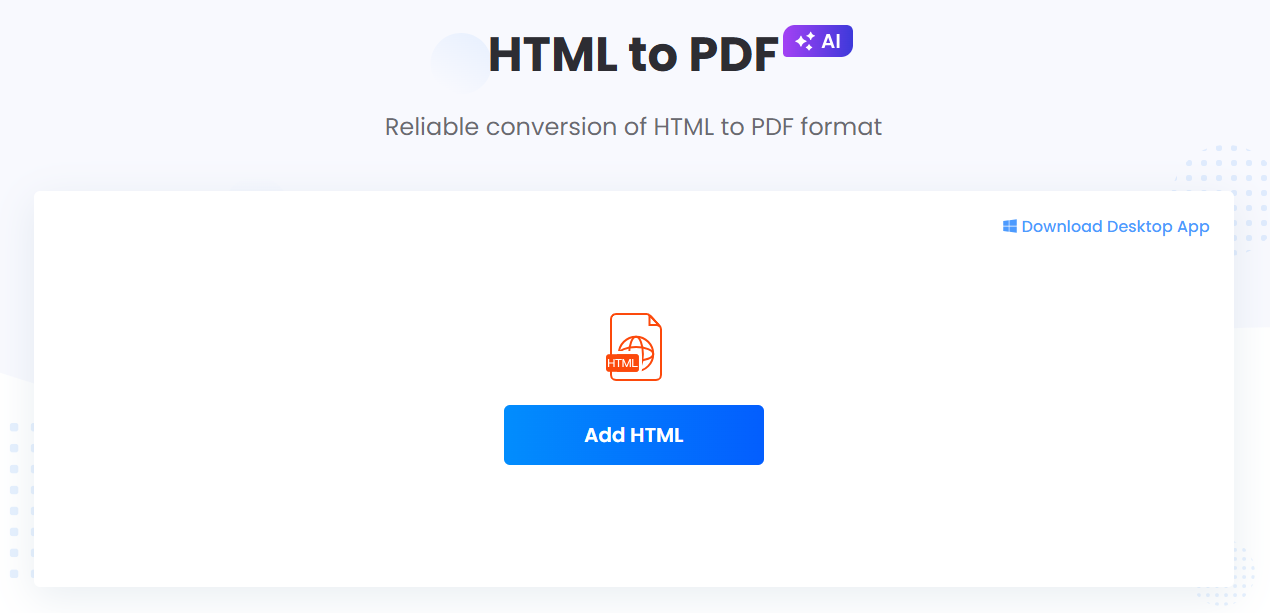
3. Paste the CliffsNotes page link into the blank field and click Confirm.
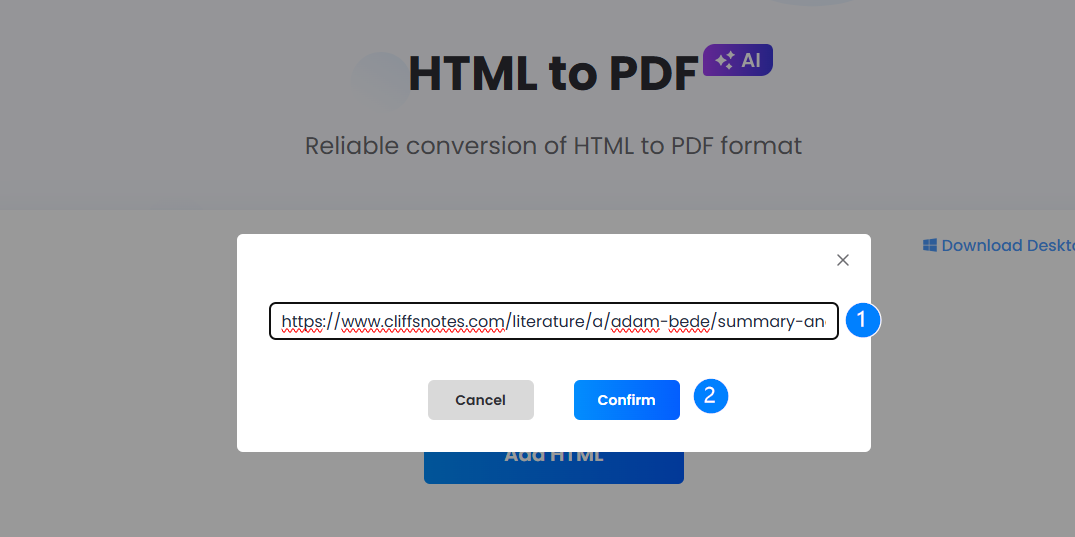
4. Wait for the conversion and download the PDF file.
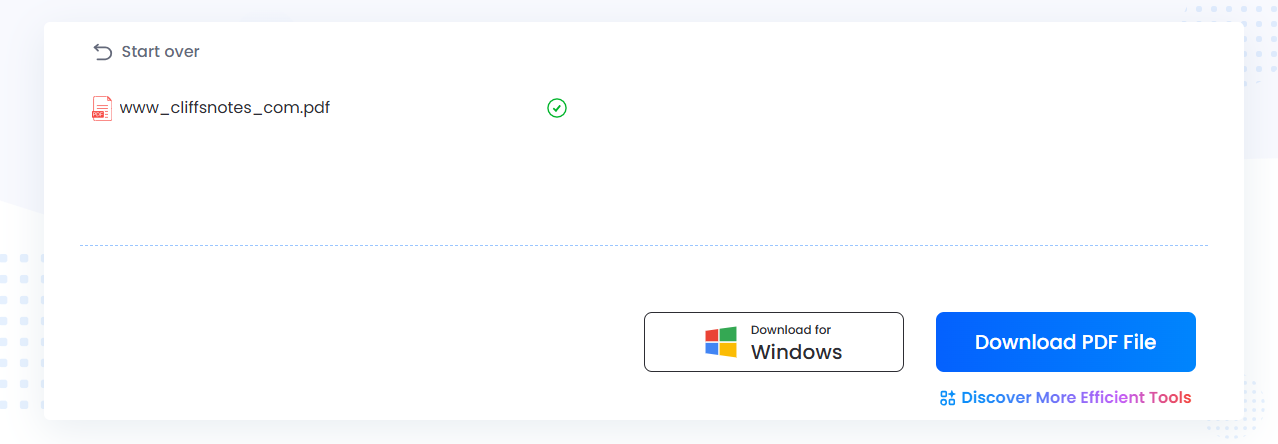
Pros: Easy conversion, clean PDF output, no manual formatting needed
Cons: Depends on page structure; some dynamic elements may not convert perfectly
Method 3. Saving Web Pages as PDFs
If official downloads are unavailable, users can use the browser’s Print function to save guides as PDFs. This is a free cliffsnotes free downloader method.
Steps:
1. Open the guide in your browser.
2. Press Ctrl+P (Windows) or Cmd+P (Mac) to open the Print dialog.
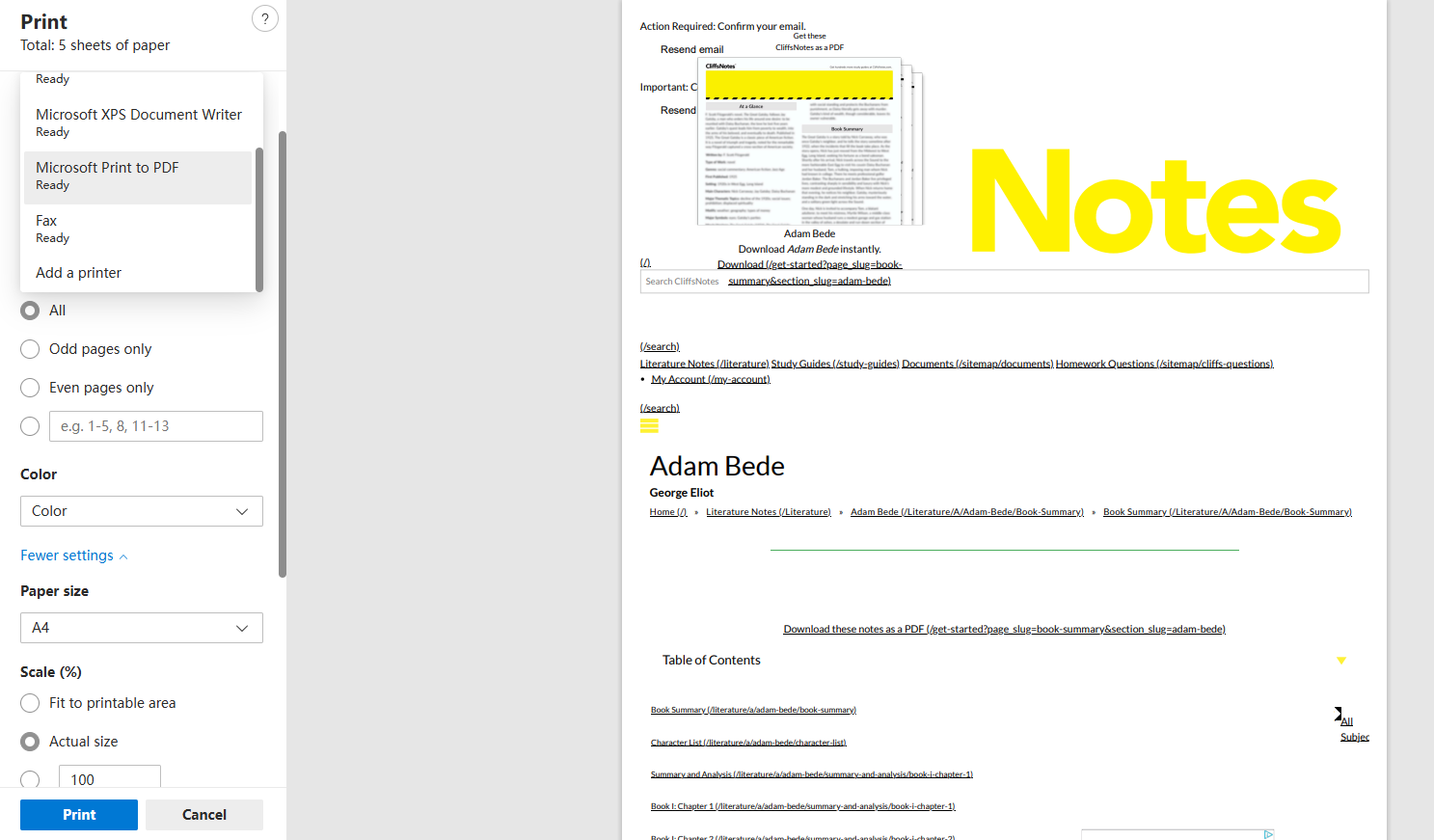
3. Select “Save as PDF” as the printer/destination.
4. Adjust settings to include only the content (exclude headers/footers if possible).
5. Save the file.
Tips:
- Use zoom and layout adjustments for better readability.
- Save each guide in a dedicated folder for easy access.
Pros: Free, quick, no extra software
Cons: May include ads or navigation menus; formatting can be slightly off
Method 4. Screenshot and Combine Method
For guides that cannot be directly saved, screenshots can be captured and merged into a single PDF. This approach works as a backup cliffsnotes downloader method.
Steps:
1. Open the guide and adjust your screen zoom.
2. Use screenshot tools (Windows+Shift+S or Mac Command+Shift+4) to capture each section.
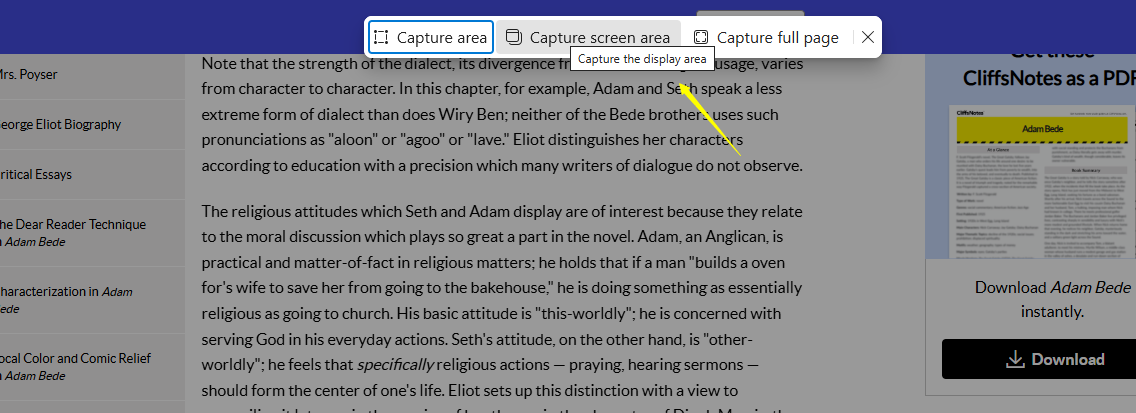
3. Save images in order (JPG/PNG).
4. Use a free online photo stitcher to merge the images.
Pros: Works when downloads are blocked
Cons: Time-consuming; may need editing for readability
Tips. Organizing Downloaded Study Guides
After downloading, it is crucial to manage guides efficiently:
- Create folders by subject, book, or topic
- Rename files consistently for easy searching
- Merge related PDFs to reduce clutter
- Use cloud storage or dedicated study folders for easy access
A well-organized library turns multiple downloaded guides into a reusable knowledge system, improving study efficiency and retention.
#2 Is CliffsNotes Reliable?
Before downloading, users often ask: is cliffnotes reliable?
- CliffsNotes provides structured summaries and literature analysis.
- It helps clarify complex books, topics, or exam material.
- It is best used as a supplement, not a replacement for original texts.
Using CliffsNotes guides alongside the original material ensures accurate learning while saving time during study sessions.
#3 Safety Considerations When Downloading
Users should be careful when searching for a cliffsnotes downloader:
- Prefer official downloads or trusted browser methods
- Avoid third-party sites that may include malware
- Scan files with antivirus software before opening
- Check PDF compatibility for reading or AI analysis
These precautions ensure that offline study materials are safe and reliable.
#4 Bonus: Enhance Guides with LightPDF AI Agent
After downloading your CliffsNotes PDFs, LightPDF AI Agent can instantly summarize key points, highlight important ideas, and analyze content for deeper understanding. You can also chat with the PDF to ask questions or convert summaries into mind maps and presentations, turning static guides into interactive, organized study materials.
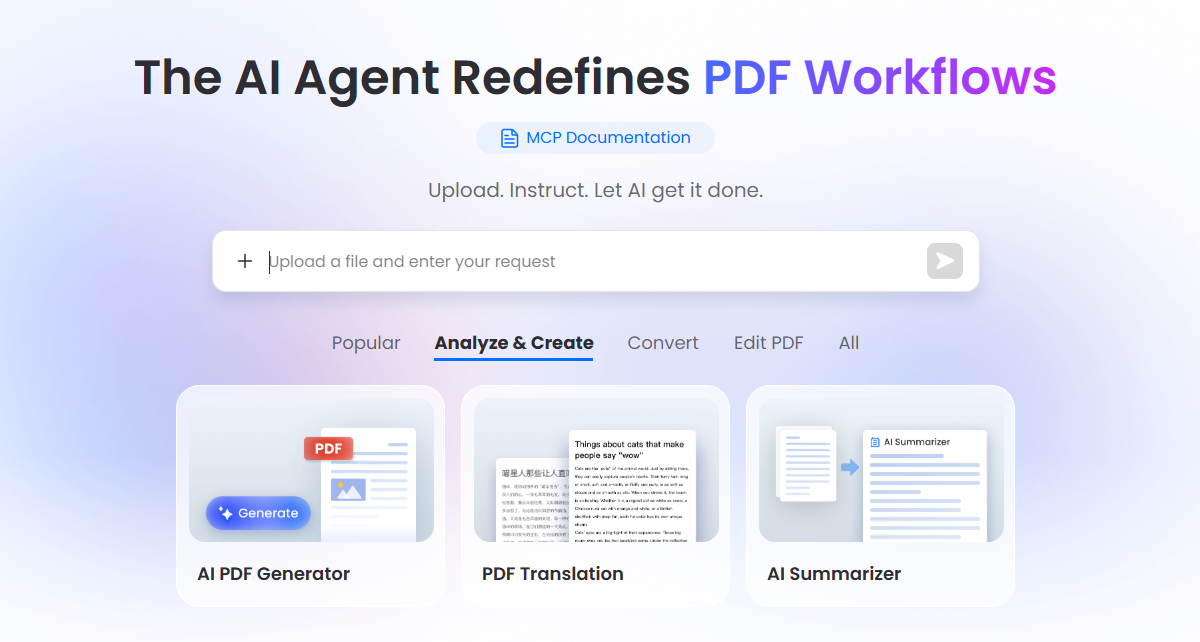
It can help:
- Summarize: Extract key points automatically
- Analyze: Identify themes, arguments, and highlights
- Mind Map & Presentation: Convert summaries into visual or presentation formats
- Chat with PDF: Ask questions directly to the guide
- Organize Content: Combine multiple PDFs for research workflows
This allows users to turn static cliffsnotes pdf download files into interactive, manageable study resources.
#5 FAQ
Q1: Can I download CliffsNotes for free?
A1: Some guides offer official downloads through subscriptions, but free methods include browser Print to PDF or screenshot merging. Always use trusted sources to avoid risks.
Q2: What is the most reliable way to download CliffsNotes?
A2: Using the official download/print feature ensures proper formatting and complete content. For unsupported guides, browser PDF saves or screenshot-to-PDF methods work.
Q3: How do I organize multiple CliffsNotes PDFs?
A3: Group files by subject, rename them consistently, and optionally merge related guides into single PDFs. Using LightPDF AI’s “Organize” feature can automate this.
Q4: Is CliffsNotes content accurate?
A4: Yes, CliffsNotes provides reliable summaries and analyses. It is best used as a supplement to original texts.
Q5: How can I study more efficiently with downloaded PDFs?
A5: Use LightPDF AI Agent to summarize content, highlight key points, create mind maps, or generate presentations. This transforms static PDFs into interactive study materials.
Q6: Are there safety concerns with downloading guides?
A6: Always prefer official or browser-based downloads, scan files for malware, and avoid untrusted third-party sites to ensure security.


Leave a Comment