


PDF Books World hosts public domain literature re-formatted specifically into digital PDFs. Unlike open archives that upload raw, crooked scans with broken OCR, this platform manually re-types classic fiction, academic texts, and non-fiction. It formats them with readable margins, internal hyperlinked tables of contents, and scalable vector fonts designed for laptops, tablets, and e-readers.
Every title on pdfbooksworld.com carries an expired copyright. You can legally read ebooks online or save files for offline use without paywalls, subscription tiers, or torrent risks.
What Is PDF Books World and What Genres Are Available?
PDF Books World works as a dedicated web library for out-of-copyright literature. Scanning physical pages usually leaves artifacts, skewed lines, and broken searchable text. This platform re-types the source text into clean digital layouts so pages render sharply across high-resolution displays.
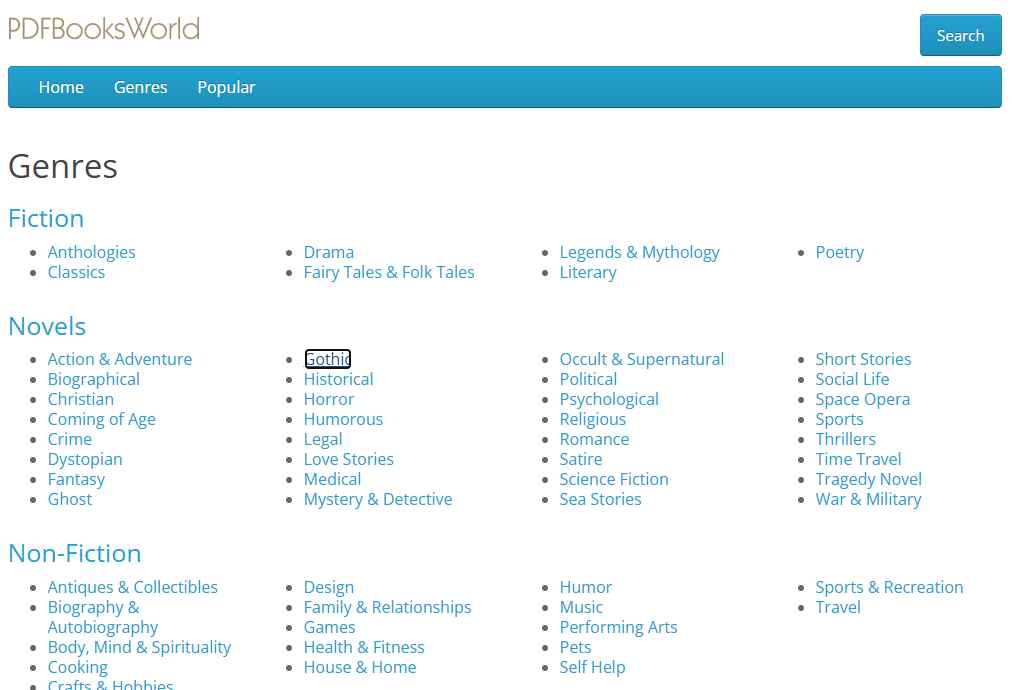
Core Genres on PDF Books World:
- Fiction & Literature: Classic novels, gothic horror, historical drama, and complete short story collections.
- Non-Fiction: Historical records, autobiographies, political philosophy, and classic essays.
- Academic & Educational: Historical science journals, basic mathematics, and early social sciences.
- Juvenile & Young Adult: Children’s fables, mythologies, and classic folklore.
- Poetry & Plays: Complete theatrical scripts, sonnet anthologies, and verse collections.
How to Read Books Online and Download Free PDFs on PDF Books World
Reading or completing a pdfbooksworld download requires no account creation, credit card, or email verification:
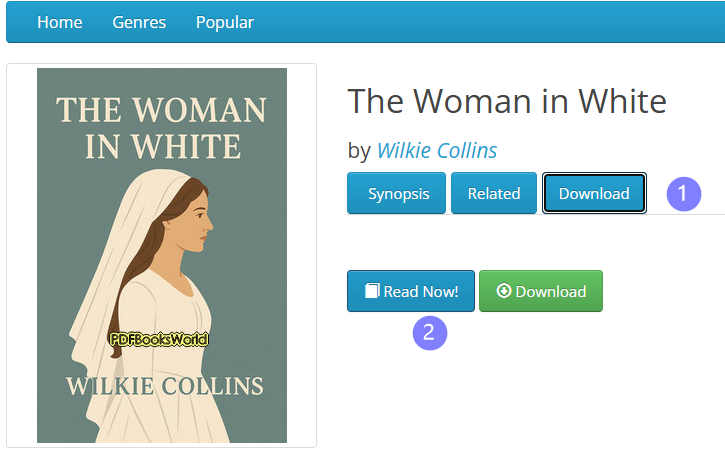
- Search or Browse: Type the title, subject, or author name into the top search bar. Alternatively, click any genre from the top navigation bar.
- Select a Book: Click the book card to open its main metadata page.
- Choose Reading Mode:
- Read Online: Click Read Now to load the document inside the browser-based web reader.
- Download File: Click Download to store the file on your local device.
Top Free Online Reading Platforms Compared
File quality, typography standards, and library sizes differ significantly across public book archives:
| Platform | Primary File Formats | Library Size | Reader Type | Practical Strengths & Limitations |
| PDF Books World | 3,000+ Re-typed Titles | Browser Reader & Direct Download | Best for: Uniform PDF layouts on PCs and tablets. Limitation: Smaller selection compared to raw archives. | |
| Project Gutenberg | EPUB, Kindle, HTML, Text | 70,000+ Public Domain | Web Reader & Direct Export | Best for: Pure catalog size across obscure titles. Limitation: Inconsistent formatting on older text files. |
| Open Library | EPUB, PDF, Digital Borrowing | 3,000,000+ Books | Internet Archive Lending Reader | Best for: Finding out-of-print 20th-century books. Limitation: Waitlists for high-demand modern titles. |
| ManyBooks | EPUB, MOBI, PDF | 50,000+ eBooks | In-Browser & Local File | Best for: Browsing classics alongside self-published work. Limitation: Requires filtering out ad-heavy titles. |
How to Convert EPUB Ebooks to PDF
PDF Books World provides native PDF files out of the box. However, open platforms like Project Gutenberg or standard public domain portals distribute most books as EPUBs. EPUBs reflow text dynamically based on screen width. That flexibility comes at a cost: page numbers shift, multi-column tables break, and side margins disappear when viewed on standard desktop screens or print utilities.
Converting your .epub files to fixed PDF documents locks column alignments, preserves exact page counts, and prevents layout shifts during printing or annotation.
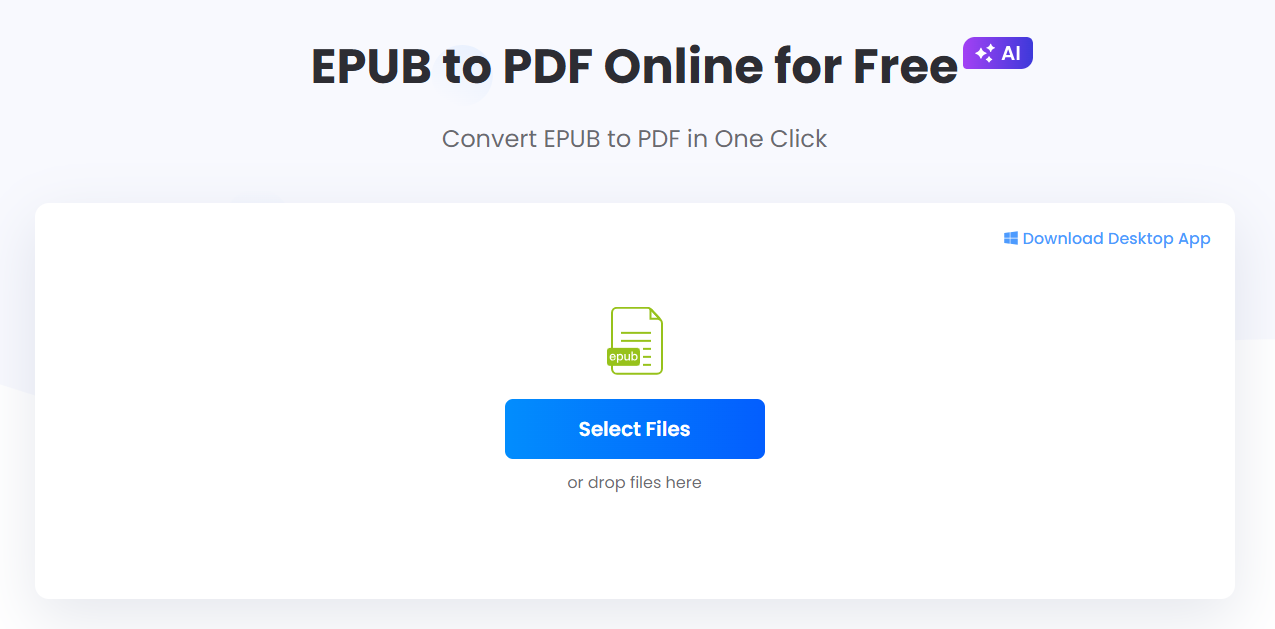
Converting EPUB to PDF via LightPDF:
- Open the online EPUB to PDF converter.
- Drag and drop your downloaded
.epubfile into the upload zone. - Select Convert to process the layout engine.
- Click Download to pull the output PDF back to your device.
FAQ
Is pdfbooksworld.com completely free and legal to use?
Yes. Every title on pdfbooksworld.com resides strictly in the public domain under US copyright law. You can download and distribute these public domain files without infringing on rights holders.
Why choose PDF files over EPUB for reading ebooks?
EPUB files reflow dynamically, which changes line breaks and page counts whenever you alter font size. PDFs preserve fixed pages, graphic positions, and margin widths. This makes PDFs far better for citing references, printing chapters, or reading on wide desktop monitors.
Do I need to create an account for pdfbooksworld download access?
No. Anonymous visitors can download books or read online immediately. Optional profile registration is only useful if you want to track your reading list across multiple browser sessions.
Can I convert downloaded ebooks to PDF if they are in another format?
Yes. If you download an EPUB file from another library, run it through LightPDF EPUB to PDF to generate a fixed-layout PDF file that retains exact page boundaries.


Leave a Comment