


Ⅰ. What Works: Top Tools for Thesis & Paper Drafting
1. LightPDF Online Document Generator
When you’re stuck and can’t even get a basic structure started, LightPDF jumps in fast. Instead of just dumping chunks of text in a chat box, LightPDF works like a genuine ai research paper writer. You feed it your specific requirements or bullet points, and it spits out a formatted PDF complete with organized headings and sections.
How To Create a Usable Thesis Draft
- Give It Real Inputs: Don’t just say “write a thesis.” Drop in your research topic, questions, methodology, or even a rough list of chapters.
- Set Language and Length: Choose your target word count and if you’re writing for a global or regional audience, pick the right language from a long list.
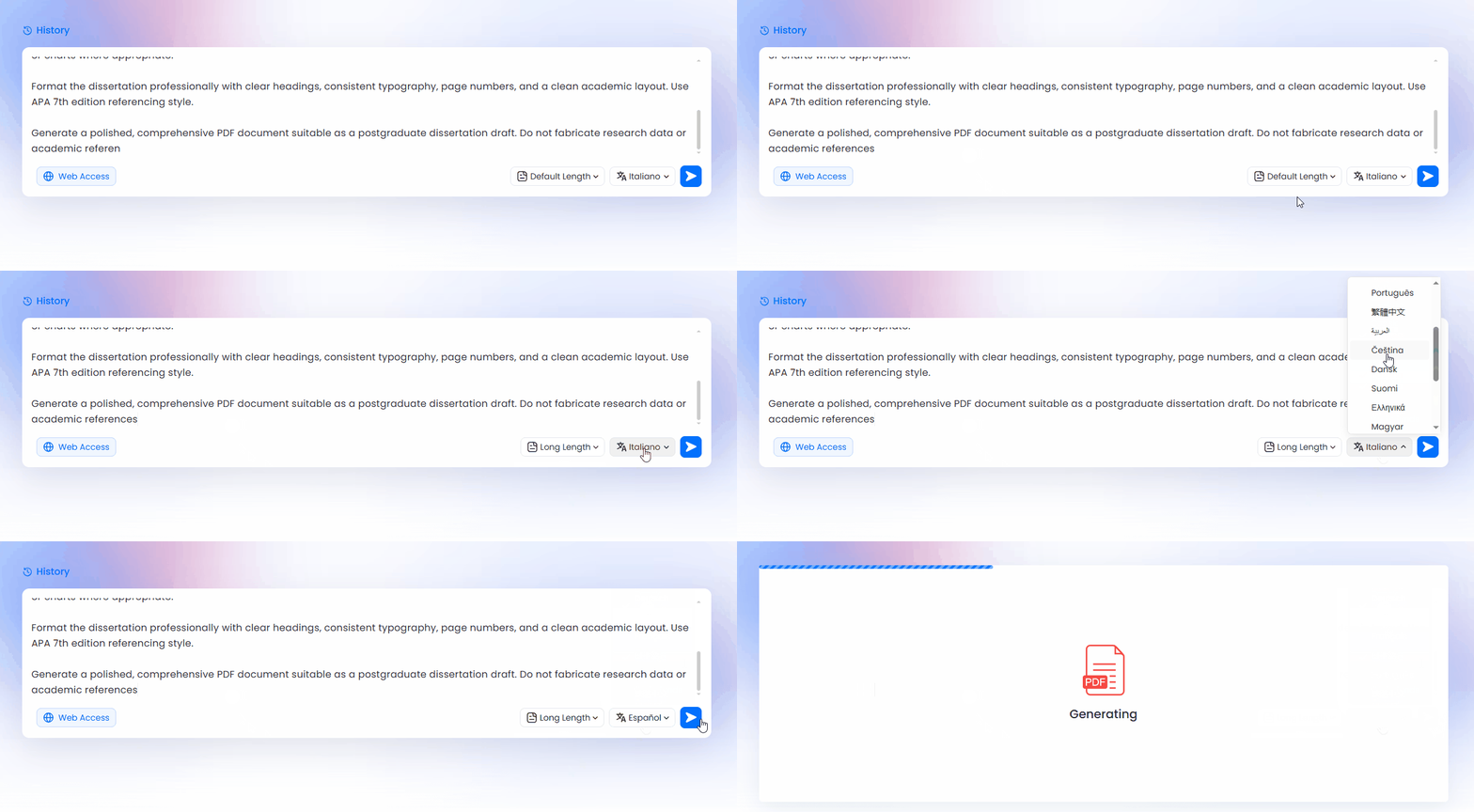
- Export and Edit: Hit go, and you’ll get a structured PDF with an outline, ready to download.
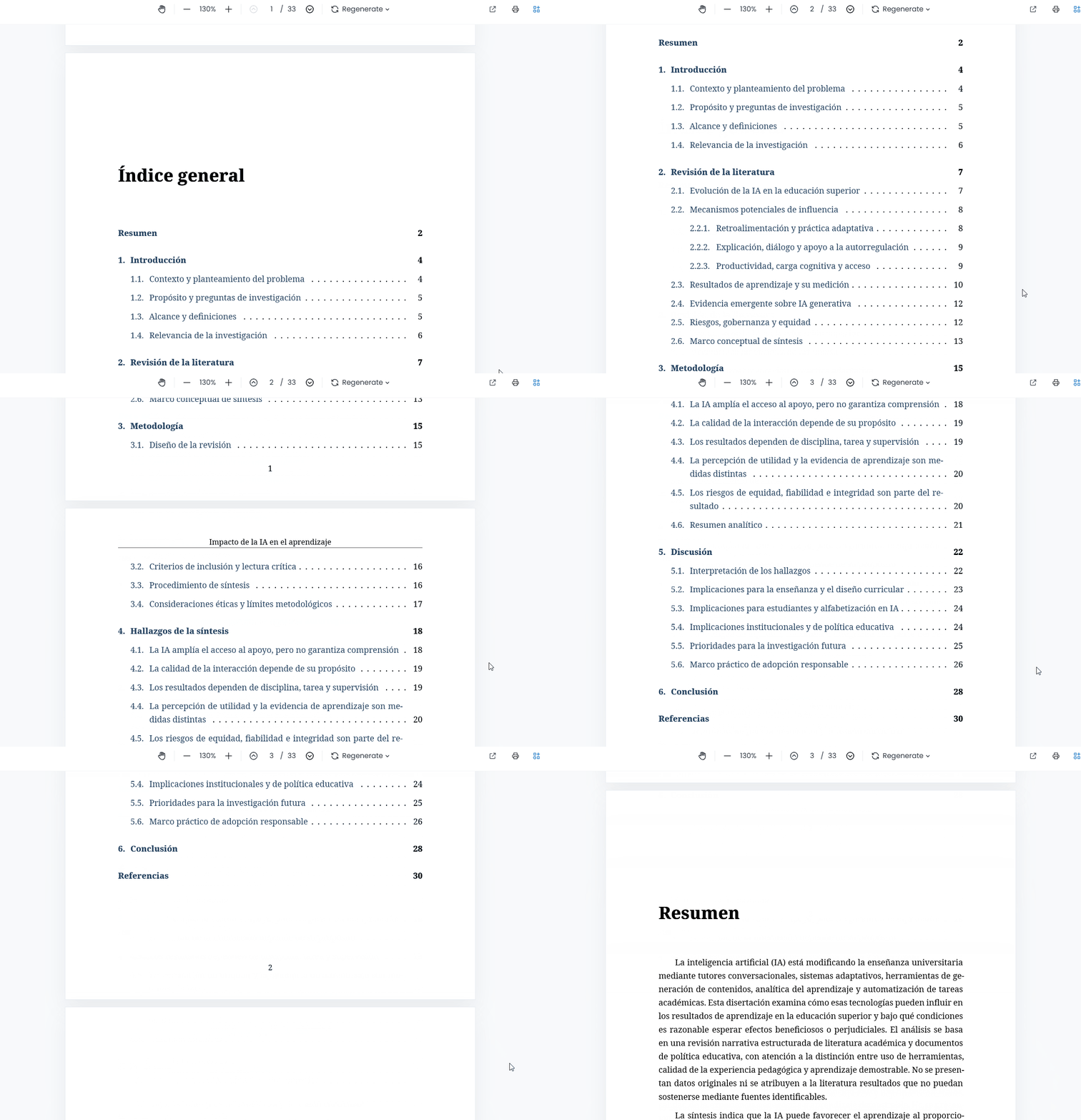
Prompting That Actually Saves You Time
Vague prompts just get you filler that fails advisor checks. Try a specific, structured prompt, such as:
- Role: Act as a senior computer science researcher focused on low-resource edge computing.
- Task: Draft a research paper generator style draft evaluating object detection model efficiency on embedded microcontrollers.
- Include: Abstract, Introduction, Literature Review, Methodology, Evaluation Metrics, Conclusion.
- Write in: Formal academic style, with clear subheadings and bulleted technical points.
LightPDF is best when you need that first legit “shell” to work with. When you have a clean PDF with all your chapters sketched out, writing those dreaded 50 pages feels way more doable.
2. Paperguide
Paperguide is an ai paper writer that zeroes in on literature discovery and citation management. If you keep drowning in references for your background section, this tool lets you pull in real studies straight from research databases.
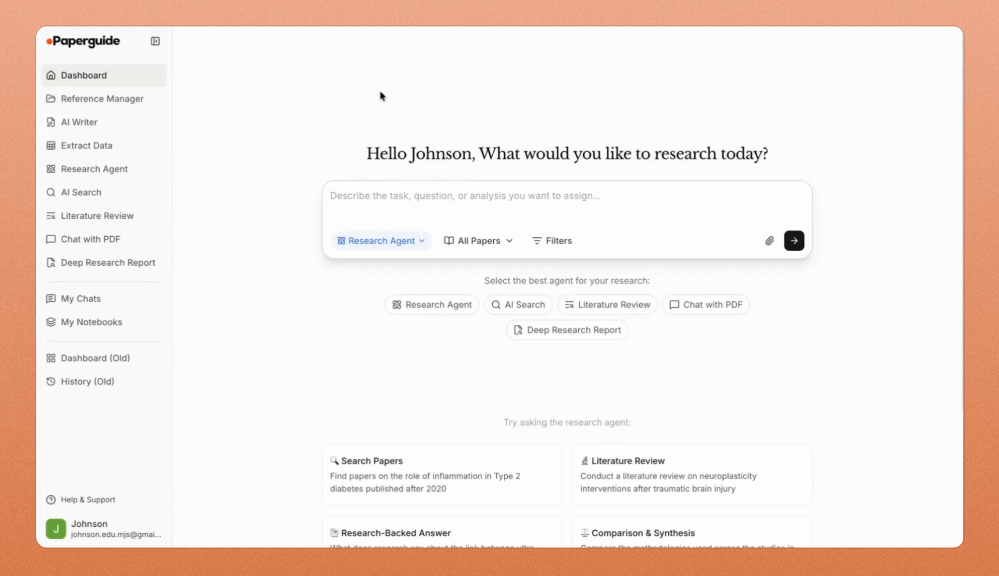
- Drafts with Real Literature: It writes new sections by referencing actual published work, not made-up sources.
- Auto Citation Engine: Generates formatted citations and reference lists in just about any style you need.
- Synthesis Matrices: Gathers and summarizes themes from your imported papers, making it much easier to draft coherent literature reviews.
Heads up: It works best with mainstream journals. If you’re digging into rare or poorly tagged sources, always double-check your citations.
3. SciSpace
SciSpace is a mix of reading assistant and online thesis maker. It shines when you want to analyze complex source material and write about it as an ai for academic paper workflow, all in the same space.
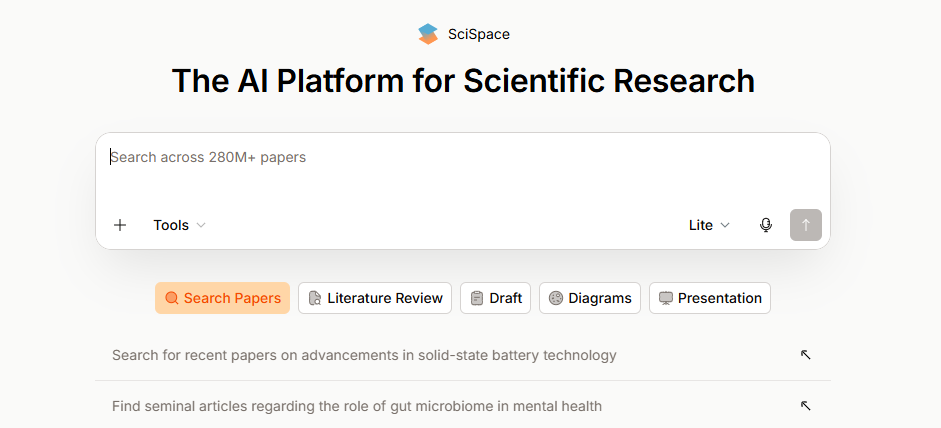
- PDF Copilot: Summarizes dense chapters, yanks out hidden data, and translates tricky equations from your PDFs.
- Contextual Writing Canvas: Helps draft your text while pulling accurate quotes right from your sources.
- Multi-Format Export: Lets you save drafts in Markdown, Word, or LaTeX, making it easy to fit university templates later.
4. Paperpal
Paperpal isn’t for creating first drafts out of thin air. It’s hands down the best tool when you need to tighten up rough drafts before they go to your advisor or into a journal.
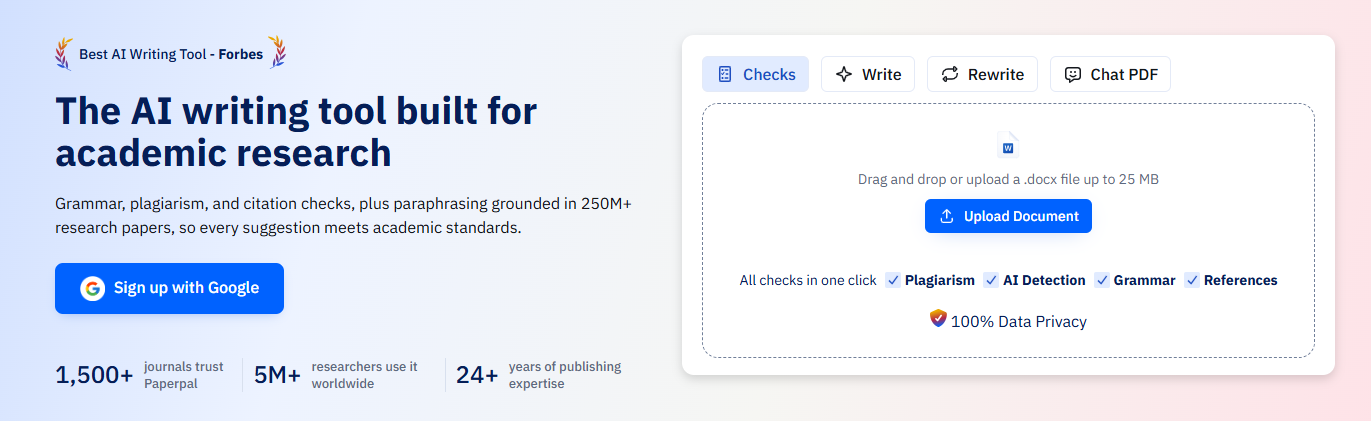
- Academic Vocabulary: Replaces casual words or awkward phrasing with sharp, discipline-specific language.
- Structure Check: Flags missing sections like incomplete methods or absent disclosures.
- Reference Audit: Scans for mismatched or missing references in your bibliography.
5. NotebookLM
Google’s NotebookLM is a hyper-reliable, source-based writing space. If you’re nervous about AI making up facts or phantom citations, this is your safest bet.
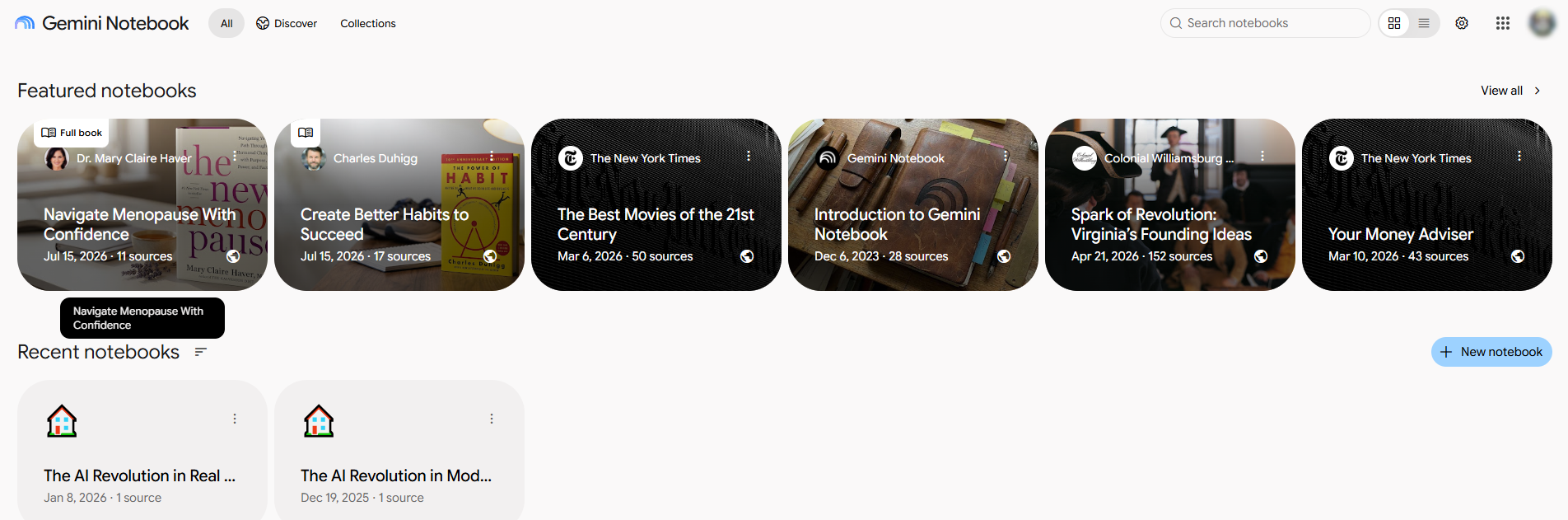
- Source-Strict: Only uses the files (PDFs, docs, notes) that you upload to the notebook workspace.
- Clickable Citations: Every piece of generated text includes a link to its source and page.
- Note Collation: Transforms wild, unedited notes and transcripts into orderly chapter outlines.
Ⅱ. Practical Fixes for Common Writing Problems
Getting Past Blank Page Syndrome
Nothing feels worse than hours spent staring at nothing. Use something like LightPDF to kick out a basic 5-page outline and watch how much easier it is to fill in blanks than fight with empty space.
Sorting Out the Literature Review
Quit juggling 40 tabs every time you write a paragraph. Just upload your PDFs into SciSpace or NotebookLM, have them create a summary or comparison table for you, and draft your review using that structure.
Avoiding Fake Citations
Generic AI models love inventing plausible but fake articles. Sketch your arguments first, then lock in real references with Paperguide or SciSpace. For the final check, let Paperpal flag anything suspicious before you submit.
Finding Primary Sources Fast
Need open-access papers or full-text theses? Use these search hacks:
- Use “filetype:pdf” and “site:.edu” plus your keywords for free, full versions.
- Combine “inurl:dissertation” and university roots to grab actual accepted theses.
- Exclude with “-review” or “-meta-analysis” when you want original studies with raw data.
Ⅲ. Questions People Ask About AI in Research Writing
Can an AI dissertation generator write my entire thesis from scratch?
No, and you shouldn’t expect it to. AI can’t run your experiments or defend a hypothesis before a panel. The tools help organize notes, map out outlines, and polish grammar, but an ai document generator is not a replacement for doing the real research work.
How do I get usable dissertation titles from an AI tool?
Be specific. Share your exact research area, methodology, core variables, and demographics. If you use a generic dissertation title generator prompt without context, you’ll get junk.
Will an AI paper writer invent sources?
Generic chatbots often do. Stick to research-grounded tools like Paperguide, SciSpace, or NotebookLM—ones that actually cite real papers or your uploaded PDFs.
How do I handle school formatting rules?
LightPDF kicks out a clean, basic PDF fast, but for final submissions you’ll want to export to Word or LaTeX for margin, spacing, and title page tweaks that match your school’s handbook.
Is using a thesis generator cheating?
Depends on your university. Most programs allow AI for outlines, editing, and language help but ban turning in AI-written text as your own work. Always check your school policy and disclose if required.
Ⅳ. Tool Matcher: Which One Suits Your Stage?
| Tool Name | Core Focus | Export Options | Reference Support | Best For |
| LightPDF Online Document Generator | Fast PDF/outline creation | Guided bibliography | Building draft structure, chapter scaffolding | |
| Paperguide | Drafting/citation-heavy work | PDF, Word, Web | Built-in APA, IEEE, MLA, Chicago | Literature reviews |
| SciSpace | Source reading & writing | Markdown, LaTeX, Word | Real-time citation linking | Writing alongside research |
| Paperpal | Draft polishing/editing | Word, Web | Consistency checks | Editing for submission |
| NotebookLM | Synthesis & chapter building | Text, Markdown | Clickable source links | Reliable, fact-checked drafting |


Leave a Comment