


Many people confuse A4 with legal size, but they are far from the same. While A4 is the standard for everyday documents, the Legal format is the heavy-lifter for law and real estate. The difference is striking: Legal paper is significantly longer, offering 2.3 inches of extra vertical space. This ensures long property deeds and witness blocks fit on a single sheet—a professional standard that A4 simply can’t match.
In this guide, we explains clearly what is legal paper size, and more importantly, an easy-to-use software that helps every aspects with the legal paper.
❓ What is the Legal Paper Size?
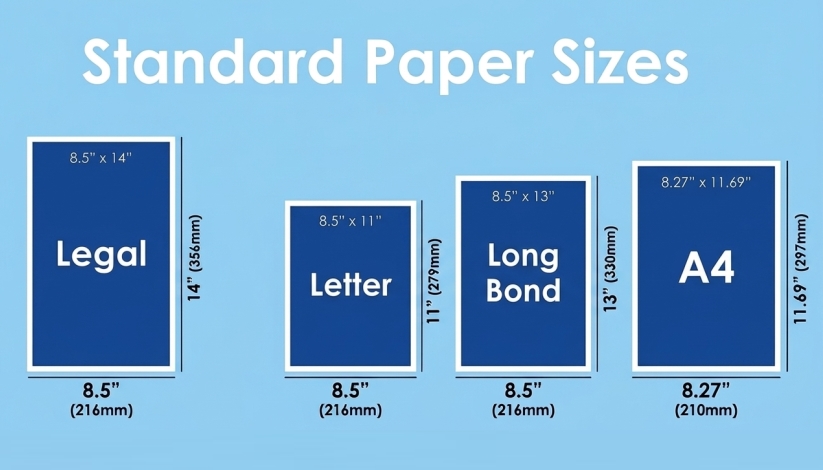
The universally accepted dimensions for Legal Paper are 8.5 x 14 inches (216 x 356 mm). This format is 3 inches longer than the standard “Letter” size (8.5 x 11 inches). This extra vertical space is intentionally designed to accommodate lengthy contractual clauses and dedicated space for notary seals and witness signatures.
💡 The Regional Trap: Watch Out for Variants
Even though 8.5 x 14 inches is the global standard, some countries have their own versions of “Legal” paper. Mixing them up can lead to rejected documents or cut-off signatures.
- USA & Canada: Strictly follow the standard 8.5 x 14 inches for all official filings.
- The Philippines: Often uses 8.5 x 13 inches (called “Long Bond”). If you use the 14-inch version here, your text might be cut off during printing
- UK & Commonwealth: Sometimes use Foolscap (8.5 x 13.5 inches).
Legal Paper Size VS. Other Common Standard Paper Sheet Sizes
| Standard | Dimensions (Inches) | Dimensions (cm) | Dimensions (mm) | Common Use |
| Legal | 8.5″ x 14″ | 21.6 x 35.6cm | 216 x 356mm | Court Filings, Deeds, Wills |
| Letter | 8.5″ x 11″ | 21.6 x 27.9cm | 216 x 279mm | General Business Correspondence |
| Long Bond | 8.5″ x 13″ | 21.6 x 33.0cm | 216 x 330mm | Regional variants (Philippines/UK) |
| A4 | 8.27″ x 11.69″ | 21.0 x 29.7cm | 210 x 297mm | International Correspondence, General Forms |
✨ From Paper Piles to Digital Precision: LightPDF as the All-in-One Legal Hub
The shift toward a paperless office has liberated legal professionals from the mechanical grind of physical archiving—no more manual paper tray swaps or cluttered filing cabinets. However, “digitized” does not mean “standard-less.” Even in a strictly digital workflow, modern e-filing systems remain rigid about the 8.5 x 14-inch Legal mandate.
This is where LightPDF becomes an indispensable partner. It is a comprehensive PDF tool designed to handle legal documents. Instead of jumping between multiple software programs, you can manage every high-stakes PDF task in a single tab:
- Convert PDF: Seamlessly convert your legal documents into various formats—including Word, Excel, or PDF/A—ensuring your archives meet long-term digital preservation standards.
- Edit & Format: Beyond adjusting your documents to the 8.5 x 14-inch Legal size, you can revise sensitive contractual clauses, update case numbers, and add custom watermarks or page numbering for professional identification.
- Organize PDF: Perfect for managing large case files. Effortlessly reorder, crop, or split massive PDFs into smaller, organized exhibits. You can also extract specific pages to create concise summaries for court use.
- Annotate & Review: Collaborate on drafts by adding legal comments and annotations. Highlight key precedents, underline critical testimony, or use the strikethrough tool to suggest redlines during contract negotiations.
- AI-Powered OCR: Transform scanned evidence, handwritten notes, or old paper deeds into searchable, editable text. Our AI OCR accurately handles multiple languages, making it easy to digitize global case files.
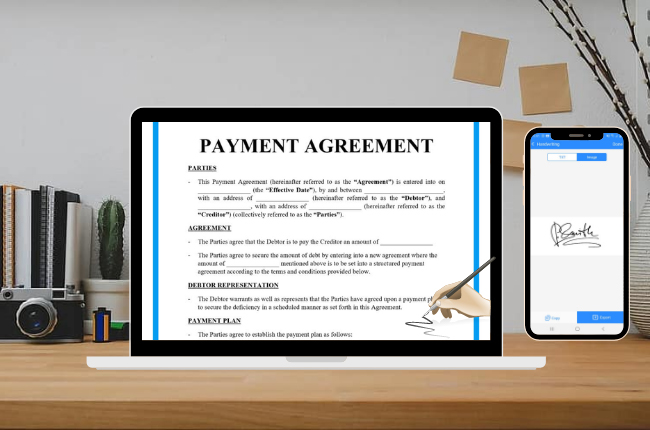
- Secure Signatures: Close deals faster with integrated e-signatures. Whether you need to add a partner’s handwritten signature or a secure digital signature, LightPDF ensures your legal papers are executed without the “print-sign-scan” loop.
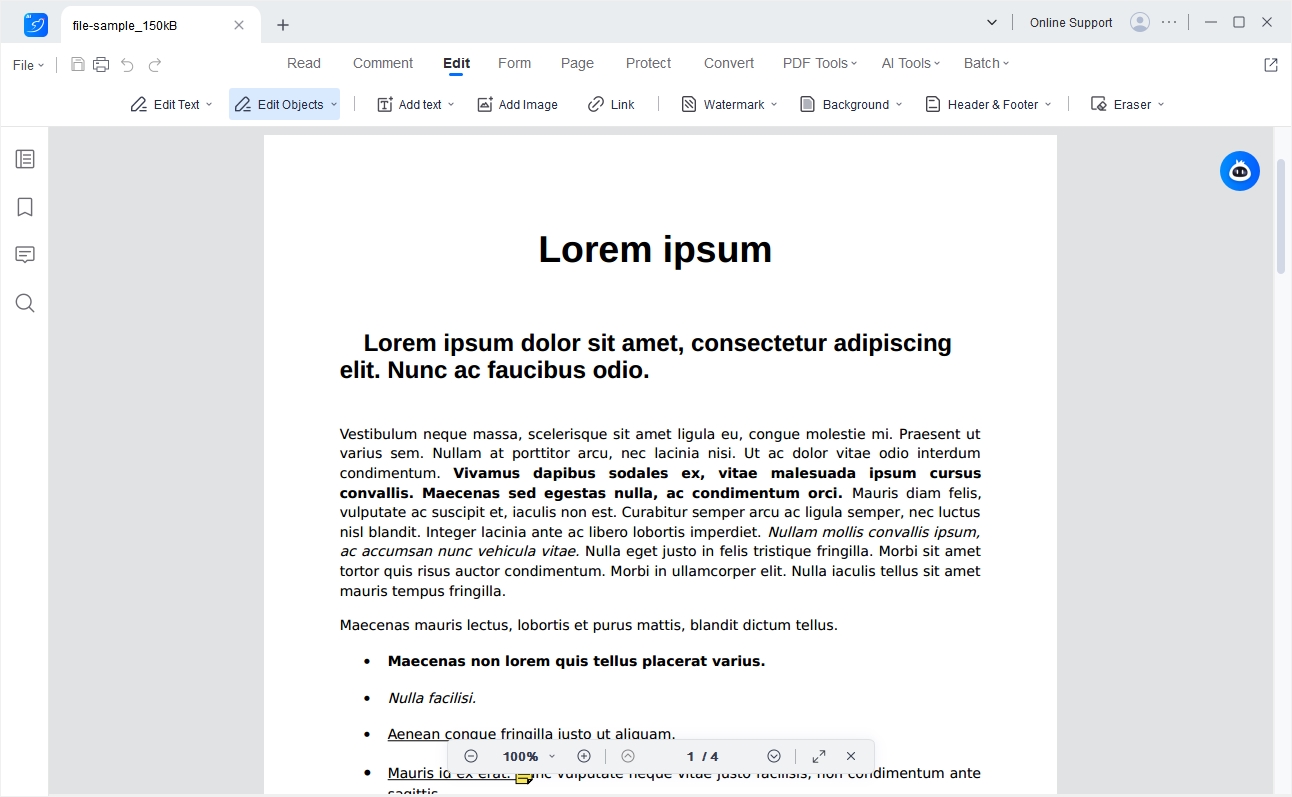
⚡ Bonus: How to Resize Your PDF to the Official Legal Standard
While LightPDF offers a full toolkit, ensuring your document meets the 14-inch official specification is often the first step in legal compliance. Here is how to standardize your files in seconds:
1️⃣ Launch the Tool: Open the website of LightPDF’s free online PDF resizer.
2️⃣ Upload Your Draft: Drag your A4 or Letter-sized document directly into the LightPDF Resize interface.
3️⃣ Select Official Legal (8.5 x 14 inch): Choose the “Legal” option from the dimension dropdown. LightPDF’s smart engine recalibrates the page canvas, preserving your font scale and professional formatting for court-ready results.
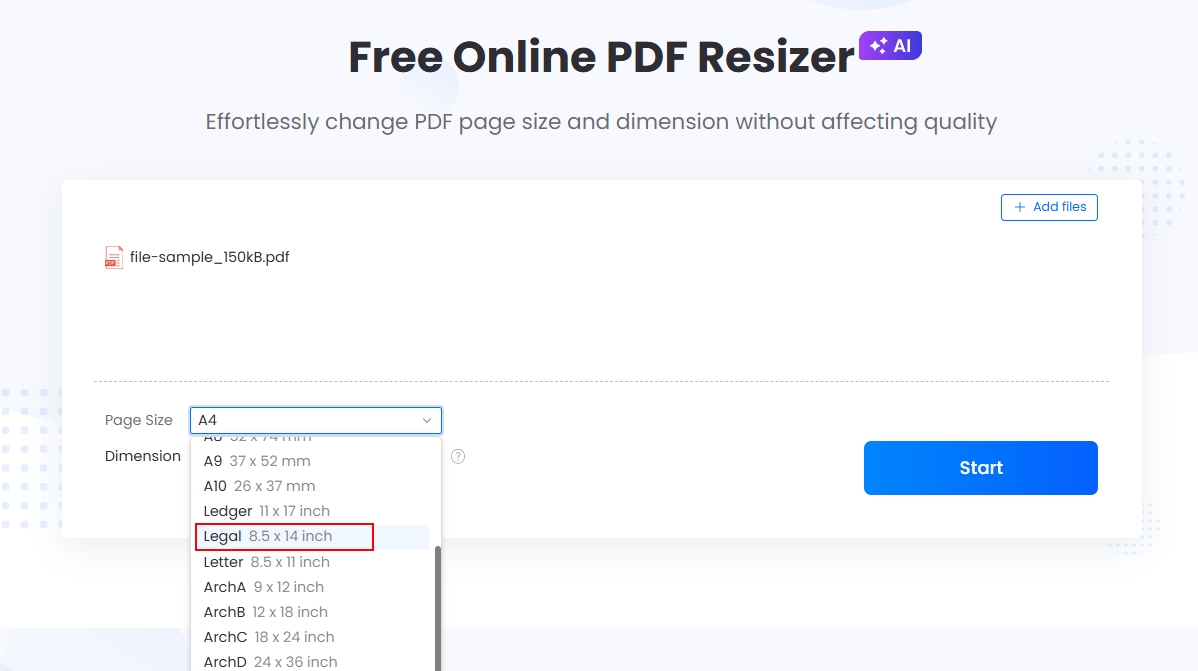
4️⃣ Process: Click “Start” to apply the change, and then save it to your device.
With these simple steps, you can quickly turn a normal document into legal paper size.
Conclusion
In the legal world, precision is a mandate, not a preference. Adhering to the 8.5 x 14-inch Legal standard ensures your documents are compliant, professional, and ready for the record.
As the industry goes digital, LightPDF bridges the gap—offering a seamless way to resize, edit, and sign your filings in one secure place. Don’t let a formatting error delay your case. Use LightPDF to standardize your workflow and ensure your documents are always court-ready.


Leave a Comment