


Part 1. 6 Best Meme Websites for Funny Text Memes
1. Reddit
Best for: Relatable memes and niche humor

Reddit’s r/memes features memes posted by users, with discussions in the comments. You’ll find familiar formats alongside people’s own variations.
You can also search Reddit for topics such as programming, studying, or gaming. This helps when you need something more specific than a general joke—for example, a meme about debugging code that your developer friends will understand.
Check a community’s rules before posting. A meme that fits one subreddit may not belong in another.
2.Know Your Meme
Best for: Understanding the joke behind a meme

Know Your Meme is helpful when you keep seeing the same image or phrase but have no idea where it came from. Its database covers meme formats and internet trends, alongside explainers and collections.
Use it to look up a meme’s name, understand the reference, and see how people use it. This is particularly useful for text memes where changing a few words can change the meaning of the joke.
3. Pinterest
Best for: Saving memes and organizing them by topic
Pinterest lets you search by topic and save images to boards so you can find them again later. You can keep separate boards for work jokes, school memes, or funny captions. Pinterest help
Try searches such as “funny text memes,” “relatable work memes,” or “Monday memes.” When you find something you like, save it to a board instead of searching for it again the next time you need a joke for the group chat.
Pinterest is a useful option if you prefer building a collection over scrolling through a meme feed.4.
4. Imgflip
Best for: Captioned memes and blank templates

Imgflip is a useful starting point if you want to find a meme or make one yourself. You can search for memes and GIFs, browse blank templates, and use its meme generator to add your own caption.
Try searching for a situation rather than just “funny memes.” Phrases like “work meeting” or “exam week” give you a more specific place to start. If you recognize a reaction image but want a different joke, look for its blank template.
5. 9GAG
Best for: Browsing a variety of memes

9GAG has a dedicated meme section alongside its broader humor feed. It suits casual browsing when you don’t have a particular image or topic in mind.
If you’re looking for text memes, watch for captioned images that make sense on their own. They’re easy to send in a chat without asking someone to watch a video or read a long explanation.
6. Memebase by Cheezburger
Best for: Themed meme collections

Memebase groups memes into collections, including roundups about everyday situations and topics such as travel.
It’s an easy option when you just want something funny to browse during a break. Open a collection that interests you and scroll through it, rather than trying to think of the right search terms.
The collections mix different formats, so you may find captioned images alongside other types of memes.
Part 2. How to Find a Meme ?
Searching for “funniest text memes” can bring up a broad mix of results. You’ll usually have a clearer starting point with a specific topic:
- Funny work meeting memes
- Exam week memes
- Monday morning memes
- Group project memes
- Introvert memes
- Overthinking memes
Think about who you’re sending it to. A joke about a shared experience often works better than an unfamiliar reference.
Read the caption at phone size before sharing, too. If you need to zoom in to understand it, look for a clearer version.
Part 3. How to Change Text in a Meme Image
Have an image that fits your joke, but need to change the caption? LightPDF’s Image Text Editor lets you upload an image and replace its existing text.
- Open LightPDF’s Image Text Editor in your browser.
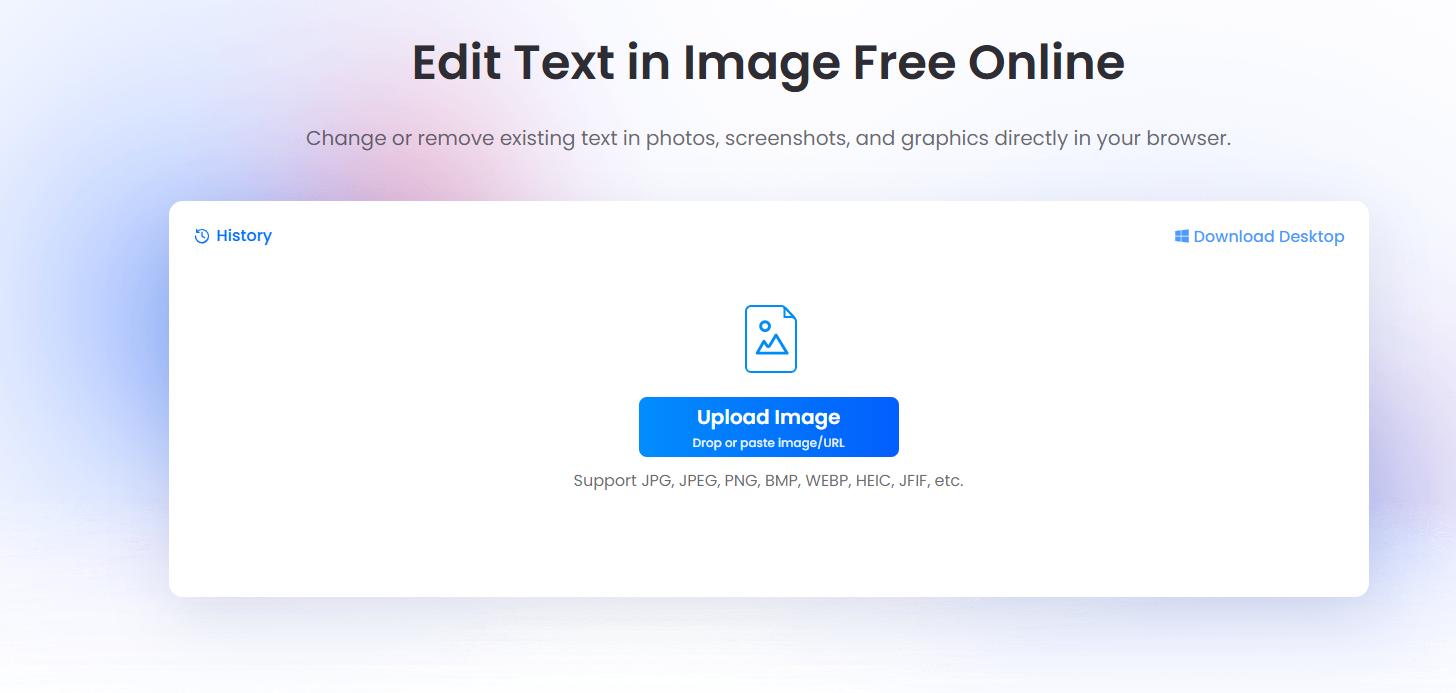
- Upload your meme image.
- Select the text you want to replace.
- Enter the new caption and apply the change.
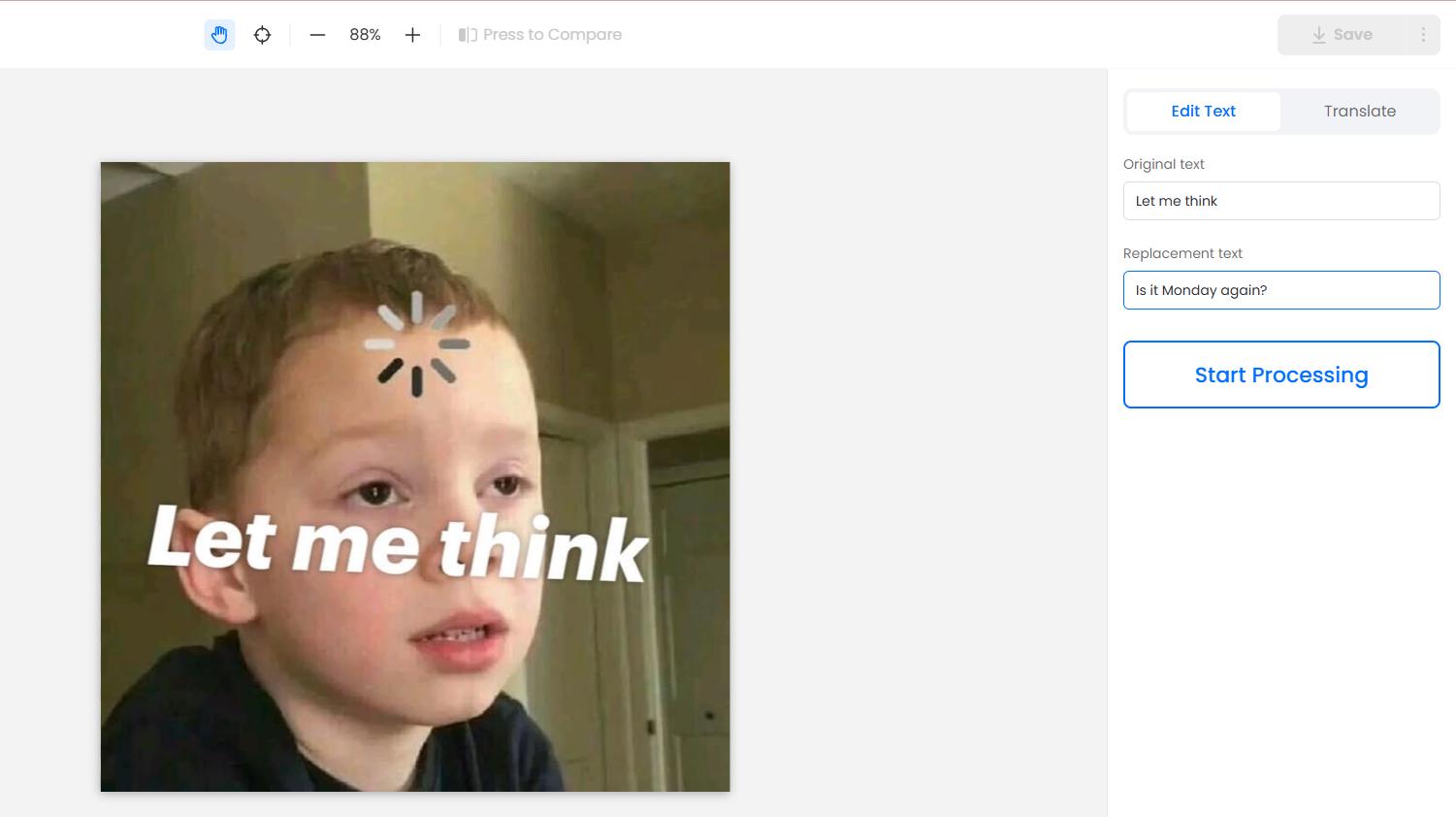
- Check the result and download the edited image.

For example, you could change “Me waiting for Friday” to “Me waiting for the meeting to end” in your own meme.
Try to keep the new caption close to the original length so it fits the space. Before downloading, check the spelling and line breaks, especially if the joke depends on a particular word.
Conclusion
Try Imgflip for templates, Reddit for community humor, and Memebase for themed collections. Know Your Meme helps explain unfamiliar references, while 9GAG offers a broader feed to browse. Pinterest is handy for saving favorites into boards.
If you already have a meme image and want to change its caption, use LightPDF to replace the wording, then check the spelling and layout before sharing.


Leave a Comment