


These are different ways to use the official platform, rather than separate downloader applications.
1. Download Free Resources from the Official Website
Best for: Finding free assets for a blog post, presentation, or design project.
Magnific offers a selection of images you can download with a free account. When using them, include a visible “Designed by Magnific” credit and a link to the website, following the resource’s license terms.
How to download:
- Visit the official website and sign in.
- Find a free image you want to download.
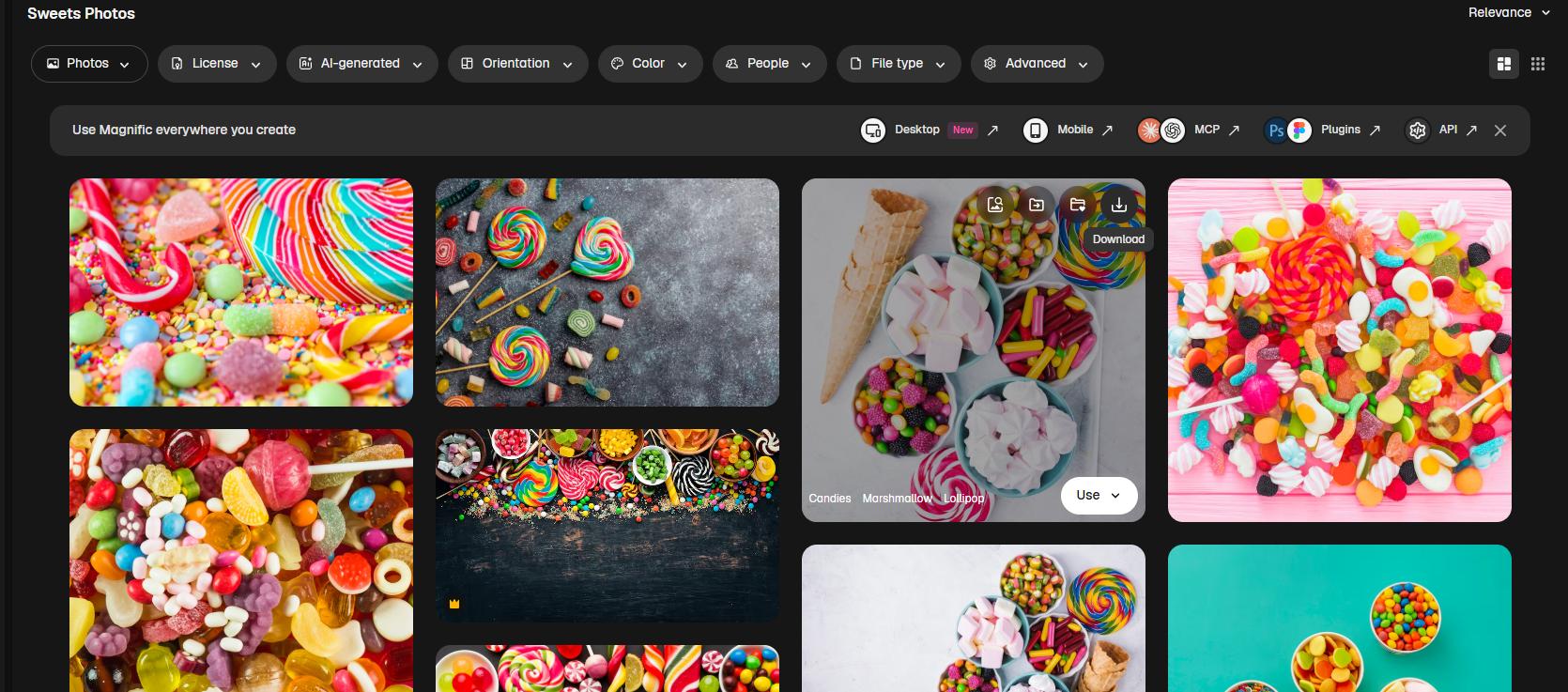
- Open the image page and select an available format.
- Click Download.

This is a useful starting point when you are flexible about the exact image or template you need.
2. Download Premium Resources with an Eligible Subscription
Best for: Designers and content creators who regularly need Premium assets.
The official Premium stock offering includes resources such as photos, vectors, and PSD files. Check the current plans to choose a subscription that includes the stock content you need.
How to download:
- Sign in to the account with Premium stock access.
- Open the resource you want.
- Choose an available format and click Download.

Premium, Plus, and Pro subscribers can use stock resources without author attribution under the applicable license terms. Save the license PDF while your subscription is active; the official licensing guide says these documents cannot be downloaded after the subscription expires.

3. Retrieve Files from Your Download History
Best for: Recovering a file you downloaded earlier.
Open your profile menu and locate Stock downloads in your account settings. Find the resource and download it again. The same area also provides a license download option.

This saves you from having to repeat a search when you have forgotten a resource’s name. However, a resource removed by its contributor may no longer be available for re-download.
Bonus Tip: Enhance Downloaded Magnific Images with LightPDF
If a downloaded or exported image looks soft, or its text is difficult to read, LightPDF’s image enhancement tool can help improve clarity and sharpen details. It supports images as well as scanned PDFs, with results depending on the original file quality.
How to enhance your image:
- Open LightPDF’s enhancement tool and upload your downloaded image.
- Choose the enhance mode and run the enhancement.

- Review the details and download the enhanced image.


Practical tip: Start with the highest-quality original download available. If you have a PSD or vector template, export a JPG or PNG copy for this workflow. Keep any attribution required by your Magnific license when publishing the enhanced image.
Conclusion
Use the official download button for the images available to your account. Free stock use requires attribution; eligible paid plans provide Premium stock access and attribution-free use. Choose the route that matches your account and the asset you need, and keep the file together with its license document. After downloading, use LightPDF to improve image clarity before sharing your design.


Leave a Comment