


Quick Solution: How to Change PDF to RTF Online
If you need an immediate way to convert a PDF file to Rich Text Format without installing desktop software, follow these quick steps using LightPDF:
1. Select Files: Click Select Files on the converter page to choose your document from local storage, or import directly from Google Drive or Dropbox.

2. Convert: Click Convert. The engine extracts text formatting and generates the output file in seconds.

3. Download Files: Click Download Files to save the editable .rtf file to your device.

Key Summary
Converting .pdf files to .rtf (Rich Text Format) lets you edit text across Windows, macOS, Linux, and specialized software like Scrivener or legal tools. Unlike raw .txt files, RTF keeps bolding, italics, font sizing, and list structures without tying you to paid software like Microsoft Word.
Top 5 Free Online PDF to RTF Converters
| Converter Name | Max File Size | OCR Support | Cloud Import | Best Suited For |
| LightPDF | Unlimited / High | Yes (Advanced) | Google Drive, Dropbox | Clean structure retention & confidential docs |
| Zamzar | 50 MB (Free) | Limited | Direct URL, Box | Quick single-file legacy conversions |
| Convertio | 100 MB | Yes (Tiered) | Google Drive, Dropbox | Batch converting across multiple file formats |
| Online-Convert | 100 MB | Yes | Google Drive, Dropbox, URL | Granular text encoding and custom tweaks |
| PDF2Go | 50 MB | Basic | Google Drive, Dropbox | Quick edits and basic document exports |
In-Depth Review of PDF to RTF Tools
1. LightPDF
LightPDF handles complex document layouts cleanly when you need to change pdf to rtf. Standard web tools often mess up paragraph structures by wrapping every line in separate text boxes. LightPDF avoids that, keeping standard headers, body text, and lists intact so the output pdf to rtf format file opens cleanly in Word, LibreOffice, or legal software.
- Key Highlights:
- Direct cloud import from Google Drive and Dropbox.
- Automatic cloud file deletion shortly after processing.
- Integrated OCR for scanned or image-based PDFs.
- Full support to convert rich text format to pdf in reverse.
2. Zamzar
Zamzar is a dependable utility for basic file swaps. If you have a straightforward, single-page document and want a quick pdf to rtf online converter, it gets the job done fast.
- Key Highlights:
- Simple browser interface with email alert option upon completion.
- Broad archive of conversion formats beyond PDF.
- Good performance for basic text files under 50 MB.
- Requires no account creation for one-off tasks.
3. Convertio
Convertio offers a clean drag-and-drop workflow to turn a pdf to rich text format. Text extraction works smoothly on standard single-column documents. However, if your document has multi-column tables or embedded vector shapes, you might need to clean up paragraph breaks afterward in your word processor.
- Key Highlights:
- Seamless upload integrations with Google Drive and Dropbox.
- Batch processing capabilities for handling multiple files simultaneously.
- Real-time conversion status indicators.
- Flexible output format options.
4. Online-Convert
Online-Convert gives you deep control over technical settings before converting a rtf file to pdf or vice versa. You can tweak character encodings and customize OCR rules. The extra menus can feel cluttered if you just want a single-click button, but power users will appreciate the extra settings.
- Key Highlights:
- Customizable character encoding and language options.
- Deep OCR settings for complex low-quality scans.
- Cloud storage integration across major platforms.
- Advanced parameter saving for repeated workflows.
5. PDF2Go
PDF2Go handles quick document edits and basic file conversions reliably. It generates downloadable .rtf files in a few clicks. The main drawback on the free tier is desktop browser ads and slightly longer processing queues during peak server hours.
- Key Highlights:
- Simple user interface with basic editing tools included.
- Cloud integration with Google Drive and Dropbox.
- Works on mobile browsers without app downloads.
- Good for simple documents without heavy design elements.
Extra Tips: How to Convert RTF to PDF
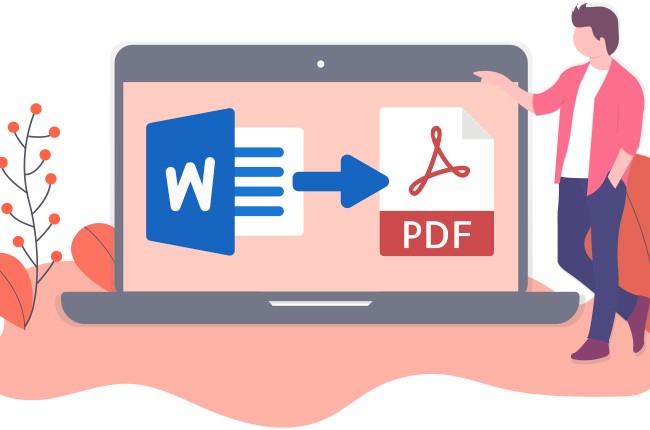
Turning PDFs into editable text solves one problem, but you often need to lock completed edits back into a read-only format before emailing or publishing.

How to Convert RTF to PDF:
- Open the RTF to PDF Converter tool page.
- Click Select Files to upload your
.rtfdocument (or pick it from Google Drive or Dropbox). - Click Convert to process the file.
- Click Download Files to save your fixed-layout PDF.
Real-World Edge Case: Scanned contracts or old document archives often fail standard text extraction because they are saved as flat image pixels. Running them through an OCR-enabled tool first saves hours of manual re-typing. Once edited in RTF, saving back to PDF ensures fonts, line breaks, and page margins look identical on every screen.
FAQ
Q1: Why convert PDF to Rich Text Format (RTF) instead of TXT or DOCX?
RTF opens on virtually any operating system—Windows, macOS, Linux—without forcing you or your recipient to buy a Microsoft Office subscription. Plain .txt strips out all your bolding, italics, and font sizes. DOCX files, on the other hand, can break or throw layout errors when transferred between different software versions. RTF strikes the right balance: it keeps core text styles while avoiding proprietary file locks.
Q2: Will my layout stay identical after conversion?
It depends on the layout. Standard text columns, bold titles, bullet points, and basic paragraphs translate accurately. But RTF is designed as a flexible text container rather than a fixed visual canvas like PDF. Floating graphics, multi-layered shapes, or complex sidebars will likely reflow into inline text, so expect minor formatting adjustments on heavy visual designs.
Q3: Is it safe to upload confidential contracts or financial PDFs?
If you use privacy-conscious tools like LightPDF, yes. Files are encrypted with 256-bit SSL during transmission and are automatically deleted from server storage shortly after processing. Avoid lesser-known free sites that lack clear privacy policies or hold files indefinitely.
Q4: How do I change a scanned PDF or image file into RTF?
Scanned files contain image pixels, not selectable text characters. To change pdf to rtf from a scan, choose a converter with Optical Character Recognition (OCR). The OCR engine scans the image layer, recognizes letter patterns, and outputs editable text into the .rtf file.
Q5: Can I convert rich text format to pdf back without losing formatting?
Yes. Converting an .rtf document back to PDF locks font sizes, line spacing, margins, and text alignment into a permanent, read-only document. This prevents accidental edits and keeps the layout consistent whether viewed on a phone, tablet, or desktop computer.


Leave a Comment