


🔹 ChatYouTube
Turn long YouTube videos into instant summaries, notes, and answers. Simply paste a video URL and start chatting with the content in seconds. No need to watch hours of footage to find the information you need.

How It Works
Step 1: Copy the YouTube video URL.
Step 2: Open ChatYouTube and paste the link.
Step 3: Click Start Chatting.
Step 4: The AI automatically extracts and analyzes the video’s transcript.
Step 5: Ask questions, generate summaries, locate key moments, or export results as a PDF.
Perfect For
- Students reviewing lectures
- Researchers analyzing interviews
- Professionals summarizing webinars
- Content creators studying competitors
🔥 Enhance PDF Quality
Improve scanned PDFs, restore faded text, and increase document readability with AI-powered enhancement. Whether you’re working with old contracts, scanned reports, or photographed documents, LightPDF helps transform low-quality PDFs into clear, professional-looking files.
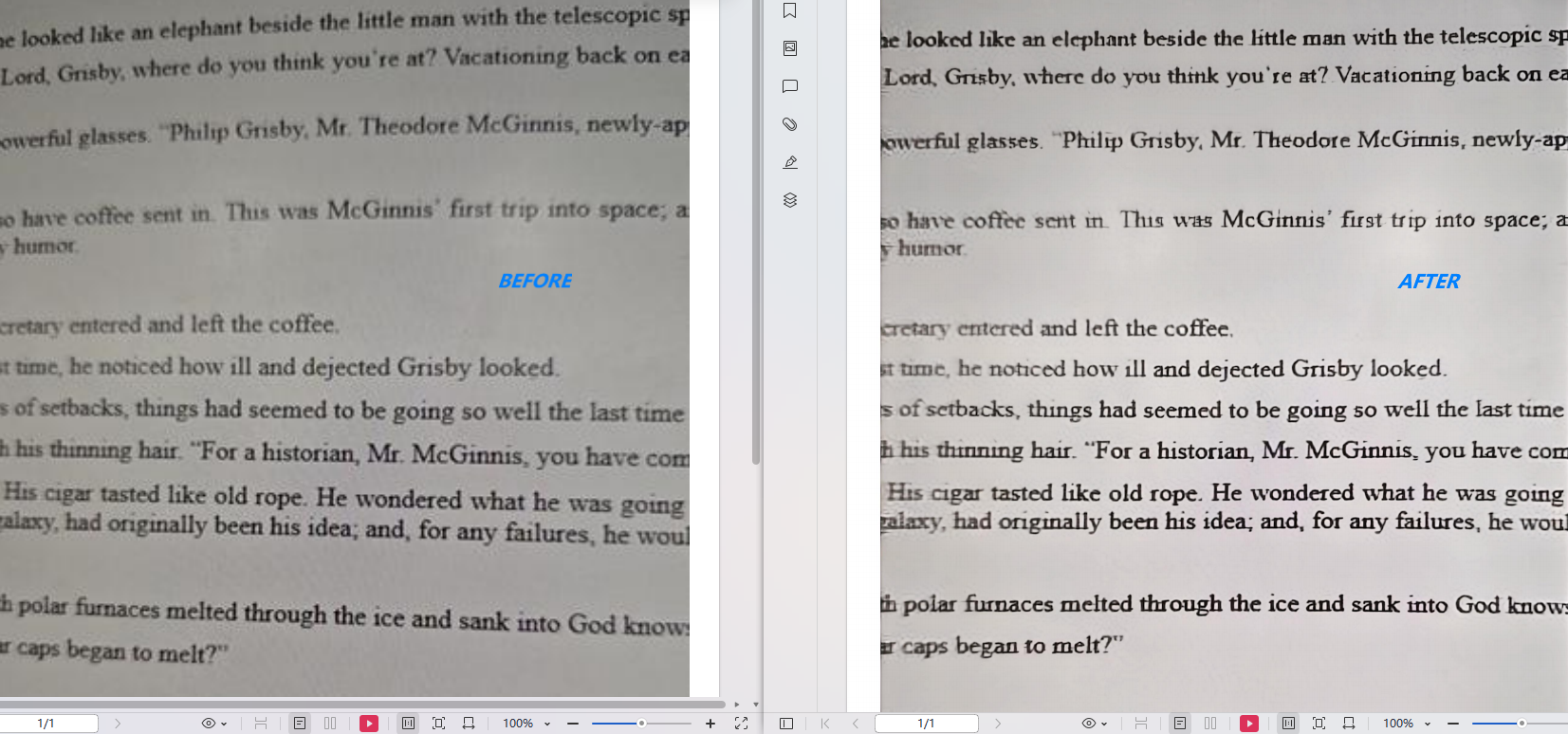
How It Works
Step 1: Upload your PDF document to online PDF enhancer.
Step 2: Choose an enhancement mode.
Step 3: Click Start Processing. You can also click Add files for batch process.

Step 4: The AI automatically analyzes and improves document quality.
Step 5: Download the enhanced PDF instantly.
Perfect For
- Scanned contracts
- Historical archives
- Printed documents
- School notes
- Client presentations
Explore More Tools for Blurry PDFs
✍️Handwritten Notes Enhancer
Improve handwritten notes, classroom materials, and meeting notes.
🌗 PDF Shadow Remover
Remove shadows, uneven lighting, and dark backgrounds from scanned pages.
🧹 Cleanup PDF
Automatically clean visual noise, stains, smudges, and unnecessary artifacts.
🔹 eSign PDF
Sign PDF documents online or send them to others for signature in just a few clicks. Whether you need to sign a contract yourself or collect signatures from clients, teammates, or partners, LightPDF helps you complete the entire signing process in one place.
How It Works
Step 1: Go to online PDF esigner. Click Start E-Signing and upload your contract or PDF document.
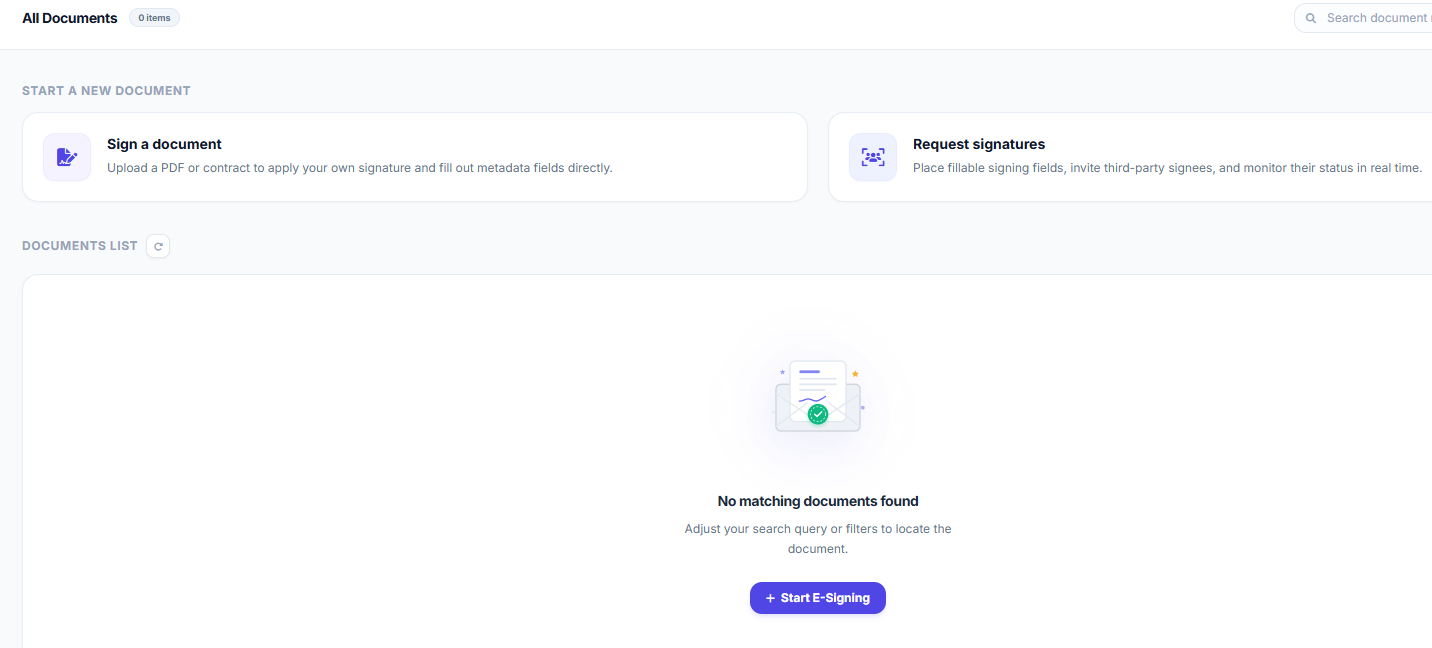
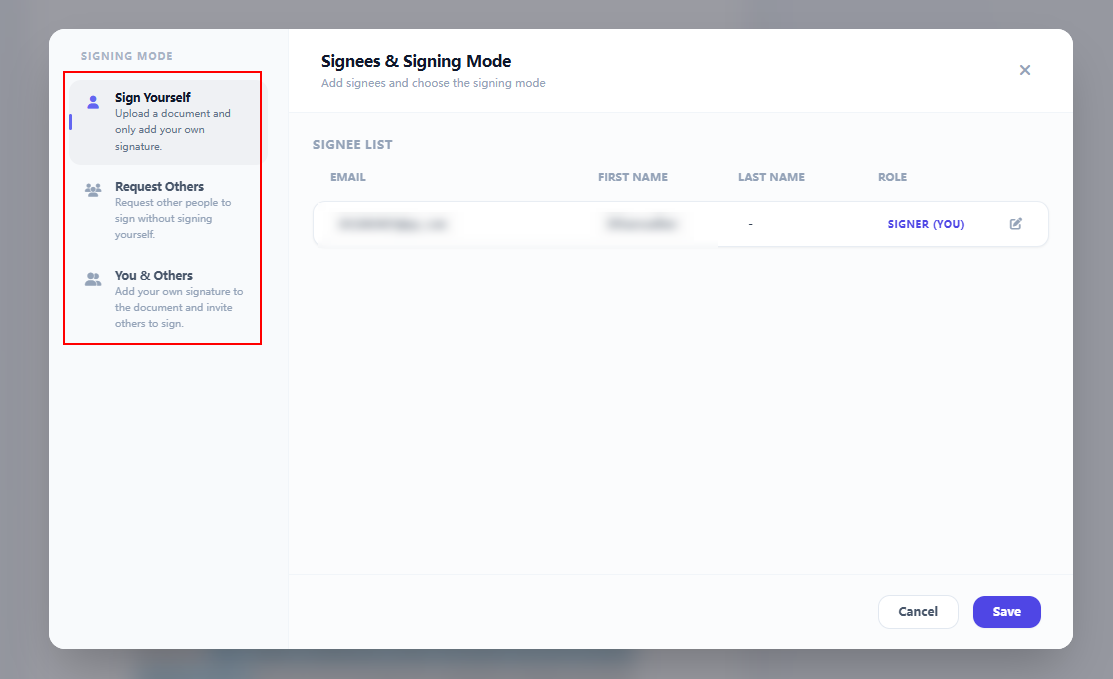
Step 2: Choose a signing mode: Sign Yourself, Request Others, or You & Others. Then, Add the signer information and click Save.
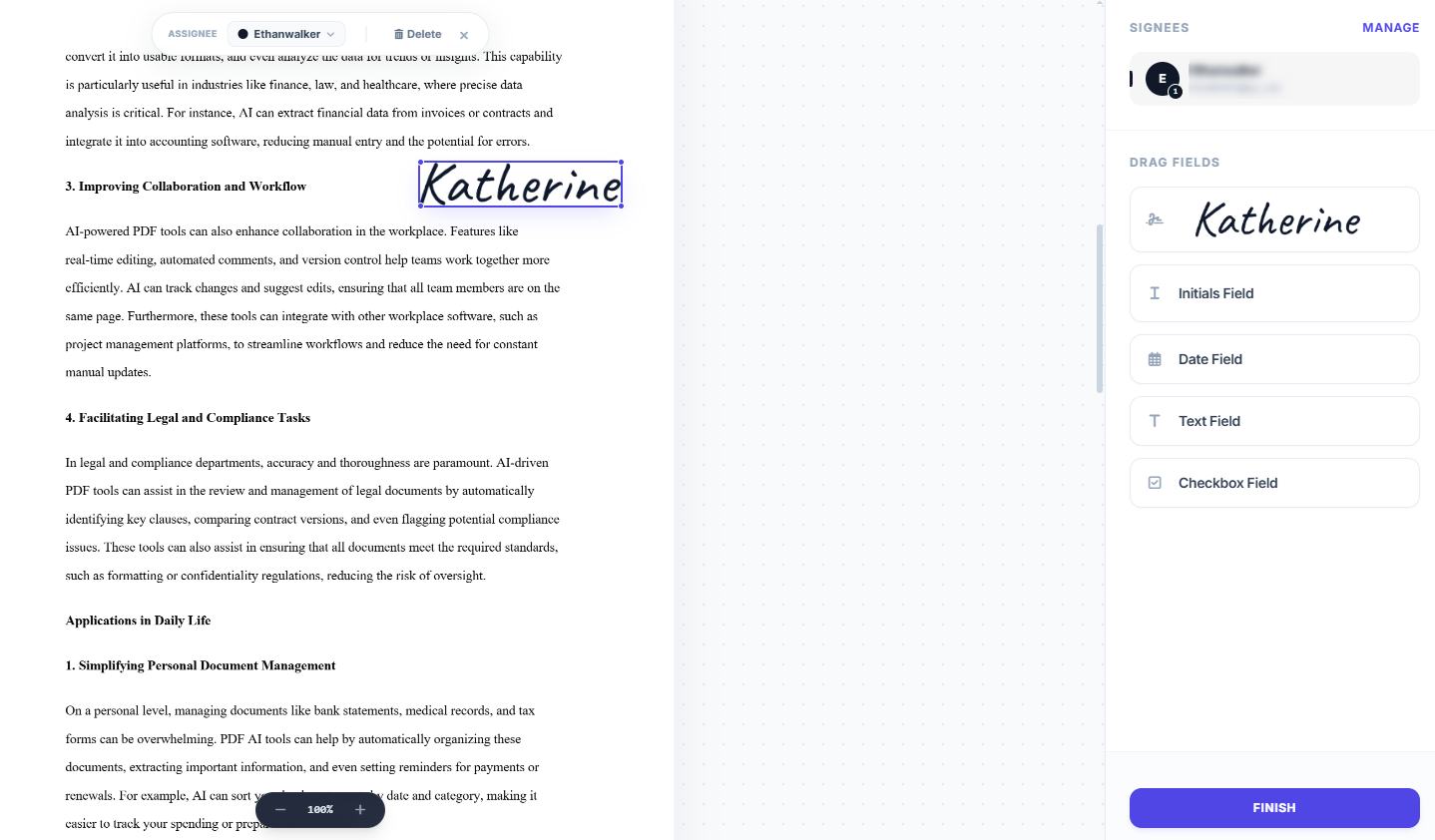
Step 3: Use the left panel to insert signature fields, initials, dates, text fields, and checkboxes wherever needed.
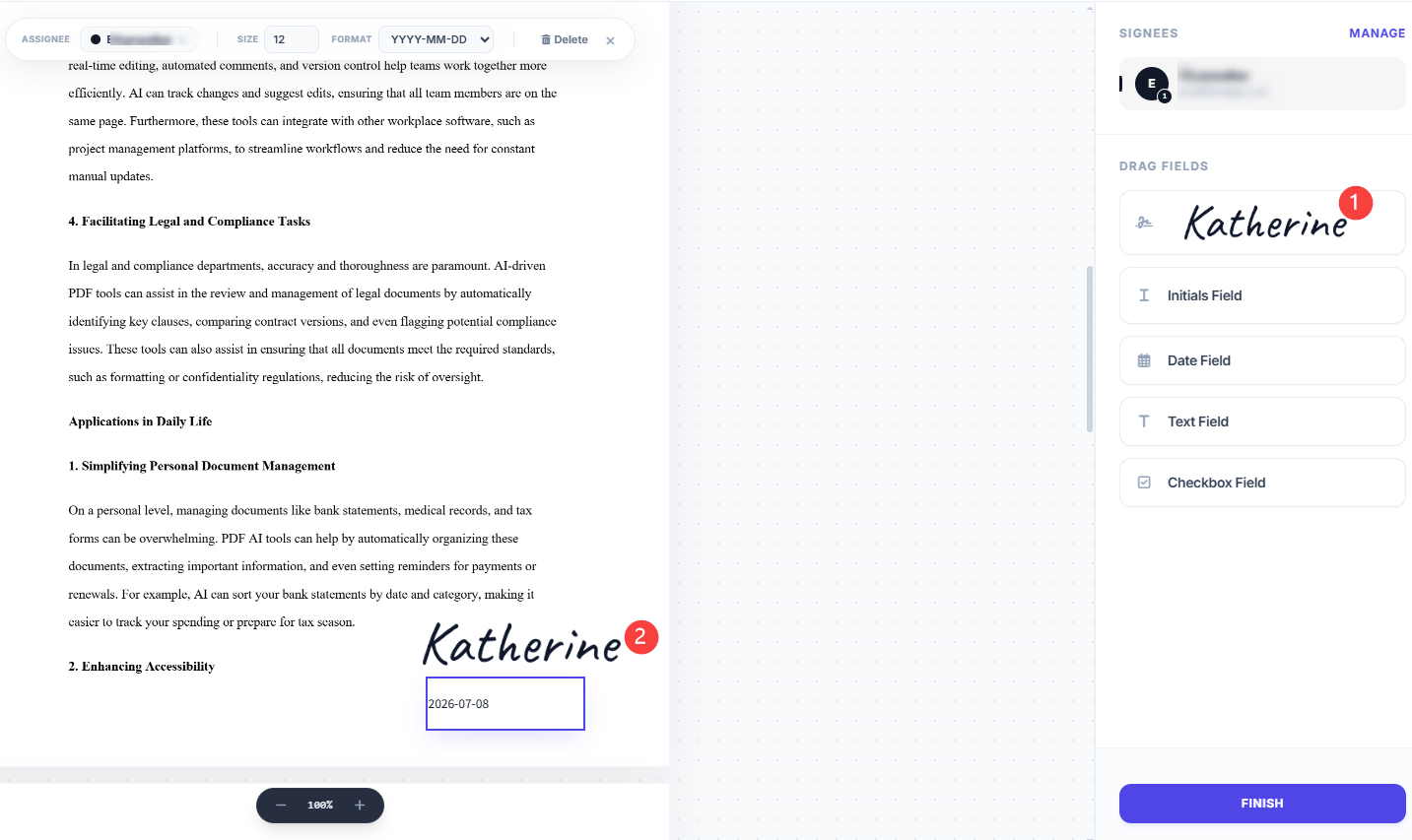
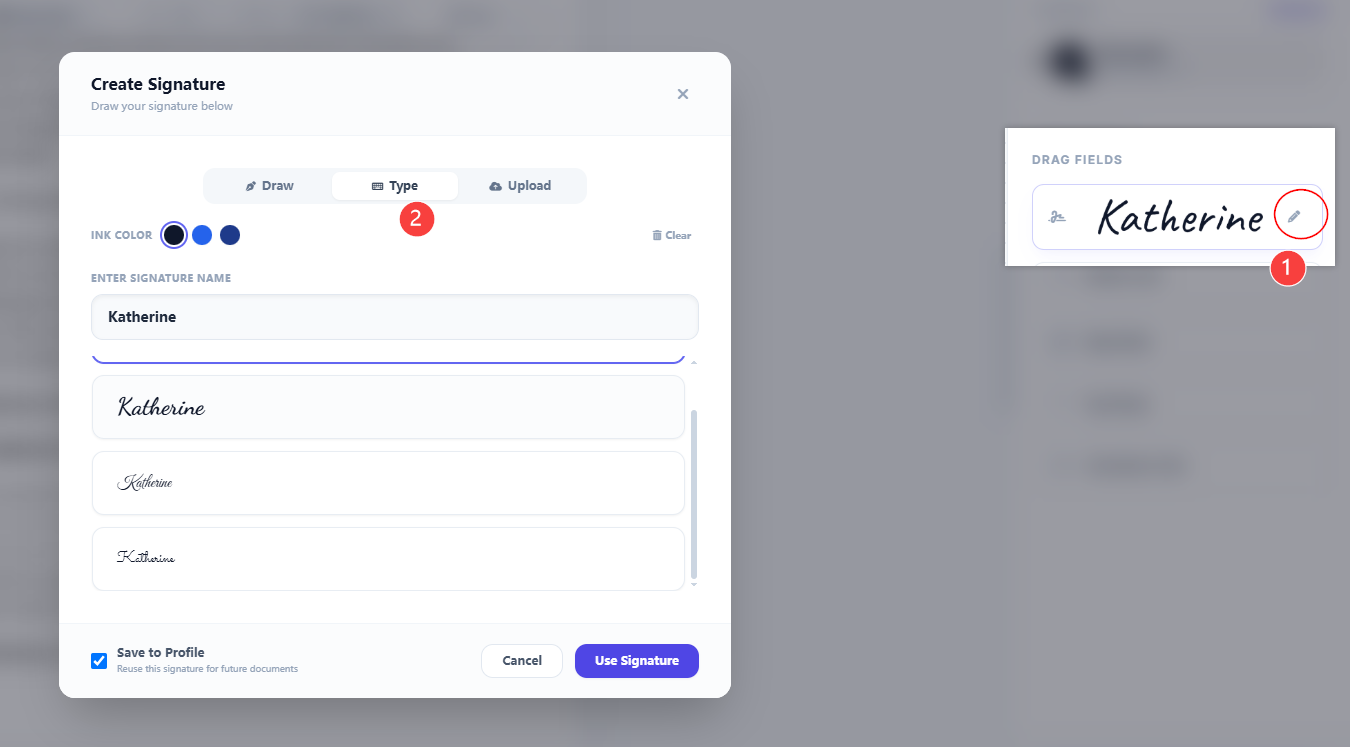
Step 4: Edit or replace signatures at any time, or use the top toolbar to clear existing signatures before finalizing.
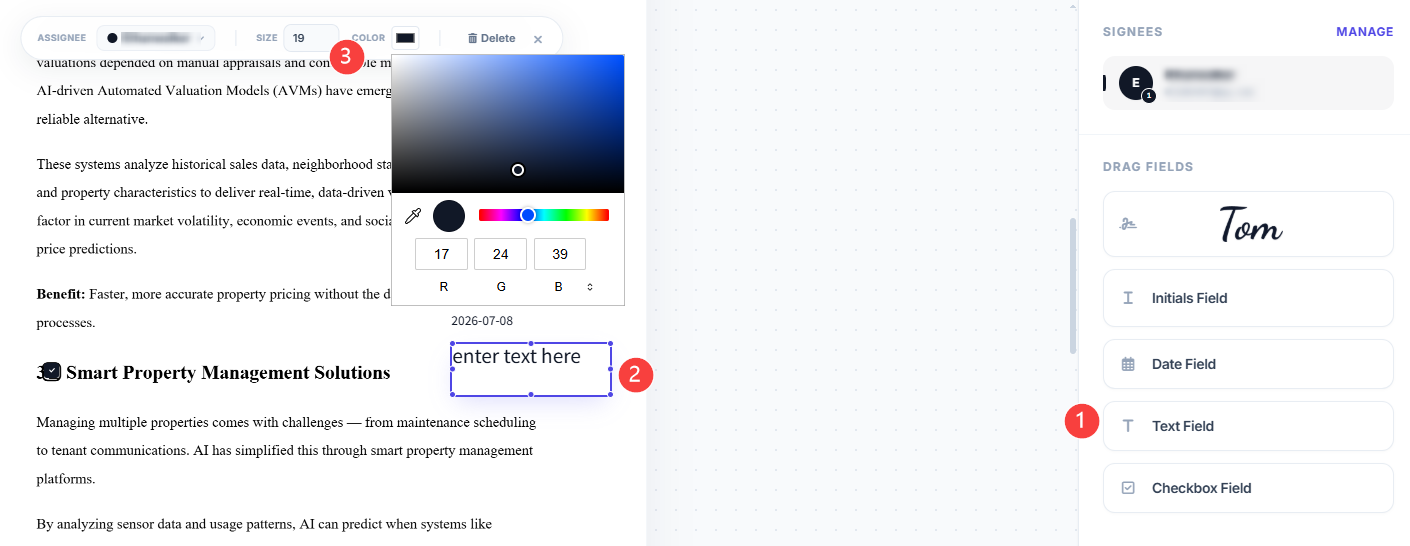
Any fields you add can be modified directly from the top menu bar. Simply click on a field (like a text box) to adjust its font size, change colors, or delete it entirely.
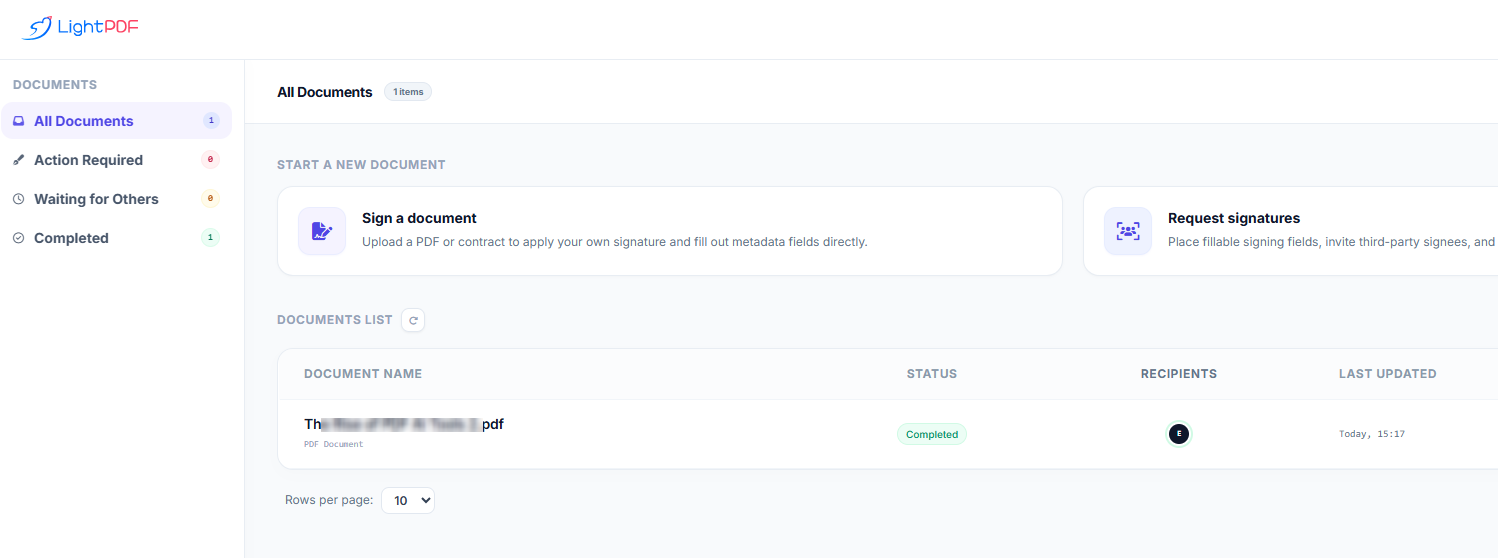
Step 5: Click Finish at the bottom right corner of the signing page, then select Go to Dashboard to view, manage, and download all your signed or pending contracts.
Perfect For
- Signing contracts and agreements
- Requesting signatures from clients or teammates
- HR onboarding and employee documents
- Legal forms, approvals, and business paperwork
🔹 Online PDF Editor & Filler
Directly edit text, modify layouts, and fill out forms online without ruining the document’s original formatting. This feature offers complete control over input fields, allowing you to seamlessly handle contracts, applications, and structured reports in your browser.
How It Works
Step 1: Upload your PDF to the online editor.

Step 2: Click on any existing text to modify content directly, or insert new images and shapes.
Step 3: Add or reposition interactive input fields like text boxes, checkboxes, and signature blocks.
Step 4: Use the top menu bar to fully customize added fields—adjust font size, change colors, or delete items instantly.
Step 5: Fill in the form, apply your digital signature, and export the finalized document.

Perfect For
- HR professionals updating onboarding forms and employee contracts
- Operations teams modifying structured business reports and layouts on the fly
- Freelancers and clients executing and signing digital agreements quickly
- Anyone who needs to fill out static PDF forms without printing or re-creating files
For desktop PDF editing, click here.
🔹 AI Invoice Generator
Create polished, professional PDF invoices in minutes—no spreadsheets, manual calculations, or template editing required. Enter your billing details or let AI autofill the invoice from pasted text or uploaded files. The tool automatically calculates taxes, discounts, shipping, and totals, then exports a ready-to-send PDF.
How It Works
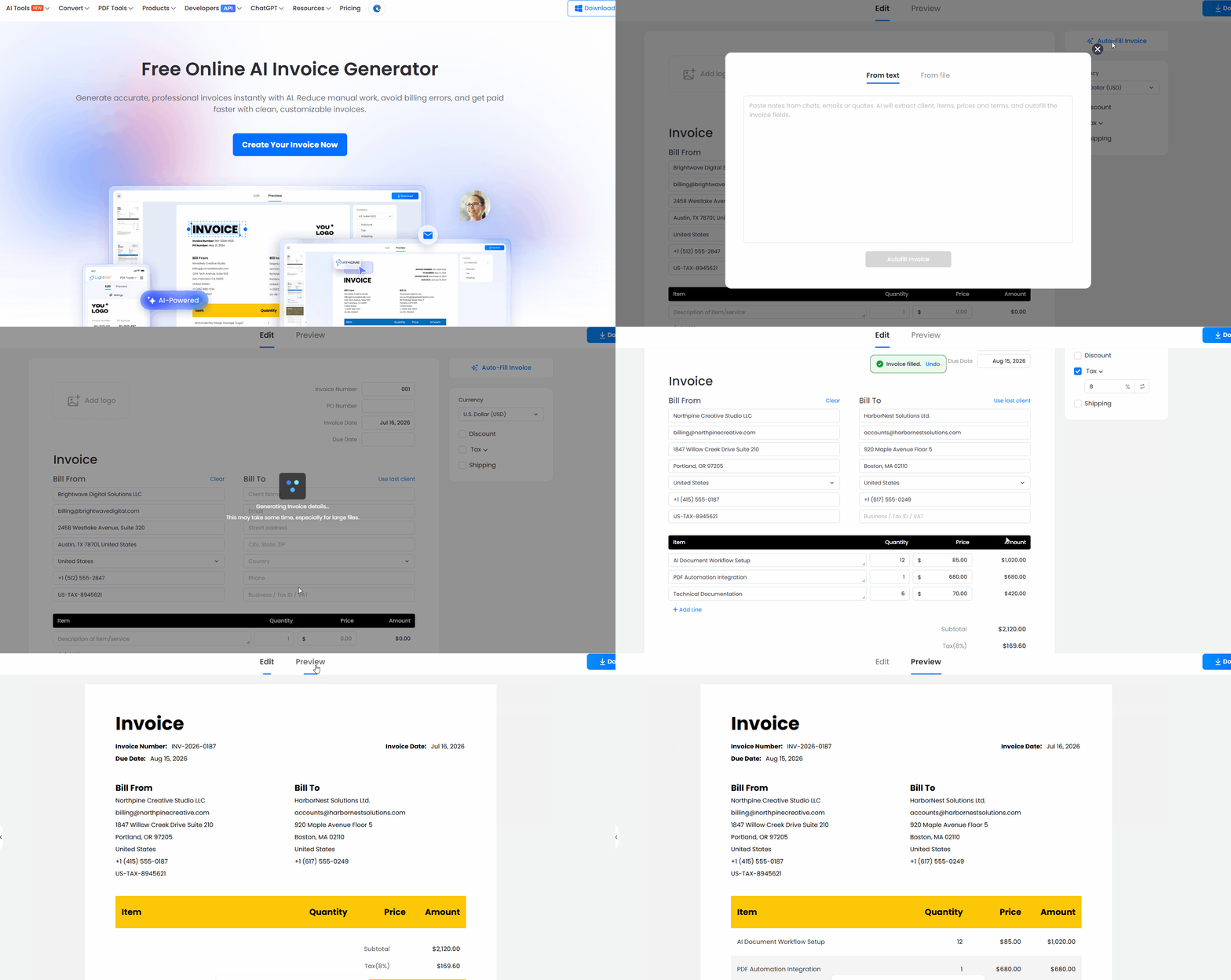
Step 1: Open the AI Invoice Generator and click Create Your Invoice Now.
Step 2: Enter your business, client, and billing details manually, or click Autofill Invoice to paste text or upload a file.
Step 3: The AI extracts invoice information and automatically fills in fields such as Bill From, Bill To, line items, rates, taxes, and totals.
Step 4: Preview your invoice and choose from multiple professional invoice templates.
Step 5: Download the invoice as a PDF and send it directly to your client.
Perfect For
- Freelancers billing clients
- Agencies and consultants creating professional invoices
- Small businesses generating invoices without accounting software
- Contractors and service providers who want to turn project details into invoices instantly


Leave a Comment