


Choosing the right cursive to text converter online or desktop app depends heavily on what you are scanning. Standard office OCR works well for neat modern notebook pages, while 19th-century family letters or stylus notes require specialized recognition models. Below is how the six most reliable options compare based on document type, cost, and real-world limitations.
Top Cursive Handwriting Converters
| Tool Name | Best For | Supported Formats | Free Tier / Pricing | Platform |
| LightPDF | Multi-page scanned PDFs & layout retention | PDF, JPG, PNG, Word, TXT | Free trial / Pro from $19.99/mo | Web, Windows, Mac, iOS, Android |
| Google Drive / Docs | Zero-cost extraction for single pages | JPG, PNG, GIF, PDF | Free (Google Account) | Web |
| Transkribus | Historical manuscripts & archival cursive | JPG, PNG, PDF, TIFF | 500 free credits / Paid from €18/mo | Web, Desktop |
| Microsoft OneNote | Stylus note-takers & whiteboard snaps | Images, PDFs, Stylus Ink | Free (Microsoft Account) | Windows, Mac, iOS, Android |
| Pen to Print | Scanning physical notebooks via phone camera | JPG, PNG, Camera Capture | Free scan / Paid text export | iOS, Android, Web |
| Apple Live Text | Instant on-device copy-paste on Apple hardware | Native Photos, Camera, PDF | Built-in Free | iOS, iPadOS, macOS |
1. LightPDF
When cursive notes are saved inside a multi-page scanned PDF rather than a single smartphone photo, basic image-to-text extractors often scramble paragraph order and strip away margins. LightPDF pairs an AI handwriting OCR engine with a full PDF editor, allowing you to convert cursive writing to text while keeping the original document layout intact.
Users can upload scanned PDFs or high-resolution images, run batch recognition across multiple pages, and export directly to editable Word (.docx), TXT, or searchable PDF files. Single-page conversions are accessible through the free trial, though high-volume batch processing and full export capabilities require a paid Pro subscription.
How to Translate Cursive to Text with LightPDF
- Open the cursive to text converter online.
- Upload your scanned PDF or high-resolution image (JPEG/PNG/GIF/WEBP/PDF).
- Click Convert to process the handwriting, then download the editable file.
2. Google Drive & Google Docs
Google Drive includes a built-in cursive handwriting converter that requires no third-party software or paid subscription. When you open an image or PDF inside Google Docs, Google’s vision AI automatically transcribes the script.
Docs formats the output by placing your original uploaded image at the top of the document and inserting the extracted digital text directly underneath. Having both stacked on the same page makes side-by-side proofreading straightforward. The main trade-offs are workflow speed and script complexity: you have to convert files one by one, and tightly slanted or decorative calligraphy frequently causes recognition errors.
How to Use Google Drive as a Cursive Reader
- Upload a clear JPG, PNG, or PDF of the handwritten page to Google Drive.
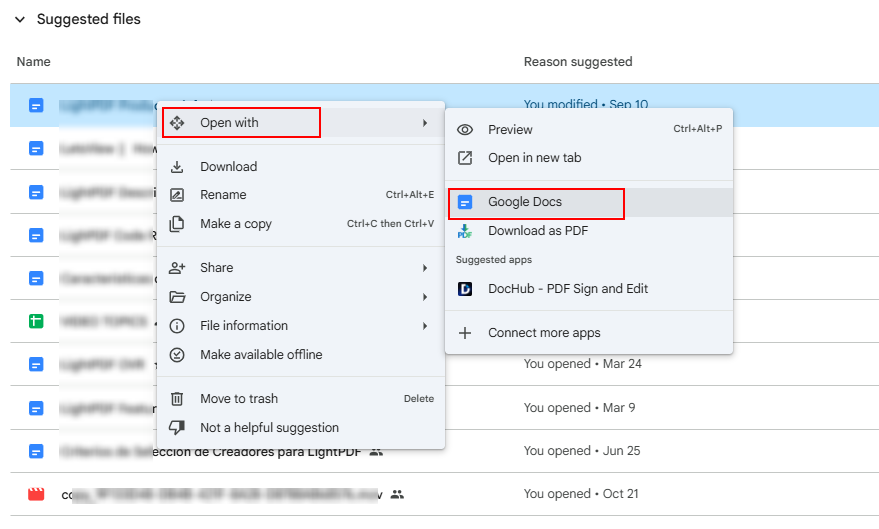
- Right-click the file, hover over Open with, and choose Google Docs.
- Wait several seconds for the file to load. Your original scan will appear at the top of the page, with the transcribed text directly below it.
- Correct any minor punctuation errors, then copy or download the text.
3. Transkribus
Standard OCR software is trained primarily on modern printed typefaces and neat contemporary handwriting, which causes it to fail on antique correspondence. Transkribus uses specialized Handwritten Text Recognition (HTR) models built specifically for historical scripts, census records, and 18th- or 19th-century manuscripts.
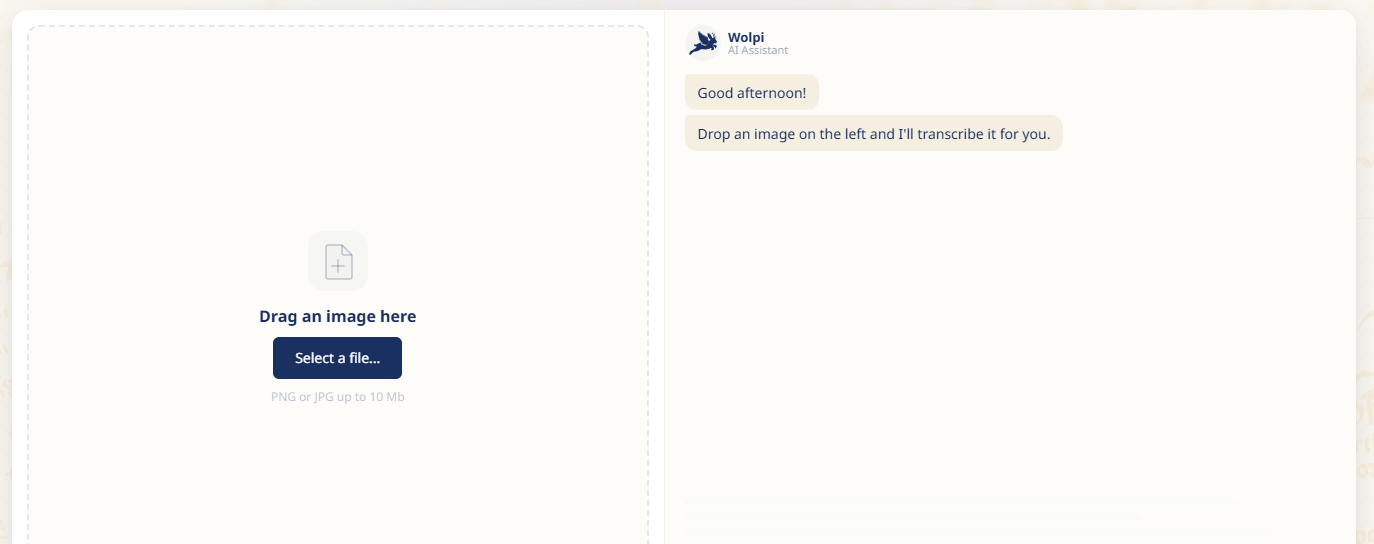
Researchers can choose from dozens of community-trained historical language models (including English, German, Latin, and Spanish) or train a custom AI model tailored to one person’s specific penmanship. Its interface has a steeper learning curve than consumer apps, and heavy usage consumes paid credits after the initial 500-page free allowance, making it best suited for archival and genealogy projects rather than everyday notes.
4. Microsoft OneNote
For students and professionals taking cursive notes with an Apple Pencil or Surface Pen, Microsoft OneNote provides built-in cursive to text conversion directly inside the notebook app.
Its native Ink to Text tool processes live stylus strokes rather than flat pixels, allowing the software to read stroke order and direction for higher accuracy. OneNote also lets you right-click uploaded photos of paper notebooks and select Copy Text from Picture, though photo-based extraction is noticeably less reliable than native stylus conversion, particularly when pages are photographed at an angle.
5. Pen to Print
Pen to Print is a dedicated mobile cursive handwriting converter designed for digitizing physical notebooks, journals, and handwritten drafts using a smartphone camera.
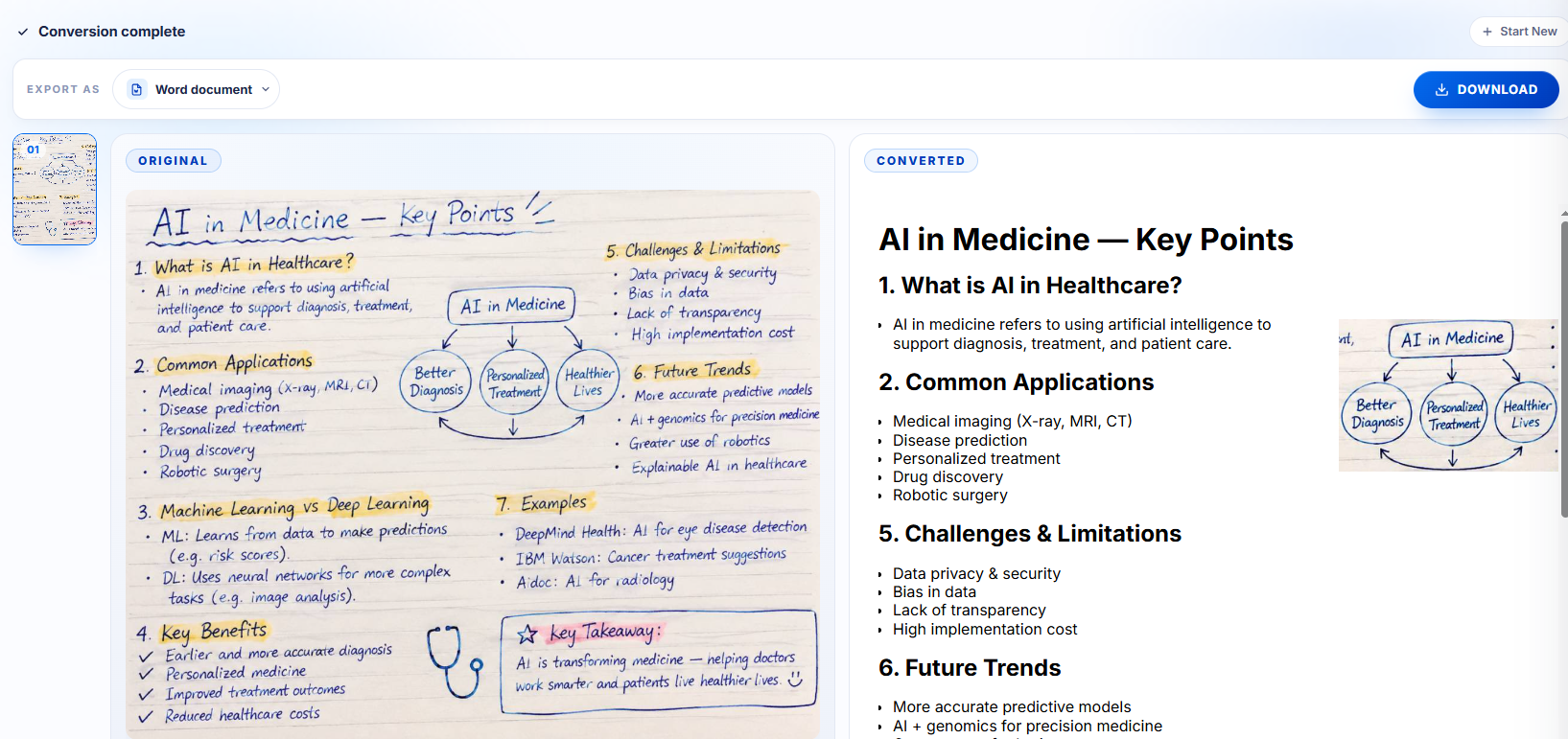
Before running character recognition, the app automatically crops document edges, flattens perspective distortion, and boosts contrast between faded ink and paper. It also provides a line-by-line review screen so you can fix misread words while viewing the corresponding line of handwriting. While scanning and previewing are free, copying or exporting the converted text requires a paid subscription.
6. Apple Live Text
Anyone using a modern iPhone, iPad, or Mac already has a fast cursive to text utility built into Apple‘s Photos, Camera, and Preview apps. Apple Live Text automatically identifies handwritten lines in images and PDFs so you can highlight, copy, or translate cursive just like typed text.
Because recognition runs locally on the device rather than on external cloud servers, it offers strong privacy for personal journals or sensitive notes. It handles clean, well-spaced cursive quickly, though dense multi-paragraph letters or crowded margins often cause it to skip lines or merge adjacent words.
How to Improve Handwriting OCR Accuracy Before Scanning
Even the most capable cursive reader depends on clear visual input. Preparing the page properly before uploading reduces transcription errors across every tool listed above.
- Use bright, indirect natural light: Overhead ceiling lights often cast hand or phone shadows across the paper, obscuring faint pen strokes. If you use a flatbed scanner, set the resolution to 300 DPI in grayscale mode.
- Flatten curved notebook spines: Text curving into the center binding distorts letter proportions. Press the page flat or use a mobile scanner app with perspective correction before running handwriting OCR.
- Crop out surrounding background clutter: Wood grain, desk edges, and adjacent notebook pages can confuse layout algorithms. Frame the image tightly around the handwritten block.
- Prevent overlapping vertical loops: When descending loops (g, y, j) collide with tall letters (h, l, t) on the line below, OCR engines frequently merge two words into one. Leaving slightly wider line spacing helps when writing notes intended for later digitization.
- Convert photos to high-contrast black and white: Applying a basic contrast filter to darken ink strokes and whiten off-white or yellowed paper makes individual letter boundaries easier for vision models to separate.
FAQ
Can AI read messy or doctor-style cursive handwriting?
Modern AI handwriting OCR can interpret moderately messy cursive because language models evaluate surrounding sentence context to predict unclear words rather than relying purely on isolated letter shapes. However, if rapid writing reduces letters to flat, undifferentiated lines, no software will transcribe it cleanly without manual editing afterward.
What is the best free way to convert cursive writing to text?
Uploading an image or PDF to Google Drive and opening it with Google Docs is the most accessible zero-cost option, with no page limits or export paywalls. For iPhone, iPad, or Mac users needing a quick snippet, Apple Live Text copies legible cursive directly from photos at no charge.
How do I transcribe old family letters or historical cursive documents?
Use Transkribus rather than general-purpose office OCR tools. Standard converters expect modern penmanship on bright white paper, whereas Transkribus offers specialized HTR models trained on historical calligraphy, vintage abbreviations, and faded ink on aged paper.
Does handwriting OCR work on lined or grid paper?
Yes. Most contemporary cursive to text converter online tools—including LightPDF and Pen to Print—filter out horizontal notebook lines and grid squares automatically. Pale-gray or light-blue ruling rarely interferes with recognition, though dark black grid lines can occasionally merge with thin pen strokes.
Can I convert a multi-page handwritten PDF into an editable Word document?
Yes. Scan your handwritten pages into a single PDF and upload the file to LightPDF. Its batch OCR engine processes all pages in one pass and exports the converted cursive writing to text directly into an editable Microsoft Word (.docx) document.
Is it safe to upload personal journals or sensitive notes to online converters?
Reputable cloud platforms encrypt files via SSL during transfer and delete uploaded documents from their servers automatically after processing. If you are digitizing confidential medical, legal, or private diary pages and want zero cloud exposure, use on-device tools like Apple Live Text or offline desktop OCR software.


Leave a Comment