


Is PdfCraft Really Safe to Use?
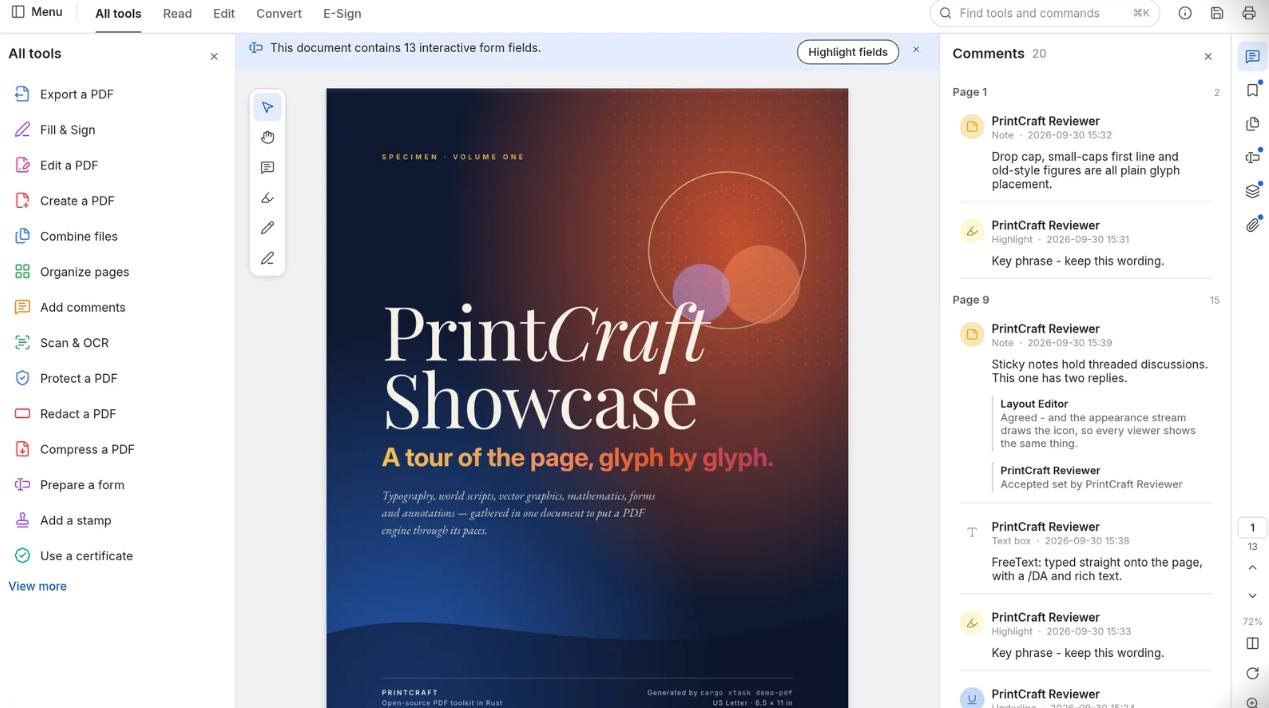
PdfCraft has useful privacy protections, but its public documentation does not justify an unconditional safety guarantee. ArtCraft describes local document processing, while the project README still identifies PdfCraft as alpha software and acknowledges ongoing hardening work.
The practical judgment depends on several things: where you obtain the installer, which files you open, and whether the application preserves your document correctly. Keeping documents local addresses an important privacy concern, but software security and output reliability also matter.
This assessment is based on public product and development documentation. It does not include independent malware testing of the installers.
What Supports PdfCraft’s Privacy and Trustworthiness?
Local Document Processing
According to ArtCraft, the desktop application handles documents on your machine without requiring a user account or cloud processing. The developer also states that the application does not collect telemetry.
For a workflow that must keep files on a computer, this is a meaningful privacy advantage. You can perform supported PDF tasks without sending the document to an online processing service.
Public Source Code
PdfCraft’s code is available in its official GitHub repository. Public code allows developers and security researchers to inspect how the application works and follow reported changes.
Open-source availability provides transparency. Confidence in a particular release still depends on review, testing, dependencies, and the integrity of its distributed files.
Official Downloads and Verification Information
The ArtCraft product page links to the project’s downloads and provides access to SHA-256 checksums. Its release documentation also describes signing procedures for supported builds.
Checksums help you compare a downloaded file with the published release, while valid signatures help establish its origin and integrity. These checks do not certify that an application has no vulnerabilities.
What Should You Be Careful About?
The Project Is Still Developing
At the time of writing, the README’s development assessment describes PdfCraft as alpha. It notes limitations in areas including reliable editing of existing text and Office document conversion. It also acknowledges that testing with hostile files continues to uncover crashes and hangs.GitHub
That does not establish that the application contains malware. It does mean you should test the operations you need before depending on it for important documents. Work on copies, reopen saved results, and check text, page order, forms, and layout.
Download Sources Need Checking
Use the official ArtCraft page and the GitHub releases it links to. Several unrelated PDF projects use similar names, so confirm that the download belongs to the ArtCraft project.
For a hosted web version, review the operator and its policies separately. A local-processing claim made by the desktop developer does not establish how another website handles files.
Antivirus Warnings Need Investigation
PdfCraft’s release documentation includes instructions for investigating scanner detections. If a downloaded file triggers a warning, keep your security protections enabled and check the exact file’s release source, checksum, signature, and detection details.GitHub
A warning should be investigated before running the file. Contact the project or your IT team if you cannot resolve it.
How to Use PdfCraft More Safely
Start with the official download and keep the application updated. Before making substantial changes, create a working copy of the PDF so you can return to the original if necessary.
Test the tool with a non-sensitive sample that resembles your real document. After saving, reopen the result and inspect the parts that matter to your task, such as page order, text, comments, or interactive fields.
For work documents, follow your organization’s software and data-handling requirements. Local processing can help with confidentiality, but it does not replace those requirements.
Alternative for Editing and AI PDF Tasks
If your work involves editing text, converting formats, or understanding long documents, LightPDF offers desktop tools and online AI features. Choose the feature that matches your task and your document’s privacy requirements.
Edit, Annotate, and Convert PDFs With LightPDF
LightPDF’s desktop editor supports modifying PDF text and images, adding comments, highlighting passages, and organizing pages. It also offers PDF conversion, form tools, and OCR for scanned documents.
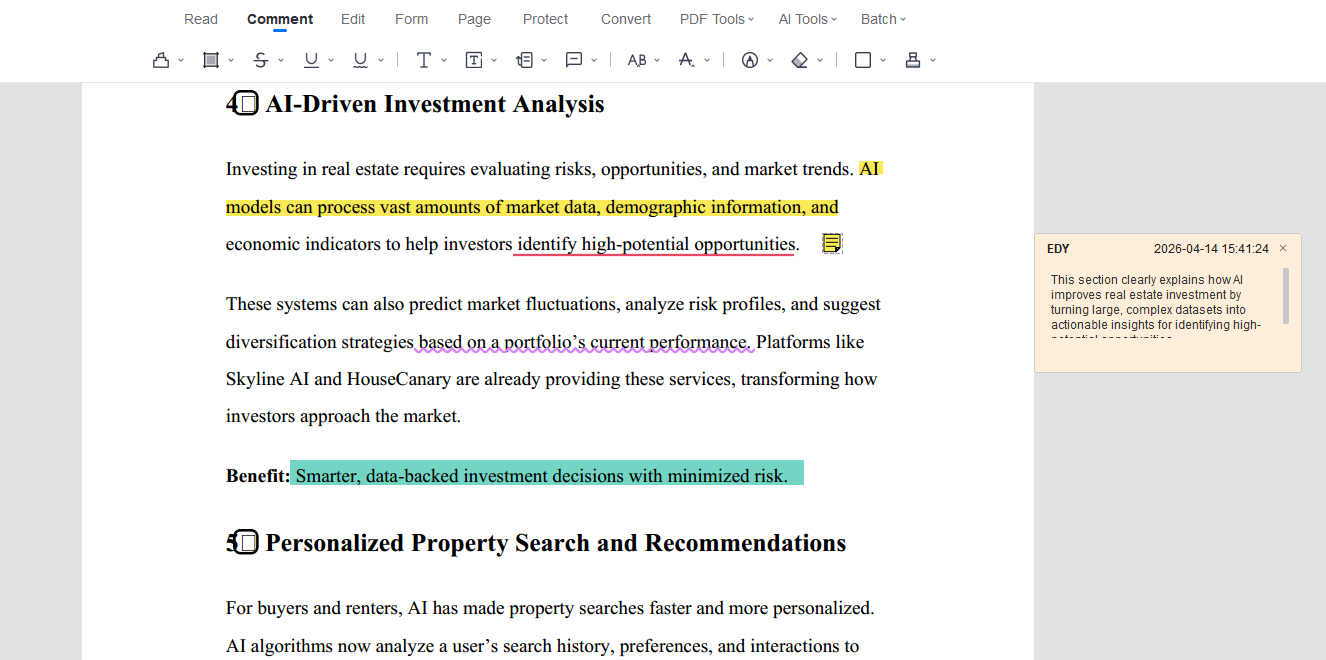
For example, you can use it to update a report, mark passages for review, or extract text from a scanned handout. Check the saved output to confirm that it preserves the information and formatting you need.
Read and Summarize Documents with AI

LightPDF Chat with PDF lets you upload supported documents and ask questions about their content. You can request a chapter summary, find key ideas, or ask for a plain-English explanation of a difficult section.
To get started:
- Open LightPDF Chat with PDF.
- Upload a document you are permitted to process.
- Ask a focused question, such as: “Summarize this report in five bullet points and identify the supporting sections.”
- Review the answer against the document using source references where available.
For repetitive file operations, LightPDF AI Agent also accepts instructions for tasks such as merging, splitting, compressing, and converting PDFs.
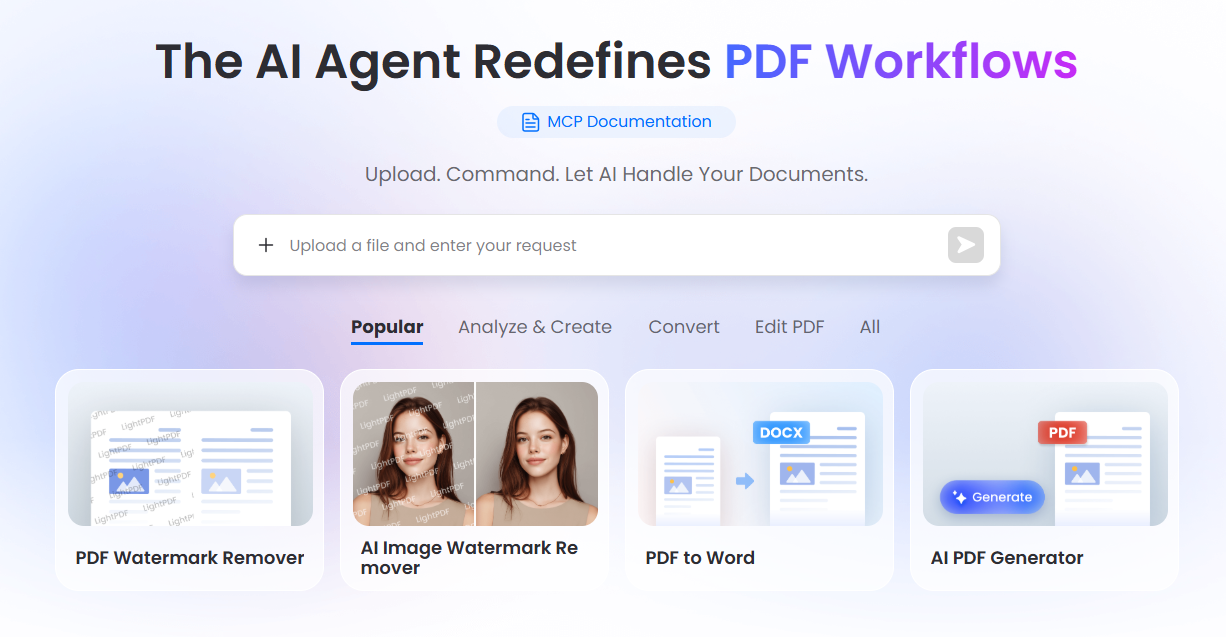
LightPDF’s document chat feature uses uploaded files and cloud storage. Its product page describes encrypted storage and user-controlled file deletion, and its privacy policy explains broader data collection and cloud services. Choose online features when cloud processing is acceptable for your document. For confidential material, confirm the selected feature’s handling and retention rules before uploading.
Conclusion
PdfCraft offers a local-processing approach with public source code and official downloads. Its alpha status and documented hardening work call for careful use and output checks. LightPDF is another option for editing, OCR, conversion, and AI-assisted reading; choose the specific workflow that meets your task and privacy needs.




Leave a Comment