


Handling messy document scans is a notoriously frustrating task. Whether it is a pricing catalog that looks like a terrible photocopy of a photocopy, project receipts shot on a phone camera, or archived files from outdated office hardware, the symptoms are always the same: faint text, muddy gray backgrounds, and an overall unprofessional appearance that cannot be sent to clients.
Forcing the file resolution up within a standard image viewer rarely works—it simply creates a larger, higher-resolution version of an already unreadable file.
Fortunately, there is no need to manually re-type these documents or invest in expensive, heavy software licenses. It is entirely possible to clean up pdf files, whiten PDF backgrounds, and boost text contrast online in under a minute.
Part.1 How to Clean Up Scanned PDF Online Free
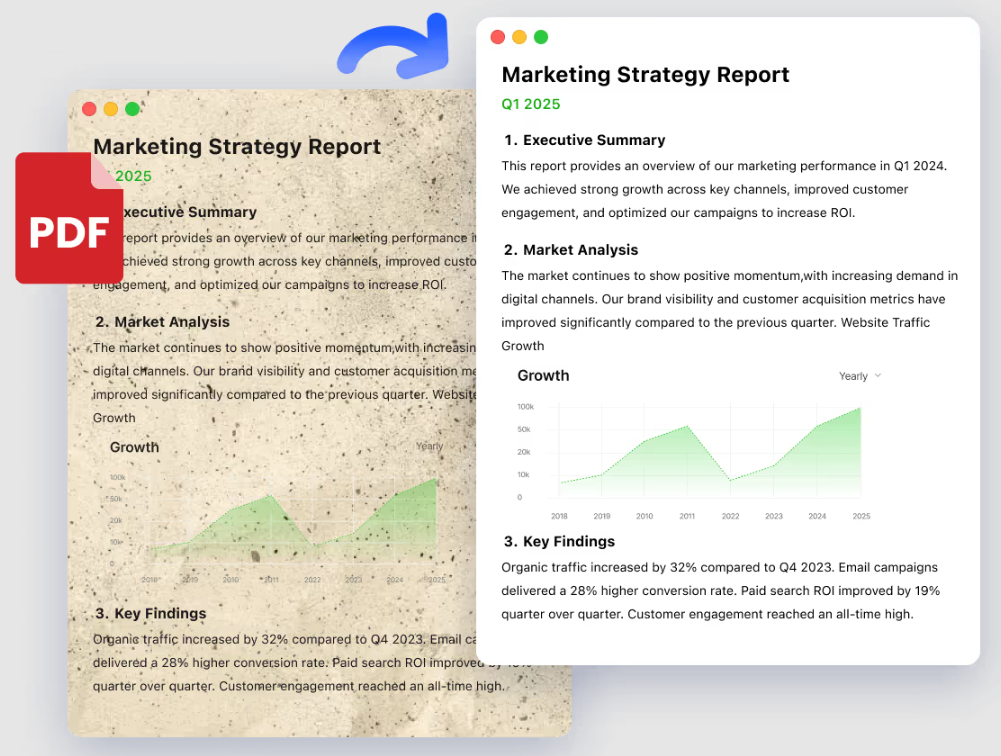
When on a tight deadline, a dedicated, browser-based pdf cleaner can bleach backgrounds and pop text contrast without draining local computer processing power. Using an automated utility like LightPDF allows anyone to refresh paperwork instantly for free.
Here is the most efficient workflow to remove gray background from PDF layouts:
1. Step 1: Access the Tool — Open the free pdf cleaner web utility in any active browser tab.
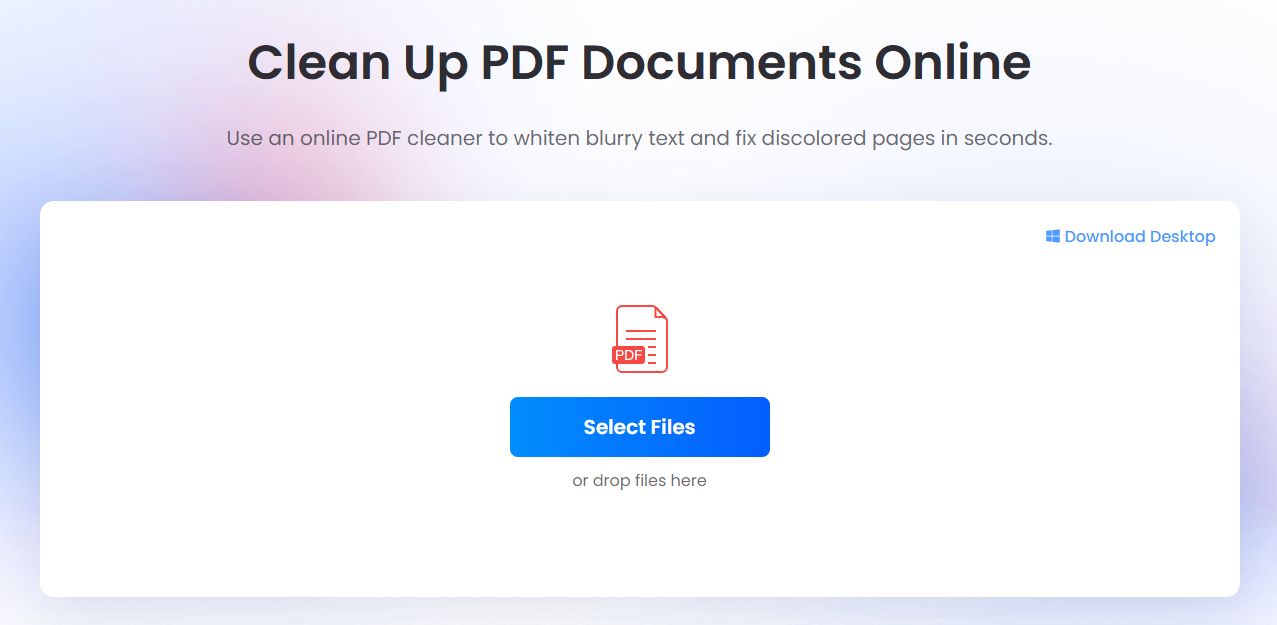
2. Step 2: Upload the Document — Click Select Files, or simply drag and drop the messy files directly into the uploading zone from the local desktop folder.
3. Step 3: Select the Right Whitening Mode
- Fast Whitening
- Designed as a one-click refresh button for everyday office paperwork. If a page is globally shadowed or evenly gray, this mode strips the haze out in seconds.
- AI Deep Whitening
- Best used when the document looks completely hopeless—such as faded ink on historical legal records or highly uneven lighting from a hurried smartphone snap. The AI actively reconstructs broken font paths.
💡 Efficiency Tip: For those handling a large volume of messy sheets, the Add Files button allows users to queue multiple documents into a single batch job rather than processing them one by one.
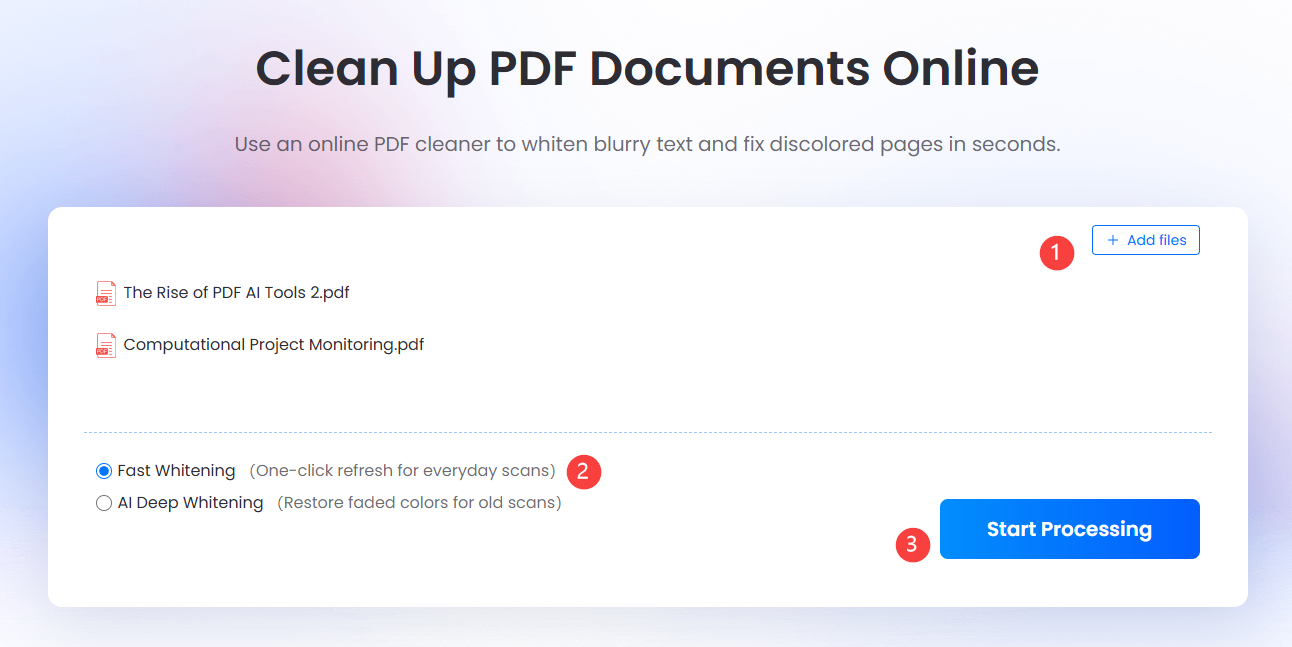
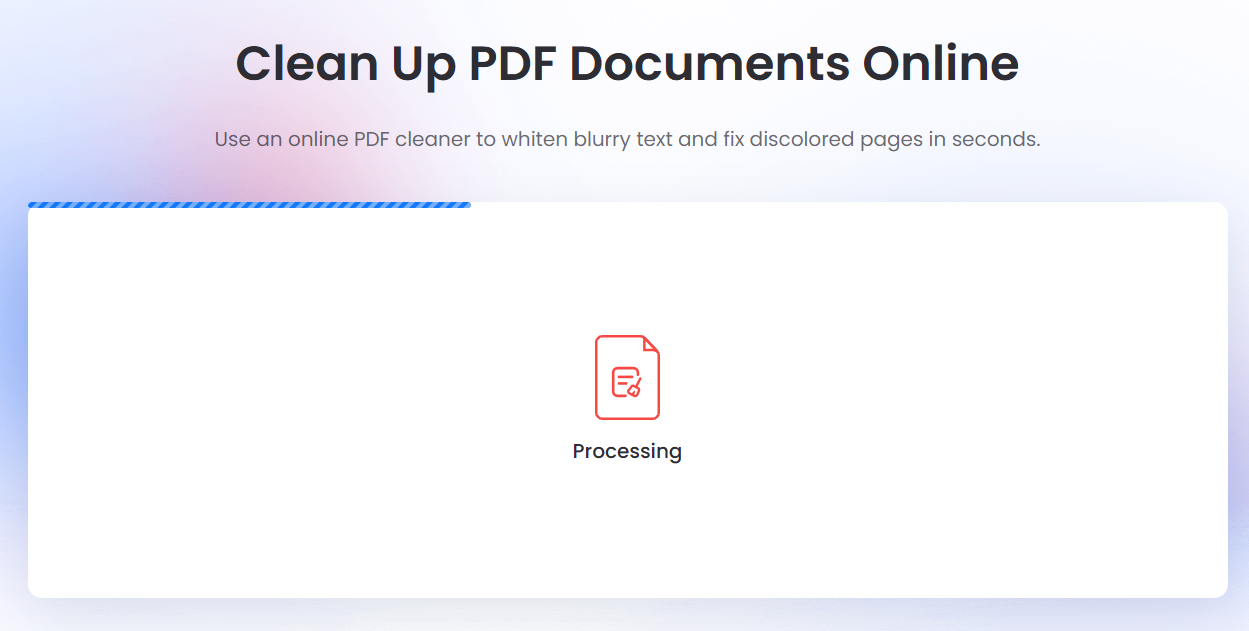
4. Step 4: Process the File — Click Start Processing. The cloud-based backend handles the background bleaching automatically.
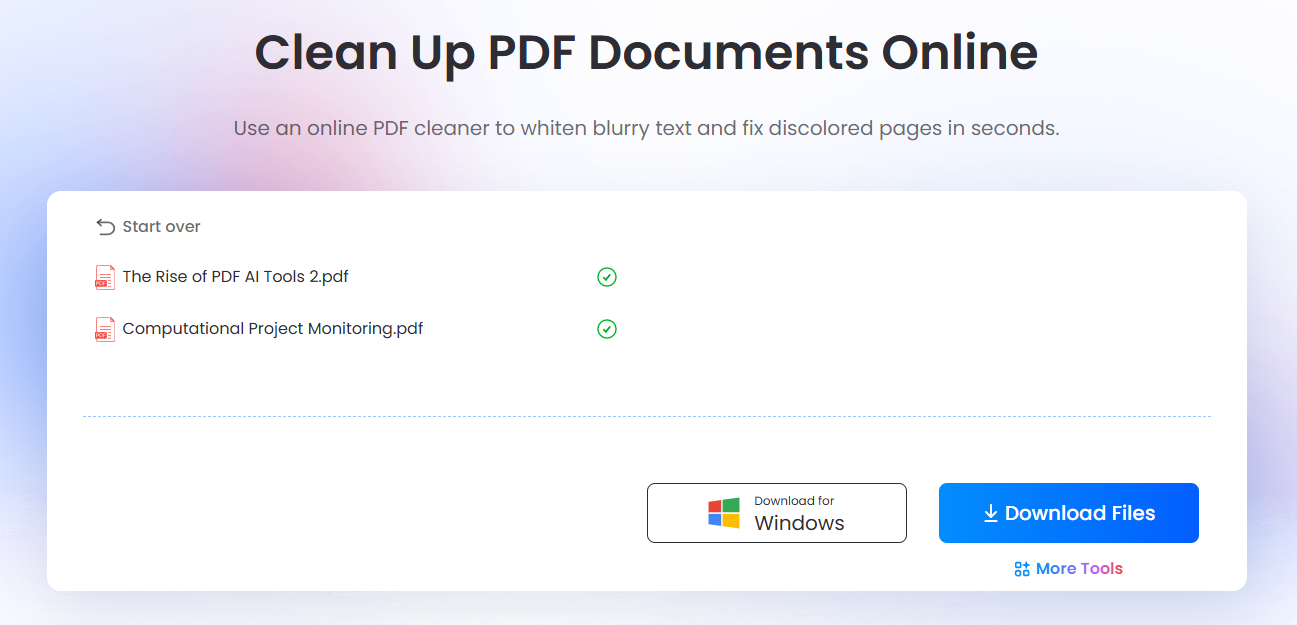
5. Step 5: Download the Output — Click Download Files to save the high-contrast, crystal-clear document.
Part.2 Why Do Scanned PDFs Look Gray and Muddy?
To successfully clean scanned pdf files, it helps to understand why they degrade in the first place. Most illegible documents suffer from a combination of poor physical capture (such as a dusty flatbed glass in the mailroom) and aggressive digital compression that introduces ugly, pixelated artifacts around character edges.
Artificially forcing a file’s resolution from 72 DPI to 300 DPI does nothing to fix readability; it merely instructs the computer to render the same muddy shapes across more pixels. True optimization requires a document-specific processing pipeline capable of distinguishing a stray coffee stain from a lowercase letter.
To whiten scanned pdf pages without erasing critical punctuation, professional clean-up engines target specific geometric and optical flaws:
- Micro-De-Skewing: Paper rarely rolls into a physical feeder perfectly straight. The cleanup software instantly calculates the baseline tilt angle of text columns and snaps the digital canvas back onto a level grid, ensuring subsequent OCR engines run smoothly.
- Salt-and-Pepper Despeckling: Dust on the scanner lens or raw paper grain shows up digitally as thousands of microscopic dots. A smart engine maps the pixel density across the page, flags these isolated speckles, and purges them from the white space without clipping actual periods, commas, or semicolons.
- Localized Contrast Bleaching: Ink bleeding through thin paper or severe binding shadows near book margins drops the contrast ratio to dangerous levels. Instead of a global contrast boost—which blows out faint text—the engine applies a localized threshold, forcing mid-tone grays to pure white while dropping light gray ink down to deep, searchable black.
- Dynamic Character Re-Layering (OCR): Once the canvas is bright and stark, an Optical Character Recognition engine reads the newly sharpened font geometries. It embeds an invisible, interactive text layer directly over the cleaned image, transforming a dead, flattened graphic into an active file where text can be searched, copied, and highlighted.
Part.3 Top Solutions to Clean & Whiten PDF Files
Depending on daily document volume, compliance boundaries, and the required level of manual oversight, the ideal pdf cleaner changes dramatically. Here is a breakdown of three industry-leading approaches dominating document restoration today.
1. PDF Cleaner By LightPDF
LightPDF stands out as the most convenient path for rapid, hassle-free optimization. On managed corporate networks where downloading local software requires strict IT approval, or when trying to read a messy image on a mobile device during a commute, this browser utility bypasses local hardware bottlenecks entirely. The engine drops confusing technical jargon and automatically analyzes the exact degradation signature of the document on the fly, making it highly efficient when needing to clean up scanned pdf online free.
2. ScanTailor Advanced — Best for Advanced Book Archiving
For those dealing with severe document degradation, old yellowed book scans, or heavy text bleed-through, ScanTailor Advanced is a powerful open-source solution. Operating as a functional laboratory tool rather than a standard consumer app, it breaks pages down to the pixel grid. It allows users to split pages, manually adjust localized threshold zones, and separate background illumination from faded ink strokes. While highly effective to whiten scanned pdf books with massive gutter shadows, it only processes images (requiring a PDF-to-TIFF conversion) and carries a steep learning curve.
3. FineReader PDF by ABBYY — Best for Enterprise Accuracy
ABBYY FineReader is the gold standard when the ultimate goal is perfect data accuracy rather than just visual aesthetics. For businesses running financial audits or legal discoveries against thousands of old, dark photocopies, FineReader’s processing engine is unmatched. When used to clean scanned pdf text, its AI simultaneously reconstructs the underlying character matrix and excels at parsing text hidden inside messy tables. The main tradeoffs are its heavy desktop application layout and premium enterprise licensing costs.
Part.4 Comparison of PDF Clean-Up Tools
This comparison matrix cuts through the standard marketing promises to highlight exactly where each document engine excels based on your immediate real-world constraints.
| Tool | Core Cleaning Mechanism | Best Fit For | Data Privacy | Processing Friction |
| LightPDF | Cloud-based automated AI bleaching & 1-click whiten filters. | Instant background clearing, casual office scans, and mobile device fixes. | Encrypted cloud processing (Auto-wiped in 60 mins). | Zero (1-Click automation in browser). |
| ScanTailor Advanced | Open-source localized pixel thresholding & manual warp fixing. | Severe document degradation, book archiving, and correcting heavy binding shadows. | 100% Local (Completely offline open-source code). | High (Requires manual step-by-step tuning). |
| ABBYY FineReader | Enterprise AI matrix reconstruction with deep table logic. | Massive corporate backlogs, multi-language OCR, and preserving tabular structures. | Highly secure local corporate deployment. | Moderate (Heavy desktop application layout). |
Part.5 Advanced PDF Cleanup Tweaks
Let’s face the real day-to-day work roadblock: whitening a dark background is usually just stage one of a proper document salvage job. Once the global grays are bleached and the text is punched up, you often realize the document still has a ton of visual clutter trapped on the page—things that slow down your workflow, waste printer ink, or compromise data privacy.
To turn a messy scan into a completely polished, executive-ready asset, an advanced PDF cleaner protocol should address three highly practical, real-world user demands:
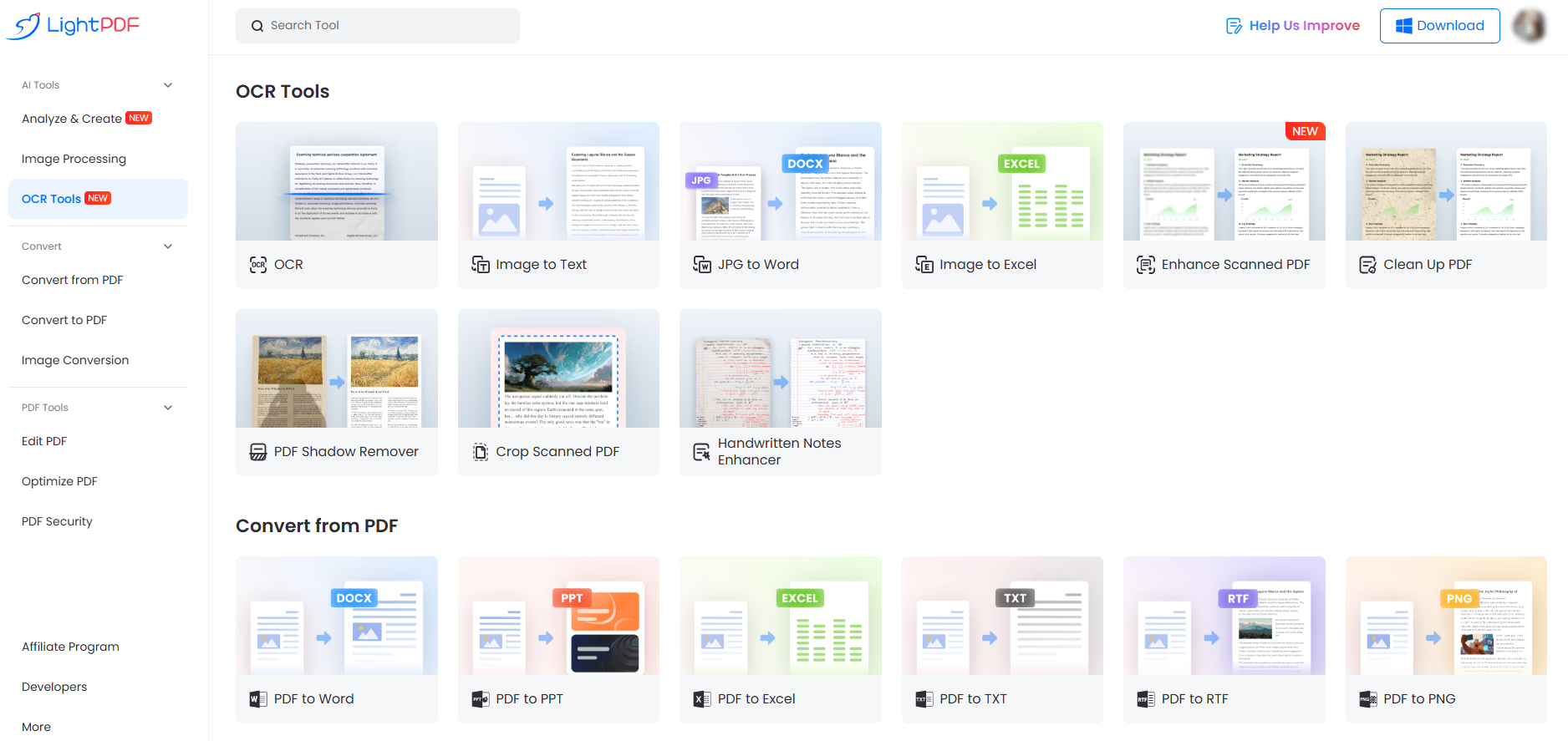
- Instant Digital Watermark Removal: We have all dealt with archived reports or vendor blueprints stamped with massive, semi-transparent “Sample,” “Confidential,” or obsolete corporate branding across every page. Once you use a tool to clean up pdf background layers, you can deploy targeted color-range erasers to isolate the specific hue of the watermark ink and strip it away entirely without damaging the black text underneath.
- Handwritten Notes Enhancer: Sometimes, you don’t want to erase hand-written data—you need to salvage it. If you are processing scanned lecture notes, textbook margins, or brainstorming sessions snapped from an office whiteboard, the ink is often faded or thin. A specialized handwritten enhancer isolates the organic fluid strokes of pen ink, deepens their color profiles, and separates them cleanly from the background grid, making hand-written archives highly legible and ready for printing.
- Smart Margin Crop: When paper goes through an old mechanical feeder, the resulting digital file often gets stuck with thick, ugly black borders or binding shadows running along the outer edges. Instead of manually erasing these page by page, modern layout engines let you auto-crop the empty canvas boundaries, slicing away frayed borders and ensuring your document has uniform, professional white borders.
The Shift to Conversational AI Operators
The tech space is moving incredibly fast past manual menu clicking. Instead of jumping from a standalone scanner app to a cleaning portal and then over to a separate editor, modern digital workflows utilize context-aware AI Agents.
Think of it as executing your admin tasks via simple text direction. Instead of spending ten minutes adjusting file settings, you tell your system exactly what you want in plain English:
“Clean up the ugly casting shadows on these three scanned invoices, bundle them chronologically into a single file, turn that into an editable spreadsheet, and give me a quick summary of the total tax totals.”
An active AI Agent handles that entire multi-step pipeline on its own. It directs the underlying PDF cleaner logic to purge the background mud, organizes the document sequence, runs the file formatting conversion, and extracts the core financial patterns within seconds. It transforms data management from a repetitive digital chore into a conversation.
Part.6 FAQ
Q1: How can I clean up scanned PDF online free?
The fastest route is to use an encrypted cloud utility like LightPDF. Users simply upload the document into the browser interface, select an automated cleaning mode like “Fast Whitening,” and allow the platform to bleach the background noise out. The updated, high-contrast file is ready to download within seconds without any account sign-ups.
Q2: Can a PDF cleaner remove gray background from PDF smartphone photos?
Yes. Document photos taken on mobile phones almost always suffer from overhead casting shadows and poor ambient lighting. An advanced cleaner analyzes the lighting gradients across the digital page, establishes a firm threshold separation, and forces the off-white grays to pure white while darkening the actual text ink.
Q3: When should AI Deep Whitening be chosen over Fast Whitening to whiten PDF files?
Fast Whitening works perfectly for standard, modern documents that suffer from global gray tones or light scanner shadows. AI Deep Whitening is specifically designed for severe cases—historical archives with uneven water stains, highly wrinkled sheets, or documents where the ink has faded to a barely visible gray.
Q4: Is it safe to upload proprietary files to an online document cleaner?
When using an encrypted, enterprise-grade cloud service like LightPDF, data remains fully secure. The portal runs all transfers through end-to-end HTTPS encryption channels. Furthermore, the system is hardcoded to automatically and permanently wipe both input and output files from cloud servers within 60 minutes.
Q5: Why do files still look pixelated after changing the DPI setting?
Artificially changing a document’s DPI metric (for instance, forcing a 72 DPI file to 300 DPI) only stretches the existing visual data across a wider grid; it cannot invent clarity. To actually improve readability and clean up pdf text, an optimization engine must be used to target character borders, filter out background noise, and balance the contrast natively.


Leave a Comment