


What Is Gauth Math?
Gauth Math is an AI homework helper that lets students solve questions by uploading or scanning an image. It is mainly used for math problems, but it also supports subjects like physics, chemistry, biology, economics, writing, and social science.

It can help students:
- Solve algebra, geometry, and calculus problems
- Understand word problems
- Check physics or chemistry questions
- Prepare for quizzes and exams
- Get step-by-step explanations
Its main value is that it shows the solving process, not just the final answer.
What Makes Gauth Math Useful?
Gauth Math is useful because it makes difficult homework questions easier to handle. Students do not need to type complex equations, fractions, graphs, or long word problems manually. They can upload a photo and get a guided explanation quickly.
It is especially helpful when students want to:
- Check their homework steps
- Understand why an answer is correct
- Review formulas before a quiz
- Compare their own solution with an AI explanation
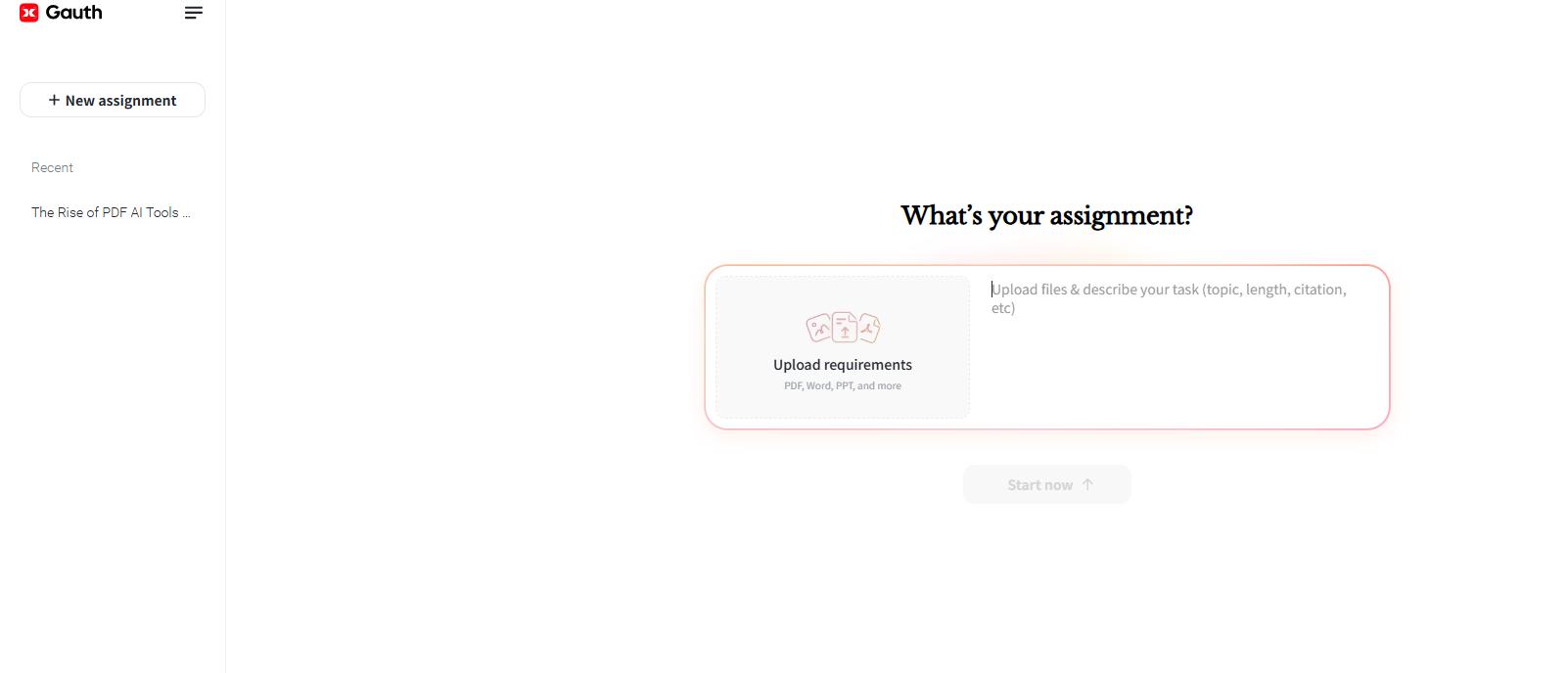
The best way to use Gauth Math is not just to copy the answer, but to learn from the explanation. Used this way, it works more like a study assistant than a simple answer tool.
Where Gauth Math May Not Be Enough
Gauth Math works well for single questions, but it may not be enough for every study situation.
- Not ideal for full documents: If your homework is saved as a PDF worksheet, scanned textbook page, or multi-page assignment, you may need to crop, split, or convert the file before uploading one specific question.
- Answers still need checking: AI tools may misread blurry images, messy handwriting, diagrams, or missing context. Students should always check whether the question, formula, units, and final answer are correct.
- Limited document organization: Gauth can explain a problem, but it does not help much with saving answers, editing worksheets, highlighting key points, or creating review notes.
This is where LightPDF can help. It can prepare homework files before using Gauth Math and organize study materials after getting the answer.
How LightPDF Complements Gauth Math
Many students do not study from single question images. Homework often comes as PDF worksheets, scanned textbook pages, lecture slides, or class notes. In these cases, LightPDF can help make the file easier to read, extract, and manage.
For example, students may use LightPDF when they need to:
- Extract one question from a long PDF worksheet
- Crop or rotate a scanned page before uploading it to Gauth Math
- Use OCR to turn scanned text into editable content
- Convert a PDF into Word or images for easier editing
- Highlight formulas or add notes after reviewing the answer
- Merge difficult questions into one review PDF before exams
A simple workflow could look like this:
- Open your homework PDF or scanned worksheet in LightPDF. If the document is blurry or hard to read, use PDF enhancement to improve its clarity.

- Crop, split, rotate, or convert the file if needed.
- Use OCR if the question is locked inside a scanned image.
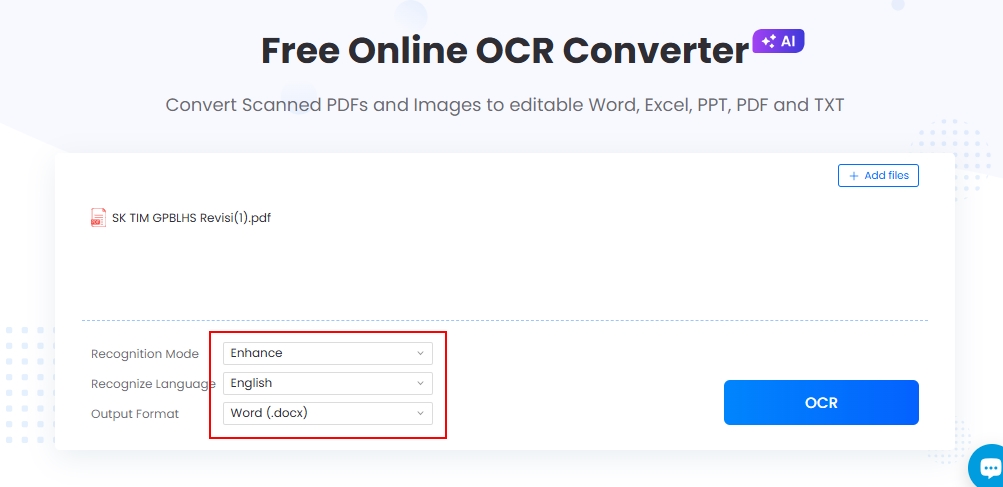
- Upload the clear question to Gauth Math for explanation.
- Save useful steps or notes back into your study file with LightPDF.
This way, Gauth Math helps solve the question, while LightPDF helps manage the full homework document. Together, they make the study process cleaner and easier to review later.
Tips for Using Gauth Math Responsibly
Gauth Math works best when students use it to understand a problem, not just copy an answer. To get better results, try these tips:
- Try the problem first: Write down your own method before uploading the question.
- Check the steps: Compare Gauth’s explanation with your solution and see where they differ.
- Solve it again: After reading the answer, try the same problem again without AI help.
- Save difficult questions: Keep the problems you got wrong and organize them in a review PDF with LightPDF.
- Use clear images: Blurry, cropped, or messy scans may lead to incorrect answers, so clean or crop the question first.
Conclusion
Gauth Math is a practical AI homework helper for students who need quick explanations for math and other subjects. It works best for single questions, photo-based problem solving, and step-by-step learning.
However, it is less suitable for handling full worksheets, scanned PDFs, or multi-page study materials. If your homework is saved as a PDF, LightPDF can help you crop, split, OCR, convert, annotate, and organize the file before or after using Gauth Math.
Overall, Gauth Math helps students understand specific questions, while LightPDF helps manage the study materials around them. Used together, they create a more complete and efficient homework workflow.


Leave a Comment