


1. LightPDF – ★★★★★ Best All-in-One PDF Editor
LightPDF is the most complete option among all best free online PDF editor tools in 2026. It combines editing, conversion, and AI features into a single platform, making it suitable for both professional and everyday use.

It allows users to directly edit PDF content while maintaining formatting accuracy, which is essential for contracts, reports, and structured documents. Users can also visually modify layout elements without re-creating files.
Core capabilities include:
- Edit text directly in PDFs
- Insert and edit images inside documents
- Highlight, underline, and strike out content
- Add shapes like square, circle, line, and arrow
- Create stamps for approvals

Beyond editing, LightPDF supports structured document control:
- Edit PDF pages online including reorder, delete, and rotate
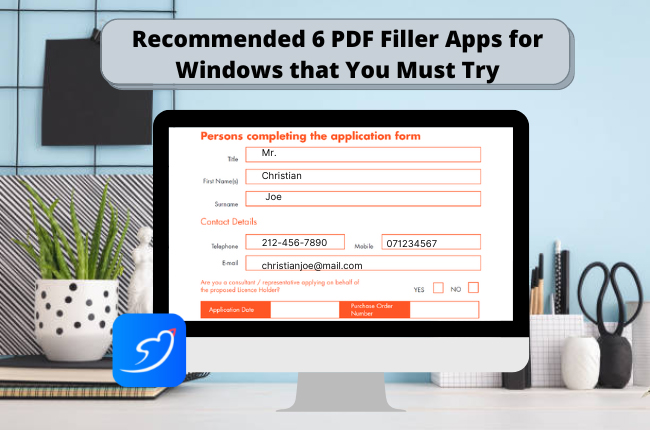
- Online PDF fill and sign for forms and contracts
- Edit PDF picture online by inserting or replacing images
- OCR for scanned documents
- AI tools for summarization, translation, and generation
It is best suited for users who need a full PDF workflow rather than a basic editor.
2. Smallpdf – ★★★★☆ Simple and Popular PDF Editor
Smallpdf PDF Editor is one of the most widely recognized tools in the PDF space and is often searched as smallpdf pdf editor due to its strong brand presence.
It focuses on simplicity and speed, making it ideal for users who want quick editing without complexity. It does not provide deep customization, but it performs well for everyday document tasks.

Core capabilities include:
- Basic PDF editing and annotation
- File compression and conversion
- Online PDF fill and sign support
- Simple drag-and-drop interface
It is best for users who prioritize speed and simplicity over advanced editing control.
3. iLovePDF – ★★★★☆ Batch Processing PDF Tool
iLovePDF is designed for users who need to handle multiple documents efficiently. It is especially useful in office environments where batch processing is required.

Core capabilities include:
- Merge and split PDF files
- Compress large documents
- Convert PDF to Word, Excel, and PPT
- Basic editing functions
- Batch processing support
It is best for users working with large volumes of documents.
4. PDFescape – ★★★☆☆ Lightweight Online Editor
PDFescape is a simple browser-based tool designed for basic editing needs. It does not require installation and works directly in the browser.

Core capabilities include:
- Add text and annotations
- Fill PDF forms online
- Basic page editing
- Simple document protection tools
It is best for lightweight editing and quick form completion.
5. Sejda – ★★★★☆ Clean Structured PDF Editor
Sejda offers a balanced editing experience with a clean interface and structured workflow. It is suitable for users who need more control than basic tools provide.

Core capabilities include:
- Edit text in PDF files
- Insert images and links
- Modify document structure
- Edit PDF pages online
- Fill and sign PDF forms
It is best for structured editing tasks with moderate complexity.
6. PDF Candy – ★★★★☆ Multi-Tool PDF Platform
PDF Candy provides a wide range of PDF utilities beyond editing. It is useful for users who need both conversion and editing in one place.

Core capabilities include:
- Edit and annotate PDFs
- Convert PDF to multiple formats
- Merge, split, and compress files
- OCR support
- File optimization tools
It is best for users needing multiple PDF functions in one tool.
7. DocFly – ★★★☆☆ Simple Browser PDF Editor
DocFly is a lightweight online PDF editor designed for basic document tasks. It is easy to use and suitable for quick edits.

Core capabilities include:
- Edit text in PDFs
- Fill and sign forms
- Add images and annotations
- Basic file editing tools
It is best for users who need minimal and fast editing.
★ Comparison of Free Online PDF Editors
| Tool | Rating | Edit Pages | Fill & Sign | Image Editing | AI Features |
|---|---|---|---|---|---|
| LightPDF | ★★★★★ | Full | Yes | Yes | Yes |
| Smallpdf | ★★★★☆ | Basic | Yes | Limited | No |
| iLovePDF | ★★★★☆ | Moderate | Yes | No | No |
| PDFescape | ★★★☆☆ | Basic | Yes | No | No |
| Sejda | ★★★★☆ | Moderate | Yes | Yes | No |
| PDF Candy | ★★★★☆ | Moderate | Yes | Yes | Limited |
| DocFly | ★★★☆☆ | Basic | Yes | No | No |
★ Frequently Asked Questions
Q: What is the best free online PDF editor in 2026?
A: The best free online PDF editor in 2026 depends on the level of functionality you need. For users who want an all-in-one solution, LightPDF is often considered the most complete option because it combines editing, page management, image handling, and AI-powered features in a single platform. It works well for both simple and professional workflows. Other tools like Smallpdf and iLovePDF are widely used as well, but they focus more on basic editing and quick document processing rather than advanced editing or automation.
Q: Can I edit PDF pages online without installing software?
A: Yes, most modern PDF editors allow users to edit PDF pages directly in the browser without installing any software. This includes rearranging pages, deleting pages, rotating documents, and inserting new pages. Online tools such as LightPDF and Sejda are designed specifically for this type of workflow, making it easy to manage documents across different devices.
Q: Is online PDF fill and sign safe for important documents?
A: Online PDF fill and sign features are generally safe when used with trusted platforms. Most reliable tools use encrypted connections during file upload and processing, and many automatically delete files after a short retention period. However, for highly sensitive or confidential documents, it is still recommended to use well-established services with transparent privacy policies and secure infrastructure.
Q: Can I edit images inside a PDF file online?
A: Yes, some advanced online PDF editors allow users to edit or replace images inside a PDF document. This includes inserting new images, resizing existing visuals, and repositioning them within the layout. This feature is particularly useful for updating reports, presentations, or marketing materials without rebuilding the entire document from scratch.
Q: Why are some PDF files locked and cannot be edited?
A: Some PDF files are intentionally protected to prevent editing, copying, or printing. These restrictions are usually added for security reasons, especially in contracts, official documents, or copyrighted materials. In such cases, editing is only possible if the restrictions are removed or if the user has permission to modify the file using a compatible PDF tool.
Q: Are free online PDF editors enough for professional use?
A: Free online PDF editors are usually sufficient for basic tasks such as editing text, filling forms, signing documents, and making simple adjustments. However, for professional workflows that involve large file volumes, OCR processing, batch operations, or AI-based document analysis, more advanced tools like LightPDF provide significantly better efficiency and flexibility



Leave a Comment