


In this guide, we will show you the most efficient way to edit text in pdf online using a powerful, user-friendly tool that requires no installation and, best of all, lets you edit text in pdf free of charge.
The 2026 Standard for PDF Text Editing
In 2026, people no longer want to switch between different tools just to make a few changes. LightPDF has established itself as the standard by offering a Unified Editing Workspace. Unlike traditional readers that only let you “annotate” or “white-out” text, LightPDF provides a sophisticated, all-in-one experience to edit text in pdf seamlessly.
- Direct Editing: It allows you to edit text in pdf by clicking on any existing sentence and modifying the content instantly. It feels exactly like editing a Word document.
- Precision Font Control: The AI-powered engine automatically detects the original font, size, and color. Whether you are replacing a single letter or a paragraph, the new text blends in invisibly. No need to manually choose the text, and select the font, size and color for it.
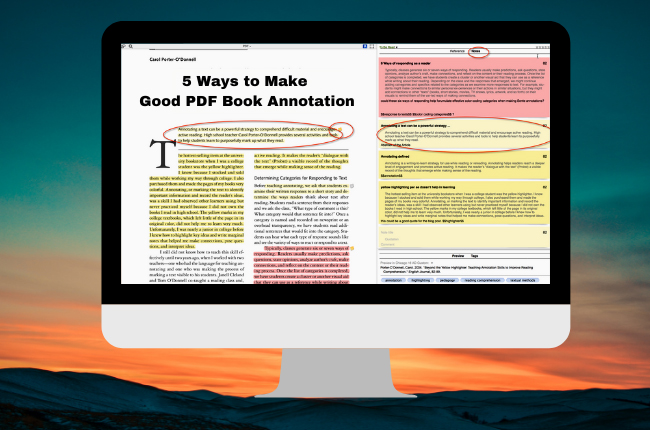
- Unified Workspace: You can edit text in pdf free, and simultaneously add annotations like highlights or sticky notes—all on the same page without switching tabs.
- Edit Anywhere, Anytime: Built for a mobile-first world, LightPDF works perfectly across Windows, Mac, iOS, Android, and web browsers. Whether you’re in a meeting or at the office, you can edit text in pdf online whenever and wherever you need.
How to edit text in PDF Online for Free with LightPDF
Follow these simple steps to edit text in pdf directly. This process requires no registration and ensures your formatting stays intact.
Step 1: Upload a File
Go to the LightPDF’s Free Online PDF Editor page and drag your document into the upload area. This is the fastest way to start an edit text in pdf online session.
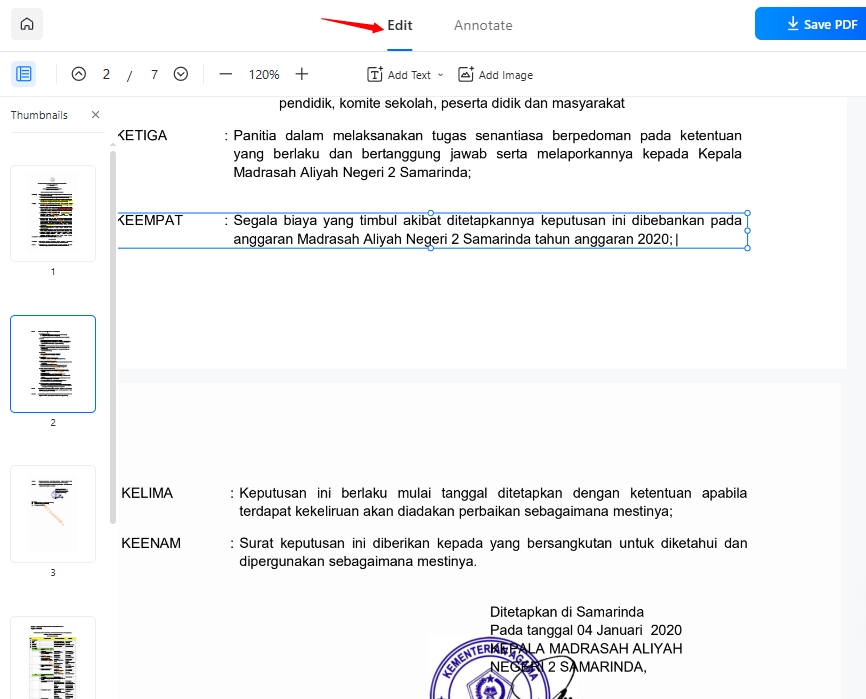
Step 2: Edit the Text
Once uploaded, click on the text you wish to change. LightPDF’s intelligent interface will recognize the text blocks, allowing you to modify characters directly.
Step 3: Customize and Annotate
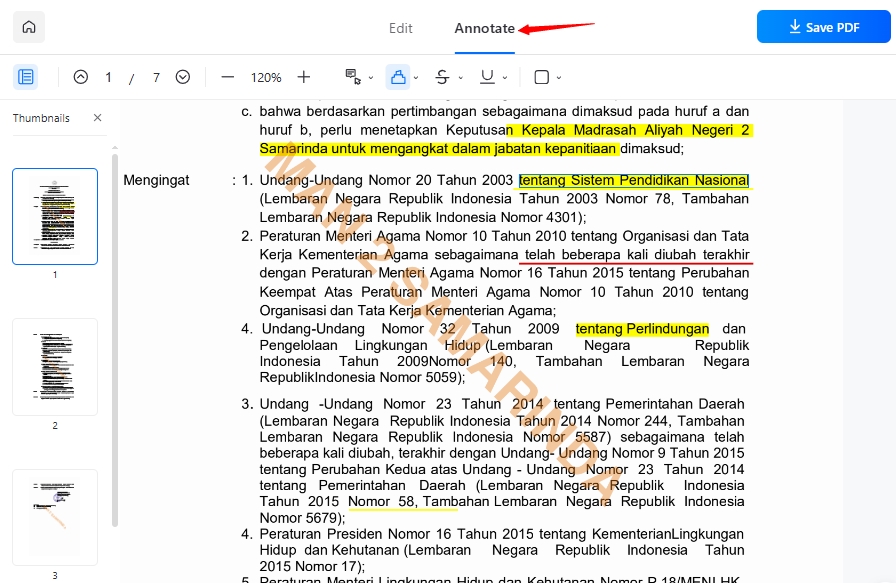
Beyond just words, LightPDF allows you to insert images anywhere in your document seamlessly. When it’s time to annotate your file, you can adjust the font color, or apply strikethrough and underline effects to emphasize critical data. Having all these tools—editing, highlighting, and annotating—available in one place makes it the most versatile way to edit text in pdf free.
Step 4: Save and Download
Click “Save PDF” to process your changes and download the edited file to your local drive instantly.
More Than Just a Way to Edit Text in PDF
LightPDF has evolved into a comprehensive AI-driven productivity suite. Beyond basic editing, it offers cutting-edge tools to manage your documents:
🤖 AI Agent
Modify documents using simple text commands. Tell the AI how you wish to edit your PDF file, and let the AI handle the heavy lifting, and all you need to do is to wait.
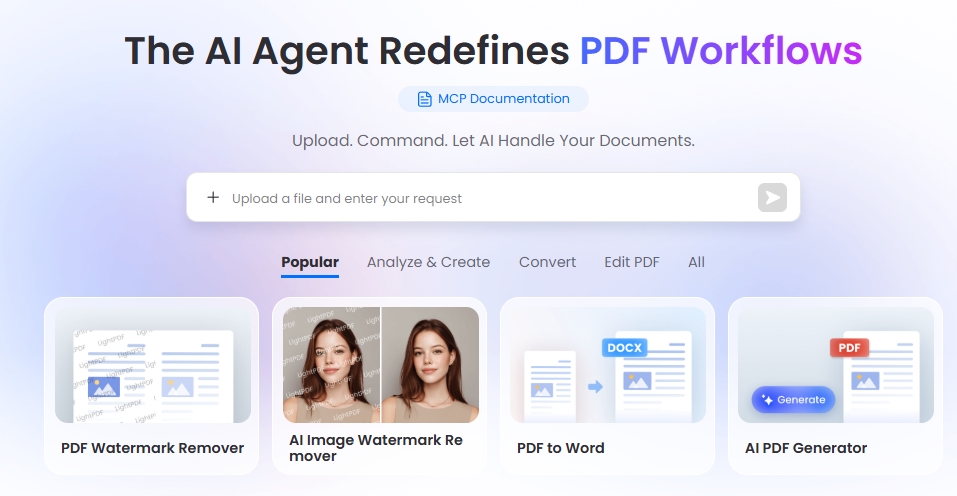
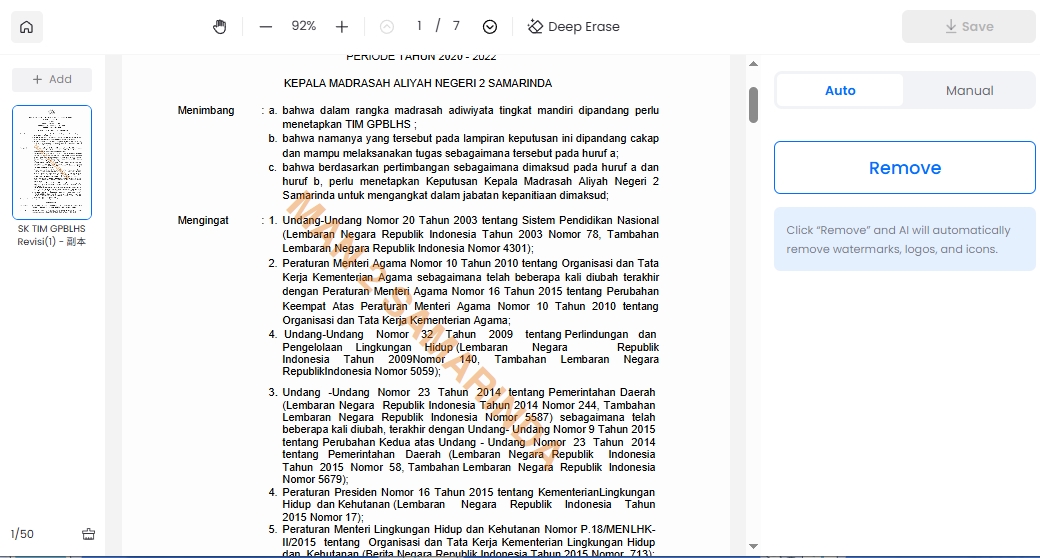
Tired of distracting logos? Automatically identify and erase watermarks while preserving the original background and layout.
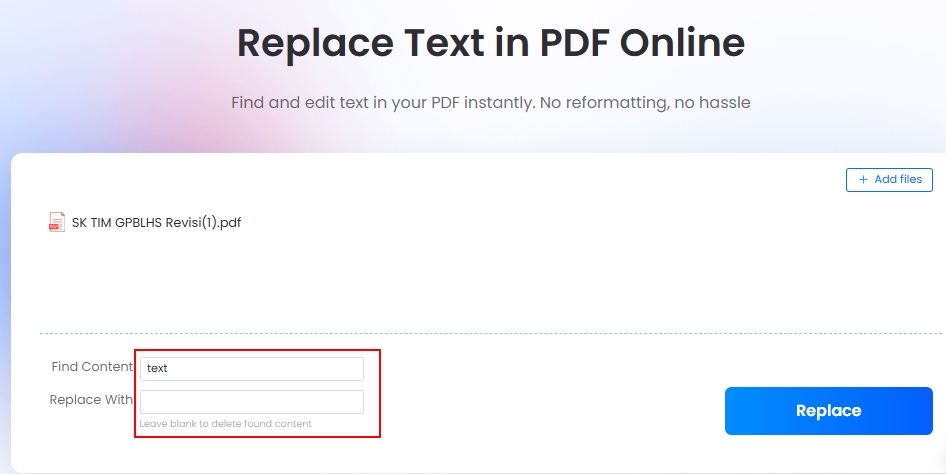
Save time by modifying identical content across the entire document. This tool allows you to edit text in pdf by replacing multiple instances of a phrase instantly—no more manual searching and replacing.
The versatility doesn’t stop here—there are dozens of other powerful PDF editing features waiting for you on LightPDF.
Real-World Use: Efficiency in Action
Finalize Business Contracts
Instead of requesting a new draft, use edit text in pdf online to fix mistakes on the fly. You can immediately highlight the changes for your client or add a sticky note for clarification, ensuring the deal moves forward without delay.
Update Resumes & CVs
Don’t let a missing original file stop you from applying for a dream job. You can edit text in pdf free to refresh your work experience, update contact details, or tailor your professional summary. LightPDF’s font-matching engine ensures your new additions blend in perfectly, keeping your layout professional and consistent.
Academic Research
Managing complex papers becomes effortless when you combine AI with manual editing. Use the AI Agent to summarize lengthy articles, then edit text in pdf to integrate those insights directly into your final report. You can annotate citations and underline core arguments all in one place, making your study process more organized.
Frequently Asked Questions
1. How to edit text in pdf for free?
You can use LightPDF to edit text in pdf free of charge online. It allows you to modify existing text, change fonts, and add annotations for free without installing any software.
2. Is it safe to edit text in pdf online?
Absolutely. LightPDF uses SSL encryption to secure your data. All files are automatically deleted from the servers after processing to ensure your information remains 100% private.
3. Can I edit text in pdf if the file is a scan?
Yes. You can use LightPDF desktop instead. As long as you upload a scan, it will detect and convert it into editable after your permission. Then you can edit text in a scan pdf file directly.
Conclusion
Learning how to edit text in pdf doesn’t have to be expensive or complicated. By using LightPDF, you get a professional-grade, unified experience that combines traditional editing with futuristic AI capabilities. Whether you need to edit text in pdf online, remove watermarks, or automate your workflow with an AI Agent, LightPDF is the most efficient choice.
Stop converting and start your edit text in pdf journey with LightPDF today!


Leave a Comment